Upgrading your Easy Order Manager+ plan gives you access to powerful features designed to streamline your business operations and support continued growth.
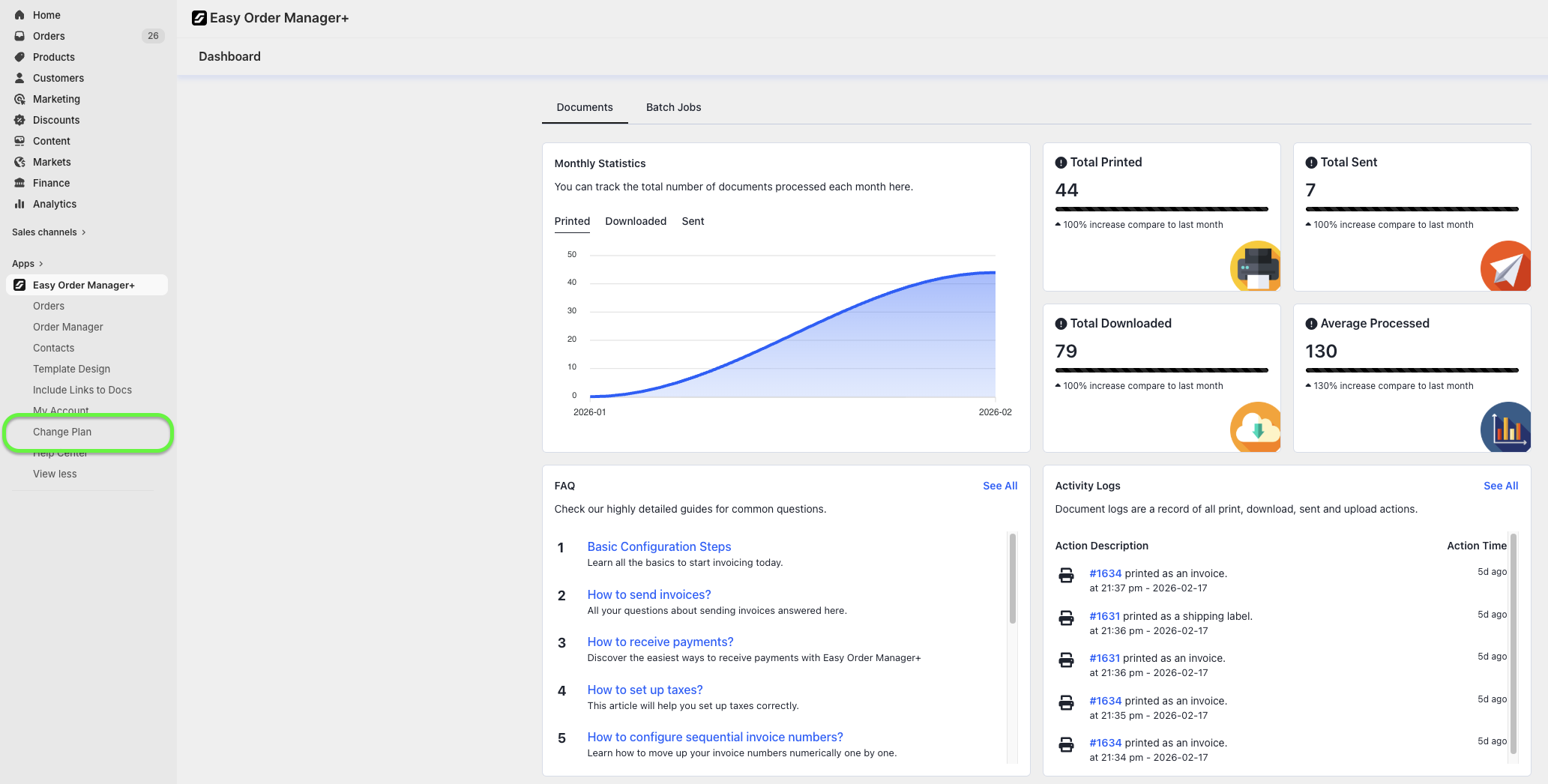
Step 1: Go to your Shopify store’s Apps section and select Easy Order Manager+. You’ll be automatically redirected to the app dashboard.

Step 2: Click on Change Plan.
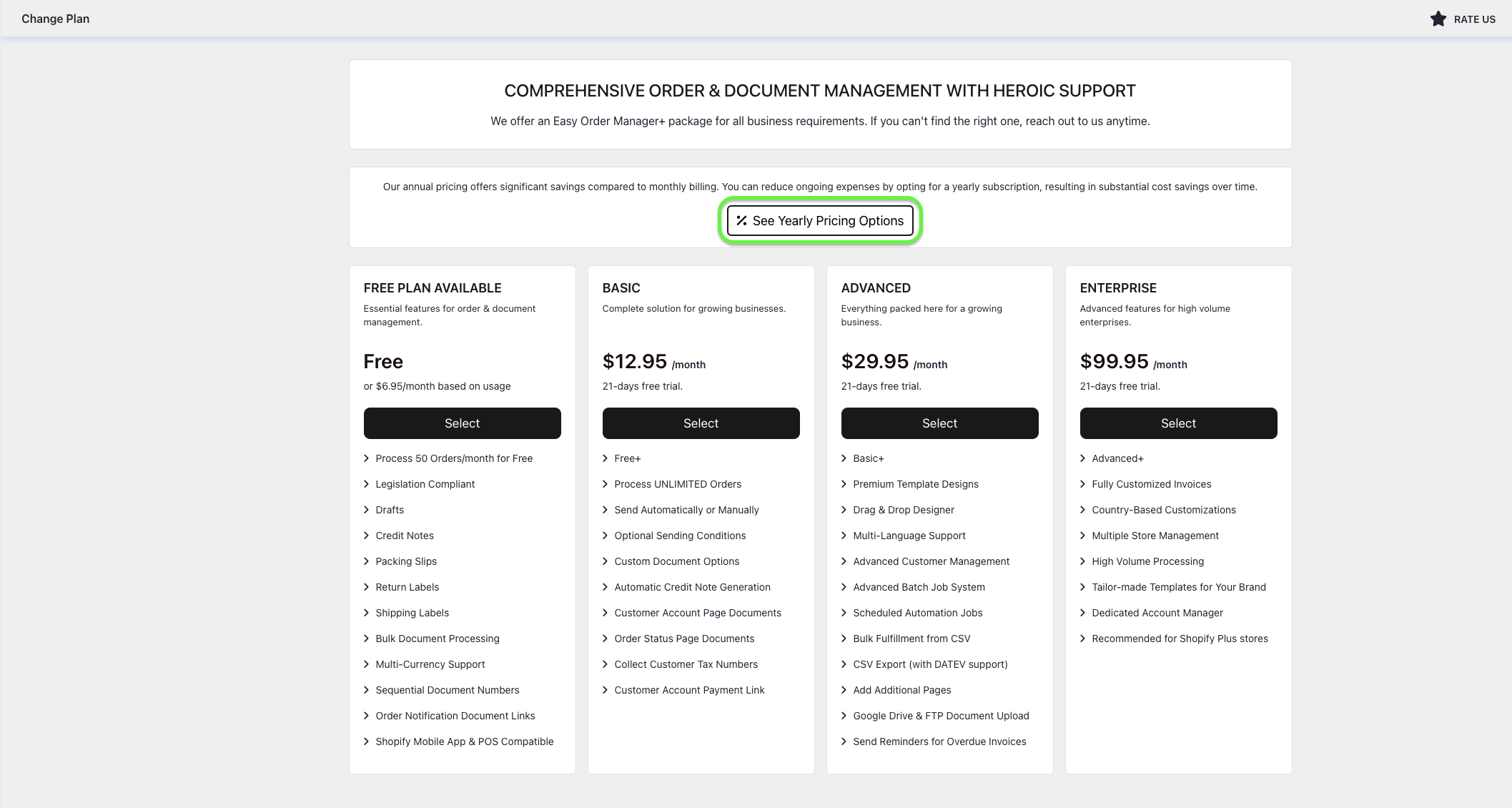
Step 3: Review the available plans and select the one that best aligns with your business needs.
For maximum savings, we recommend choosing annual billing, which offers a significant discount compared to monthly payments.
Troubleshooting Plan Upgrade Issues
If you encounter issues while attempting to change your plan, the following troubleshooting steps may help resolve the problem.
Ensure You Are Using the Latest Browser Version
Easy Order Manager+ runs in your browser, so using an outdated version may prevent certain requests (such as plan upgrades) from processing correctly. Please ensure your browser is updated to the latest version.
Adjust Your Browser Settings
Even with the latest browser version, some settings may interfere with the upgrade process.
For Safari users:
Navigate to the Privacy tab under Safari settings and deselect Prevent cross-site tracking. Then attempt to upgrade your plan again.

For Chrome or Chromium-based browsers:
- Click the three-dot menu in the top-right corner and select Settings.

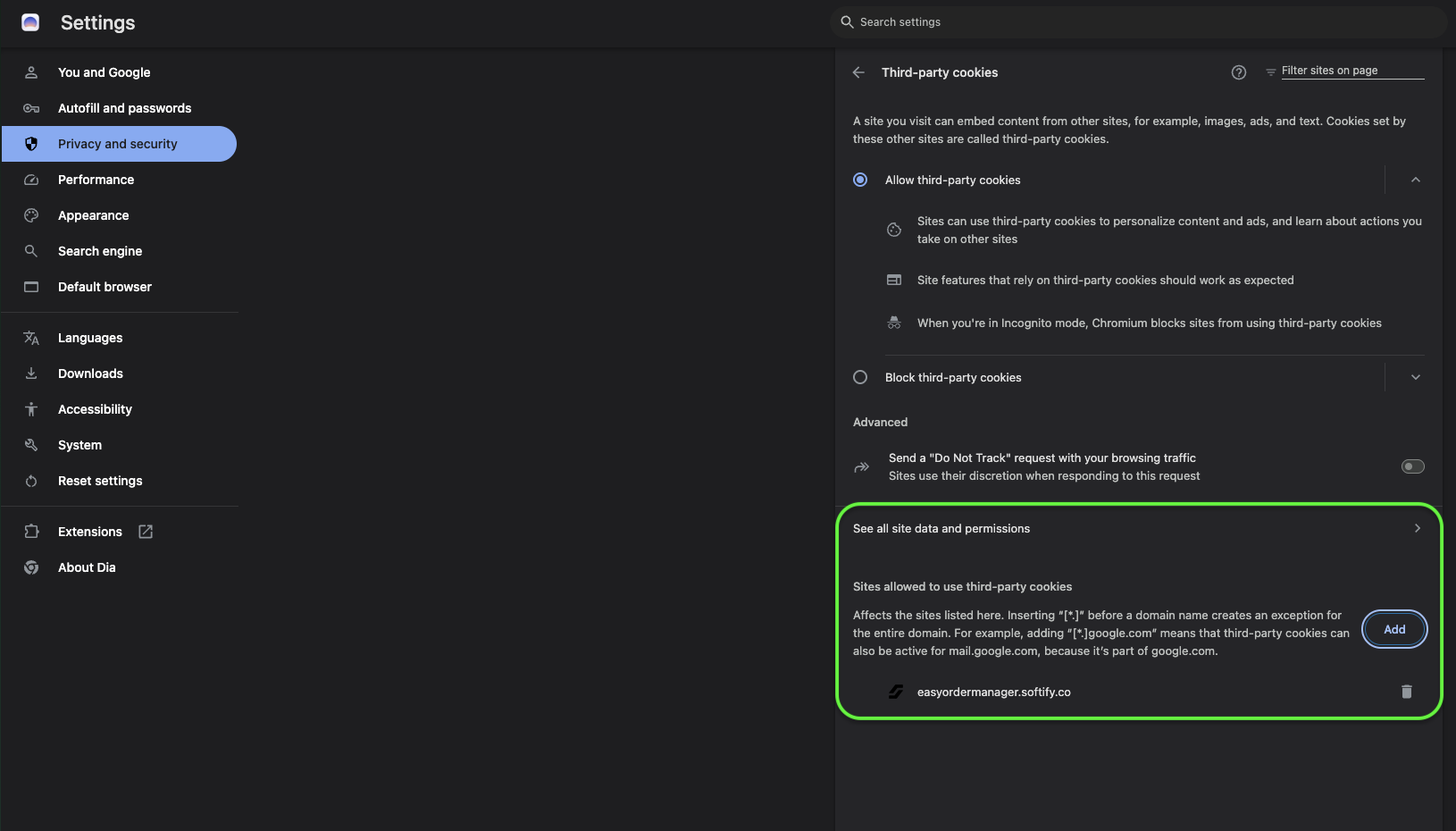
- Under Privacy and Security, select Third-party cookies.

- Enable Allow third-party cookies and turn off Send a “Do Not Track” request.

- Refresh your browser and try upgrading your plan again.

If you prefer not to change global settings, add the following trusted domains:
cloud.easyinvoice.softify.counder “Sites allowed to use third-party cookies”admin.shopify.comunder “Allowed to send pop-ups and use redirects”
Disable VPN or Browser Extensions
VPNs or browser extensions (especially ad blockers or privacy-focused tools) may interfere with app communication.
- Temporarily disable your VPN or extensions and retry the upgrade.
- Alternatively, try using an incognito/private window or a different browser.
Verify Account Permissions
If you are not the store owner, ensure your account has permission to approve app charges. If unsure, contact the store owner.
Multiple Stores in One Account
If you manage multiple Shopify stores under one account, confirm the correct store is selected by checking the store name in the top-right corner of your Shopify admin.
Need Additional Help?
If you’re still experiencing issues, feel free to reach out to our support team:
- Visit the Help Center section within your Easy Order Manager+ dashboard to create a ticket
- Or email us directly
We’re always happy to help!