This guide provides all the essential information on creating packing slips using Easy Order Manager+.
Note: If you haven’t customized your packing slip template yet, navigate to the Template Design section and select Packing Slip from the Document Type dropdown menu to apply your preferred design settings.
Step 1: Log in to your Shopify account.
Step 2: Navigate to the Apps section of your Shopify store and select Easy Order Manager+. You will be automatically redirected to the app dashboard.

Step 3: Click on the Orders tab.
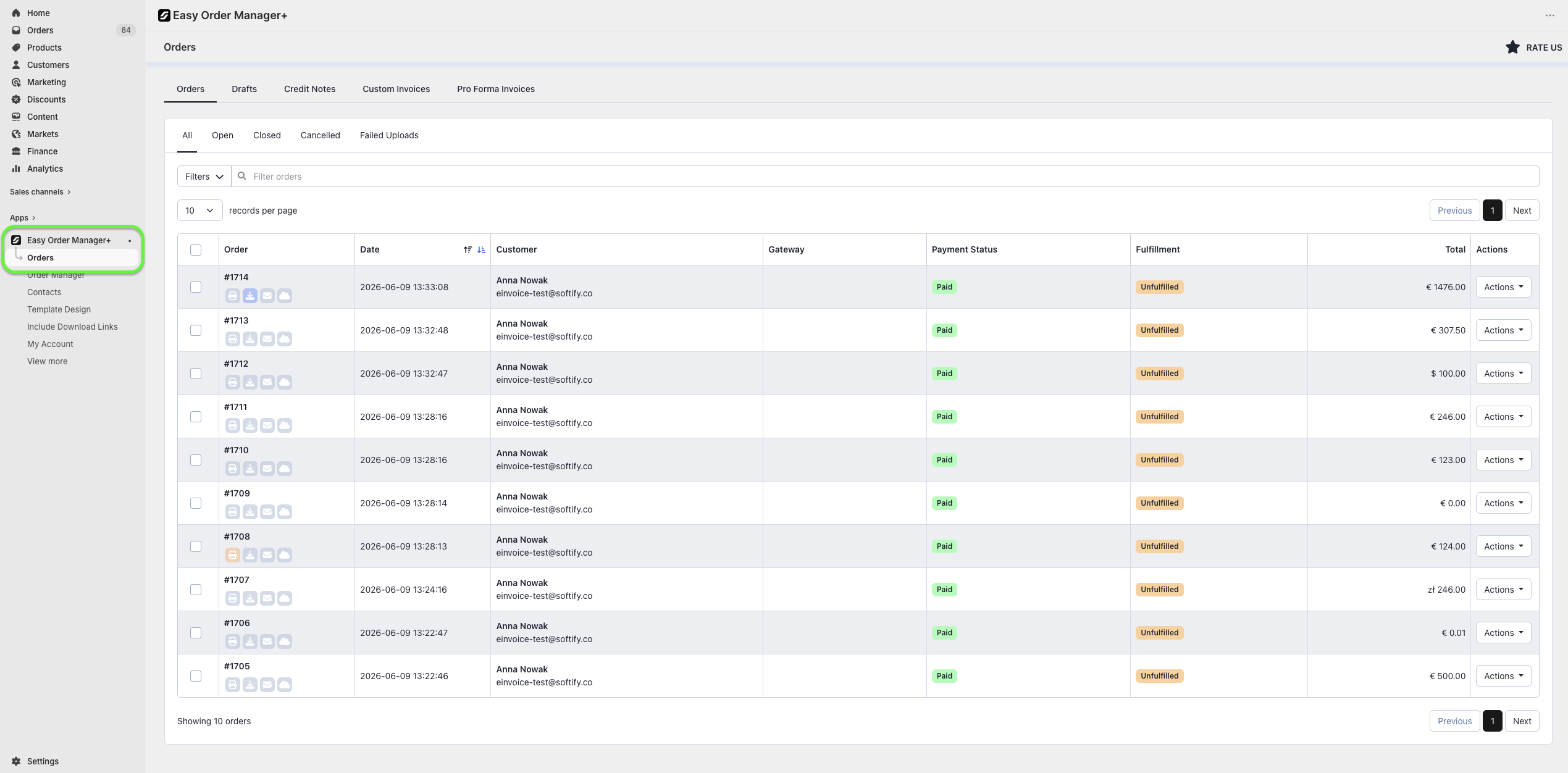
Step 4: Locate the order for which you want to create a packing slip. Click the Actions button on the right-hand side, then choose either Print or Download.

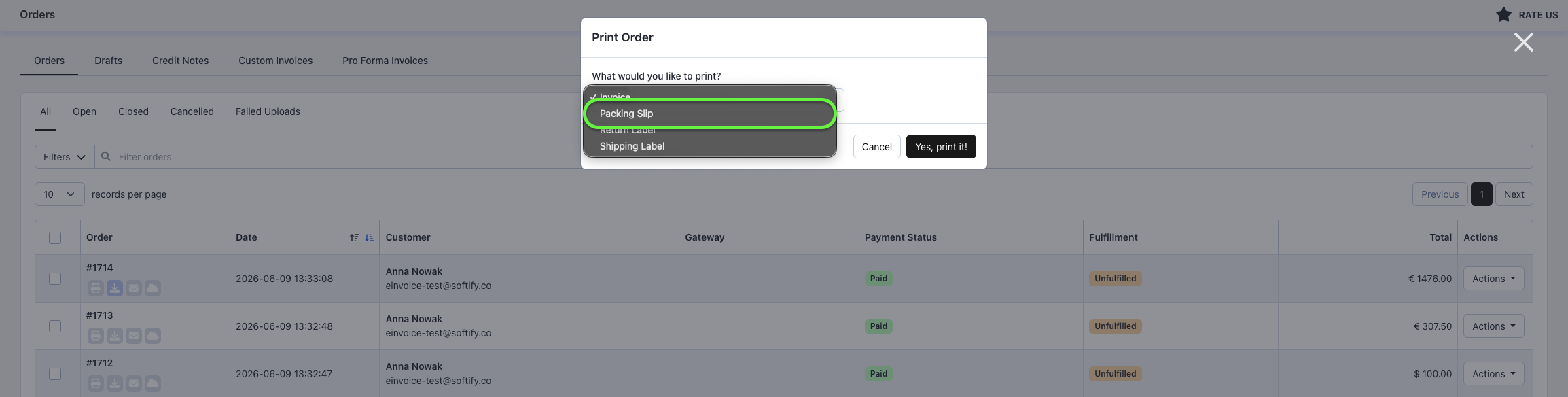
Step 5: From the dropdown menu, select Packing Slip.
You can also create a return label directly from the Order Details page within Easy Order Manager+. Simply open the desired order, click Print or Download, and then select Packing Slip from the dropdown menu.
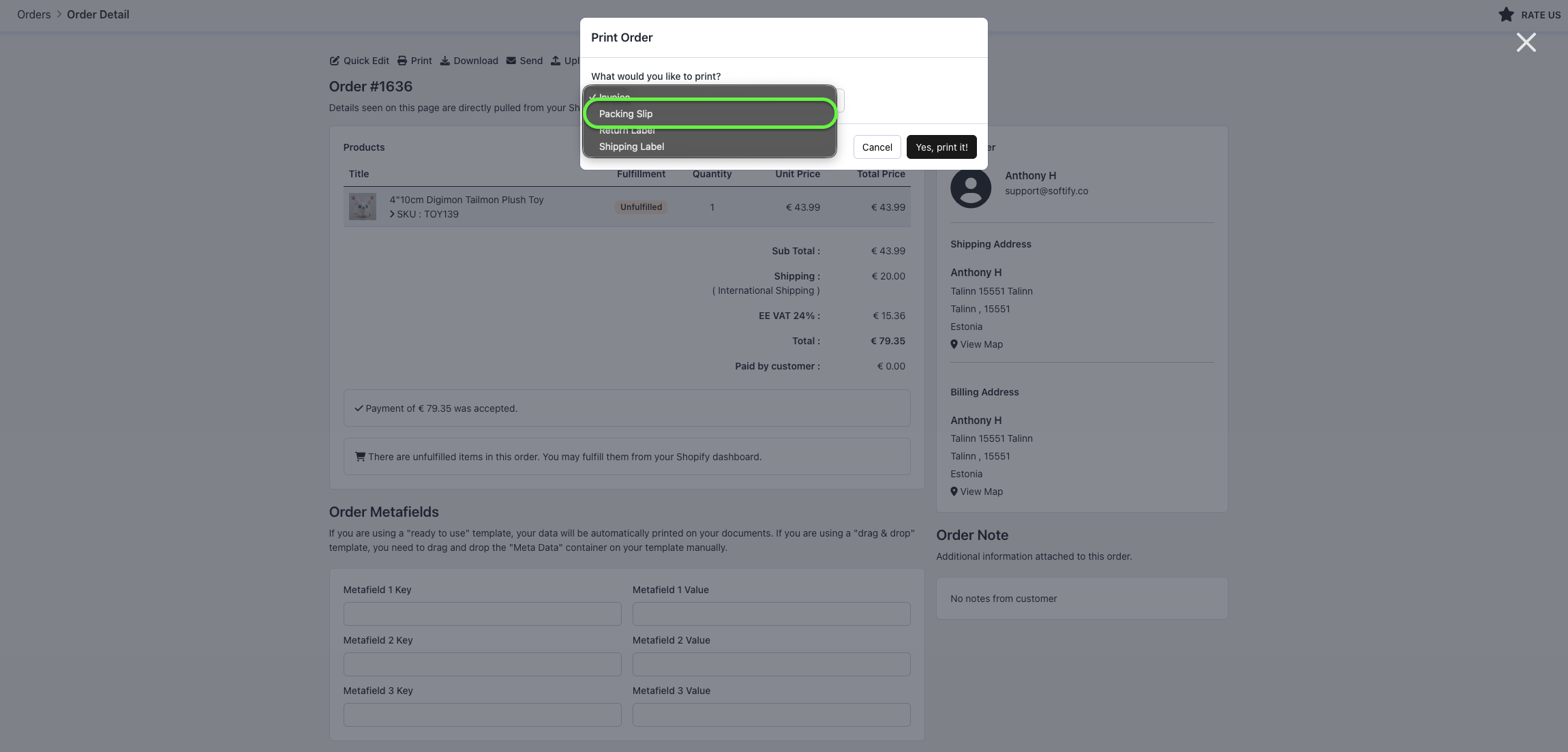
Additionally, you can create a packing slip directly from Shopify’s Orders page or an order’s Order Details page using Shopify’s native print functionality.

Need Additional Help?
If you’re still experiencing issues, feel free to reach out to our support team:
- Visit the Help Center section within your Easy Order Manager+ dashboard to create a ticket.
- Or click here to email us directly.
We’re always happy to help!