This guide provides all the essential information on customizing the localization settings for your invoices in Easy Order Manager+.
Step 1: Log in to your Shopify account.
Step 2: Navigate to the Apps section of your Shopify store and select Easy Order Manager+. You will be automatically redirected to the app dashboard.

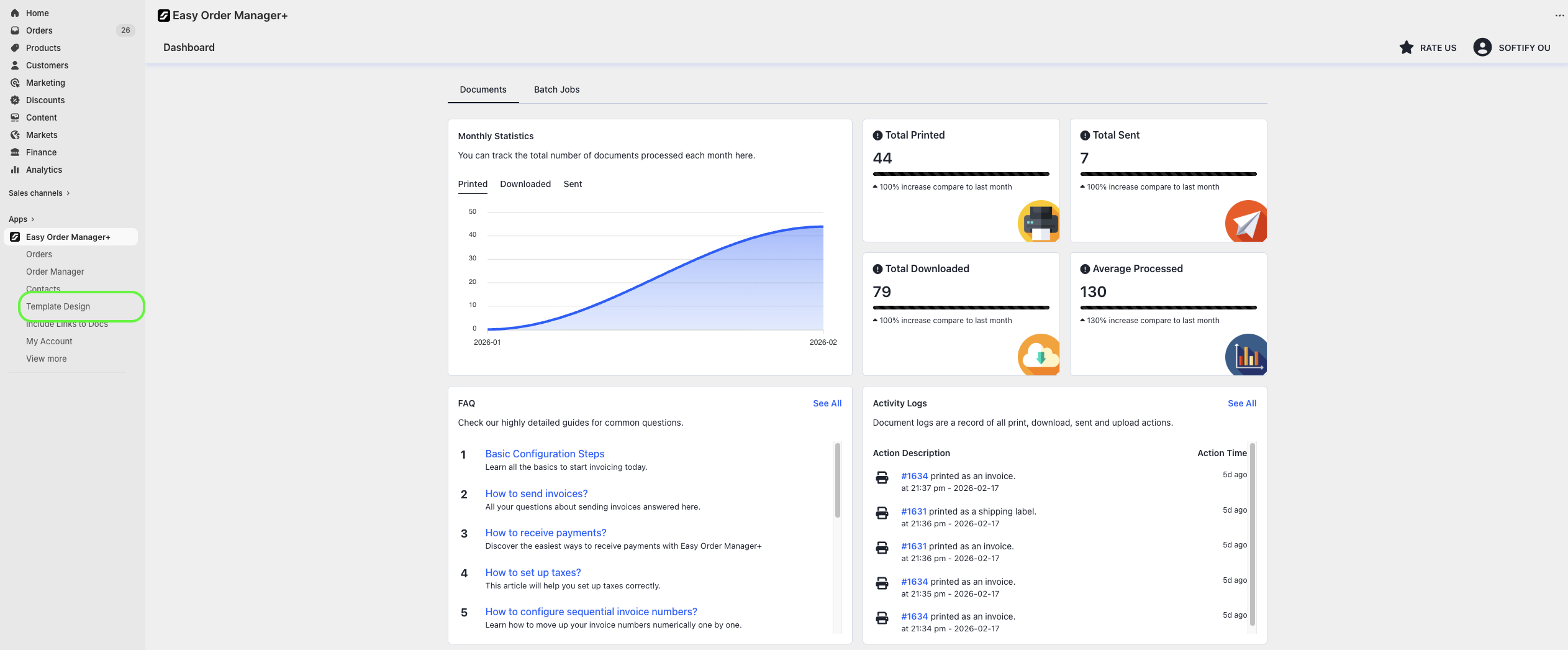
Step 3: From the dashboard, click on Template Design.
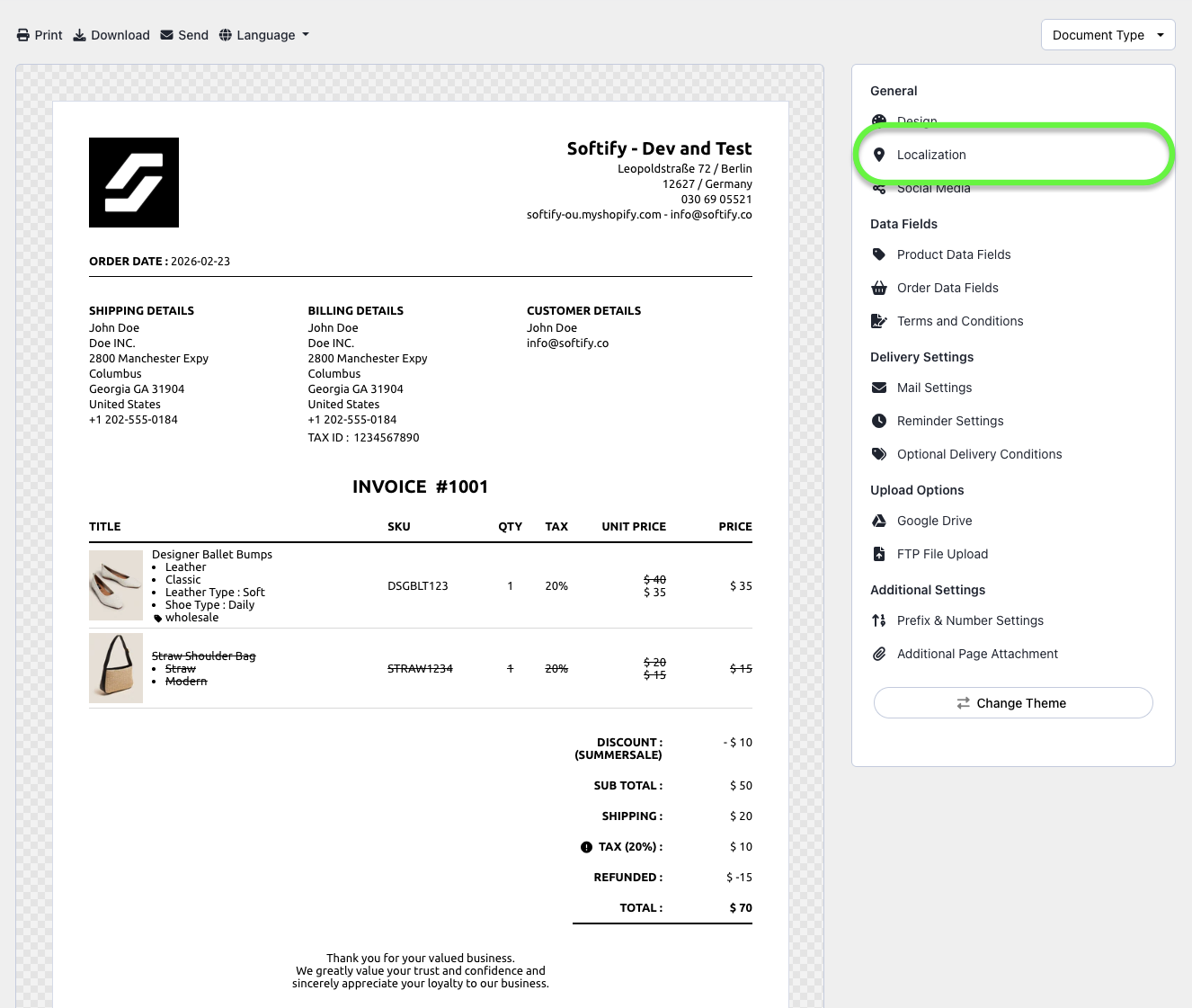
Step 4: Navigate to the Localization section.
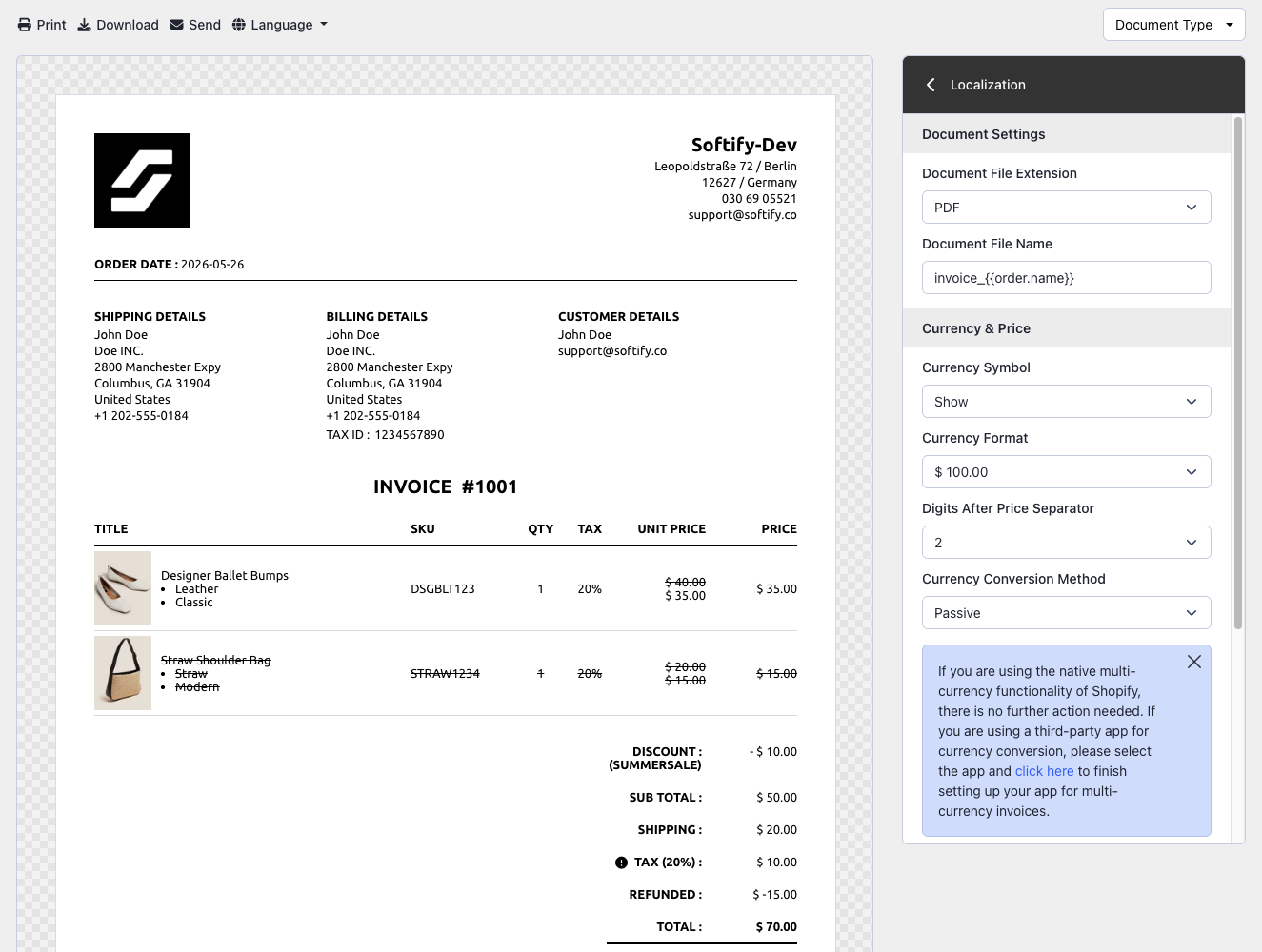
Step 5: In this section, you can configure the following localization settings:
Document Settings
- Document File Extension: Change the file format of the invoice attachment (default: PDF). You can switch to HTML if needed.
- Document File Name: Customize the name of the invoice file.
Currency & Price
- Currency Symbol: Choose whether to display the currency symbol on invoices.
- Currency Format: Adjust how currency values are formatted.
- Digits After Price Separator: Adjust the digits printed after the price separator.
- Currency Conversion Method: Select how currencies are converted for invoices.
➤ Click here for more information on creating multi-currency invoices.
Address & Measurement
- Address Format: Customize how addresses are displayed.
- Weight Unit: Select the preferred unit for product weight (default: kg). Options include grams (g), pounds (lb), or ounces (oz).
Date & Time
- Date Format: Choose the date format for your invoices.
- Time Format: Set your preferred time format.
Step 6: Once you’ve made your selection, click the Save button at the top center of the screen to apply your changes.

Need Additional Help?
- Visit the Help Center section within your Easy Order Manager+ dashboard to create a ticket
- Or click here to email us directly.
We’re always happy to help!