This guide provides all the essential information on downloading invoices using Easy Order Manager+.
You can download your invoices from both the Shopify Store Admin and Easy Order Manager+.
Downloading Invoices from the Shopify Store Admin
Step A: Log in to your Shopify account.
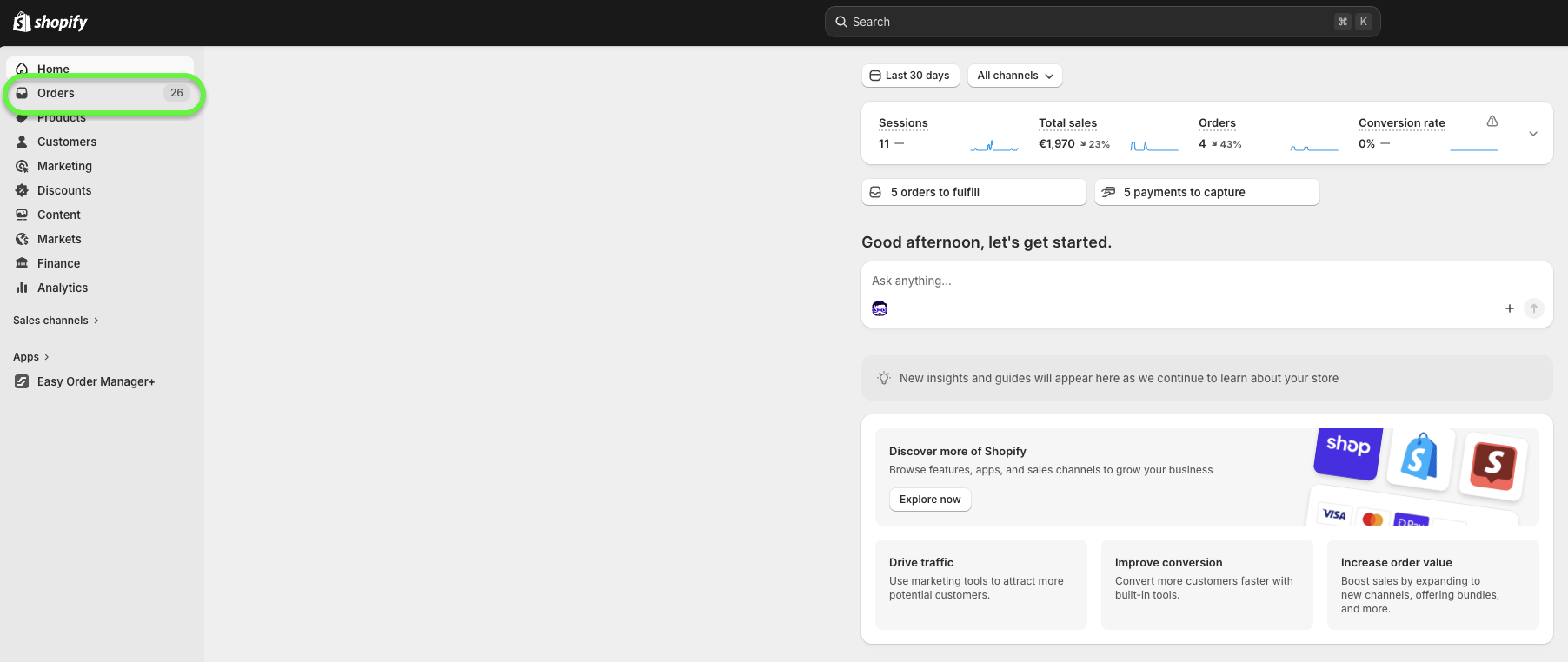
Step B: Click on the Orders section.
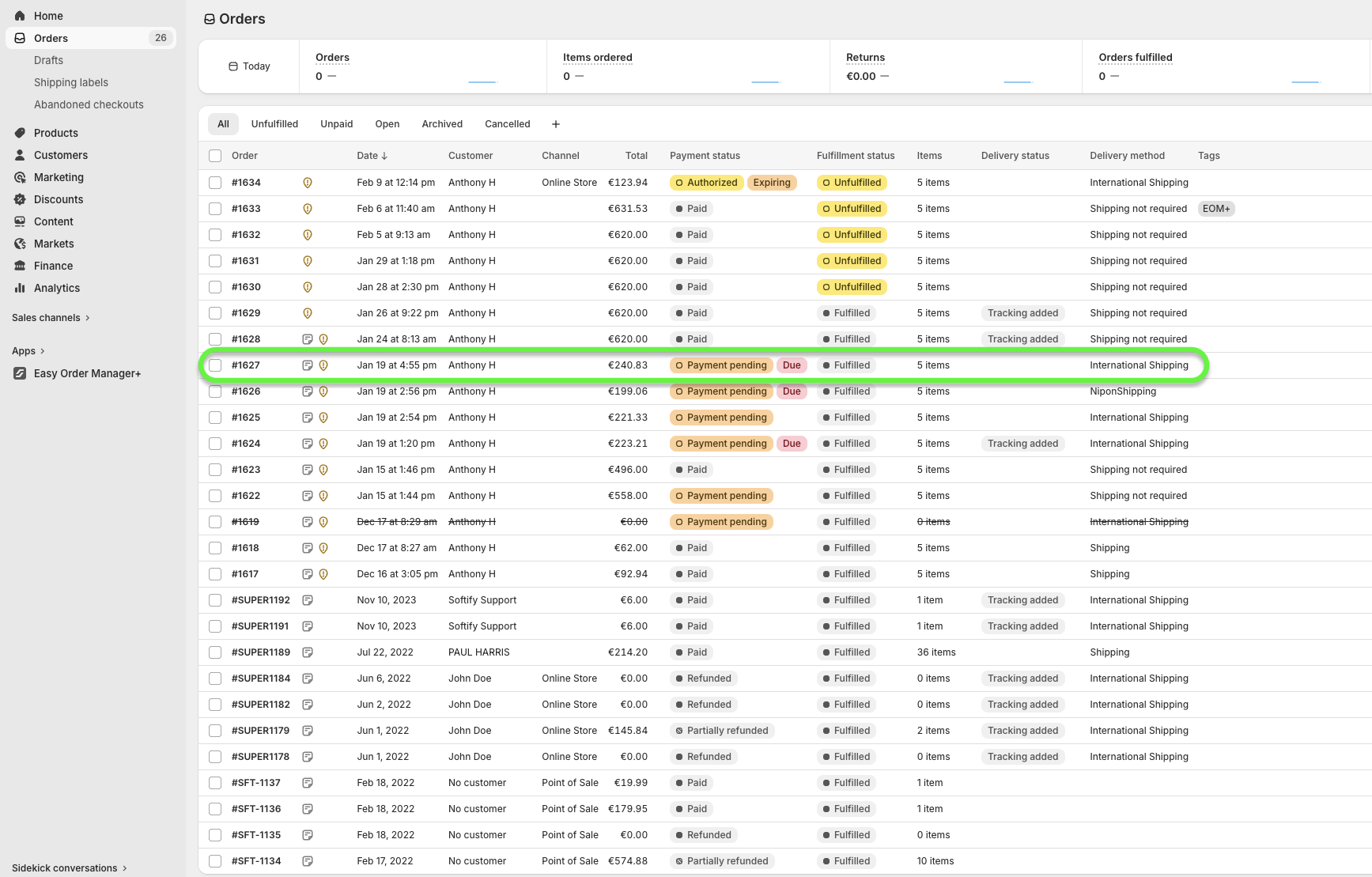
Step C: Select the checkbox next to the order you want to download.
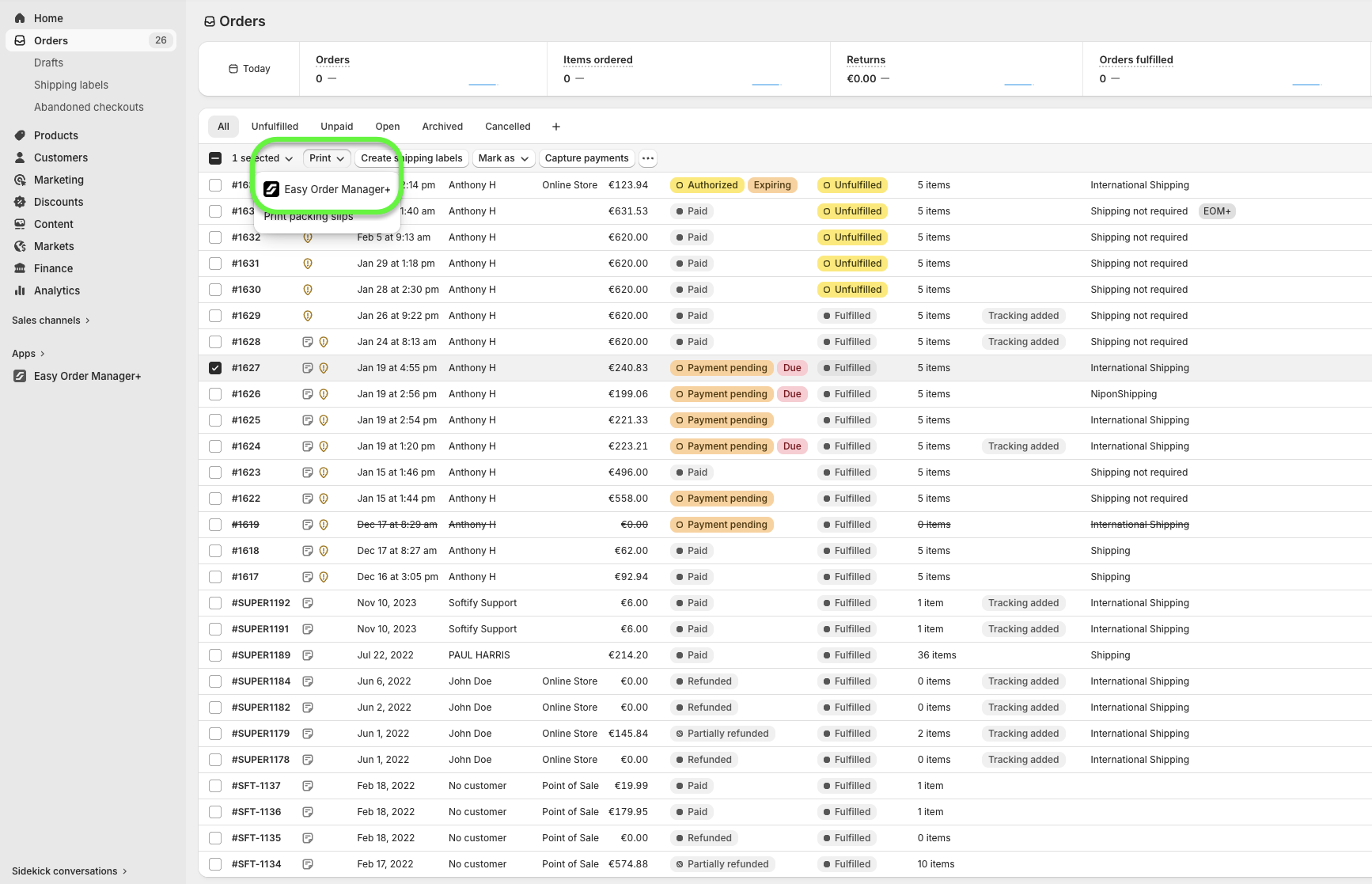
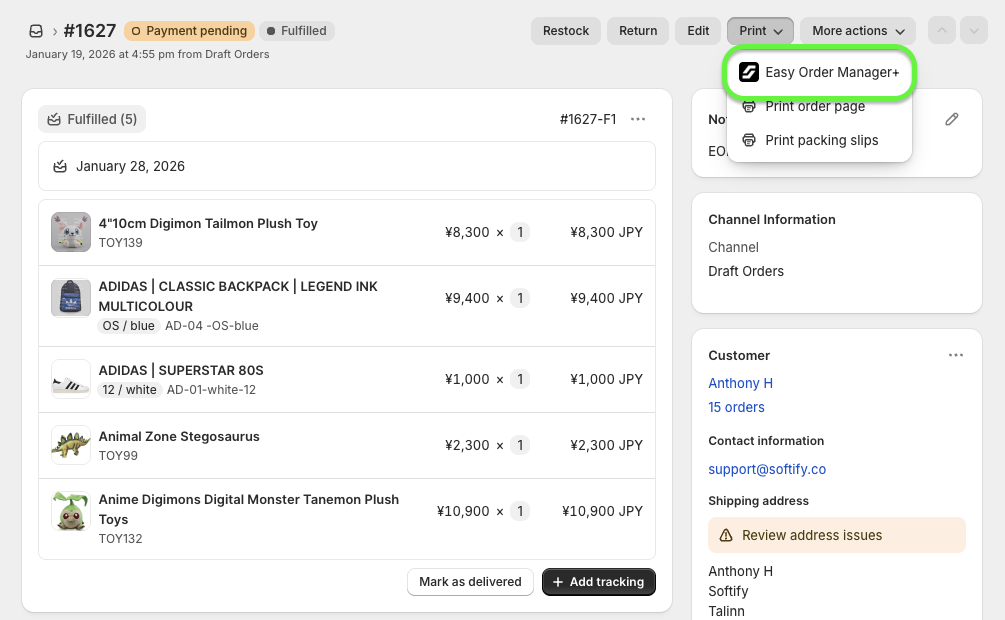
Step D: Click on the Print dropdown menu and choose Easy Order Manager+.
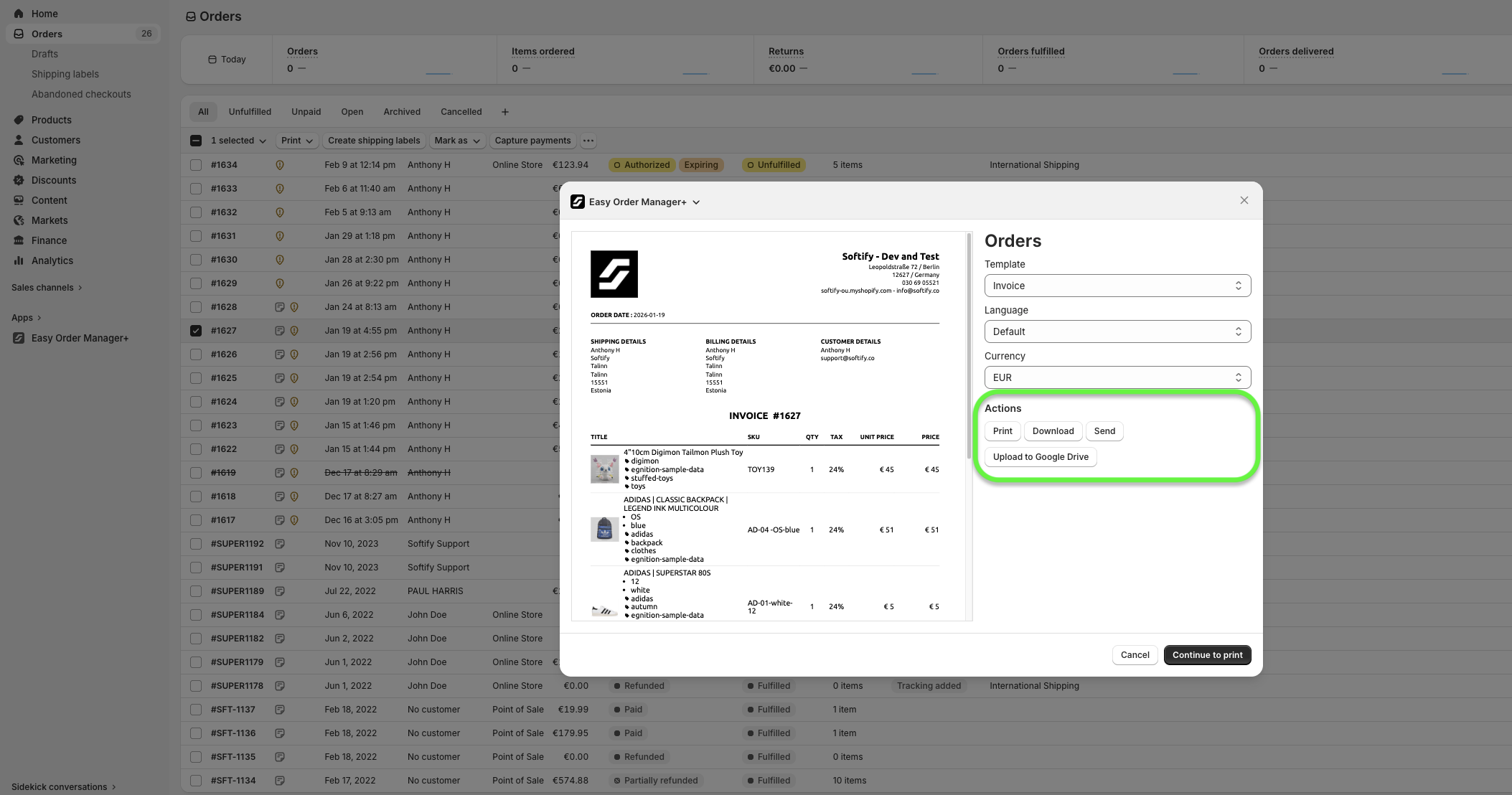
Step E: On the Easy Order Manager+ preview page, click the Download option under the Actions section.
You can also download from the Print menu located on the individual Order Details page within the Shopify Store Admin.
Downloading Invoices from Easy Order Manager+
Step 1: Log in to your Shopify account.
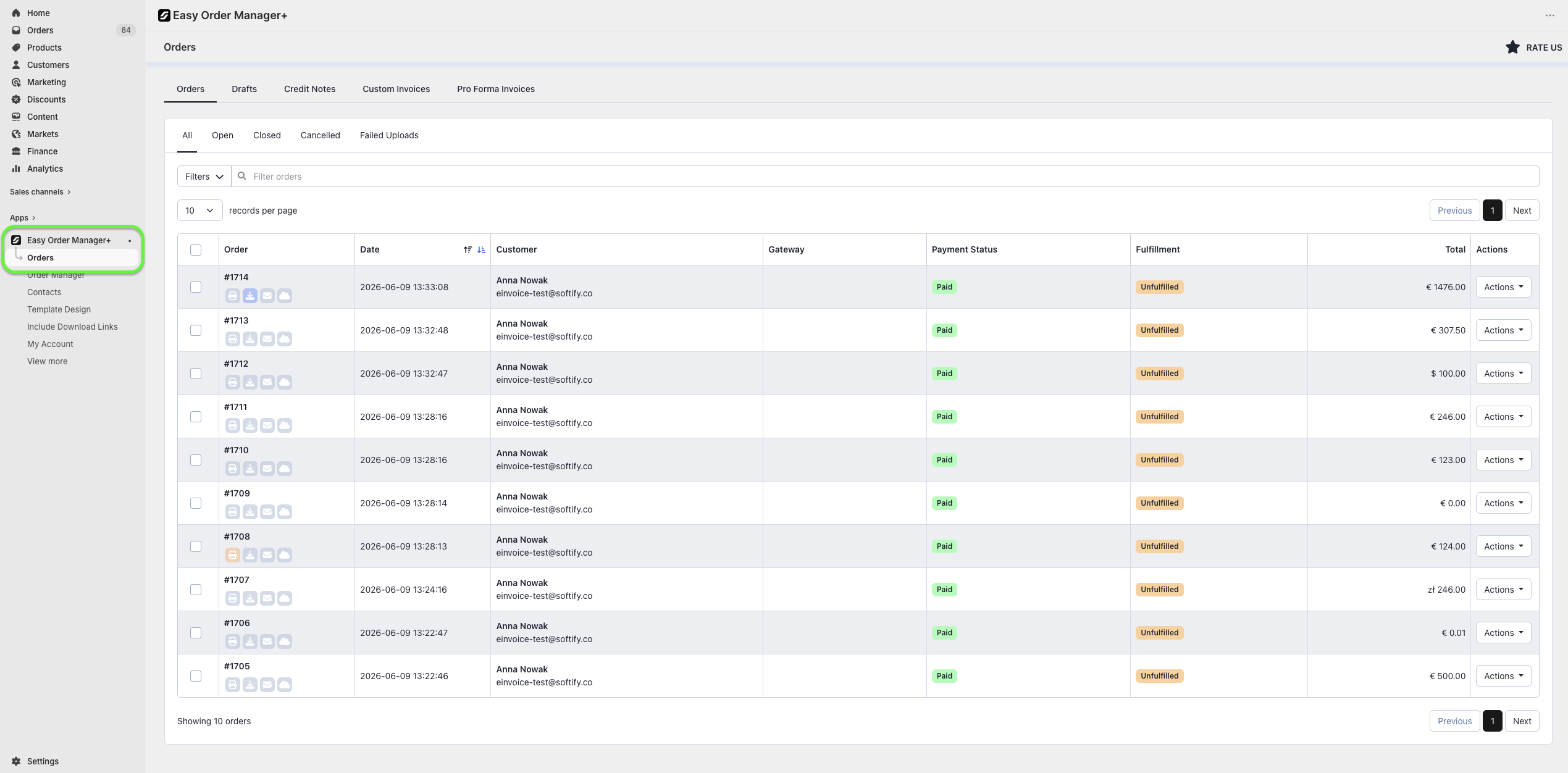
Step 2: Navigate to the Apps section of your Shopify store and select Easy Order Manager+. You will be automatically redirected to the app dashboard.

Step 3: Click on the Orders tab.
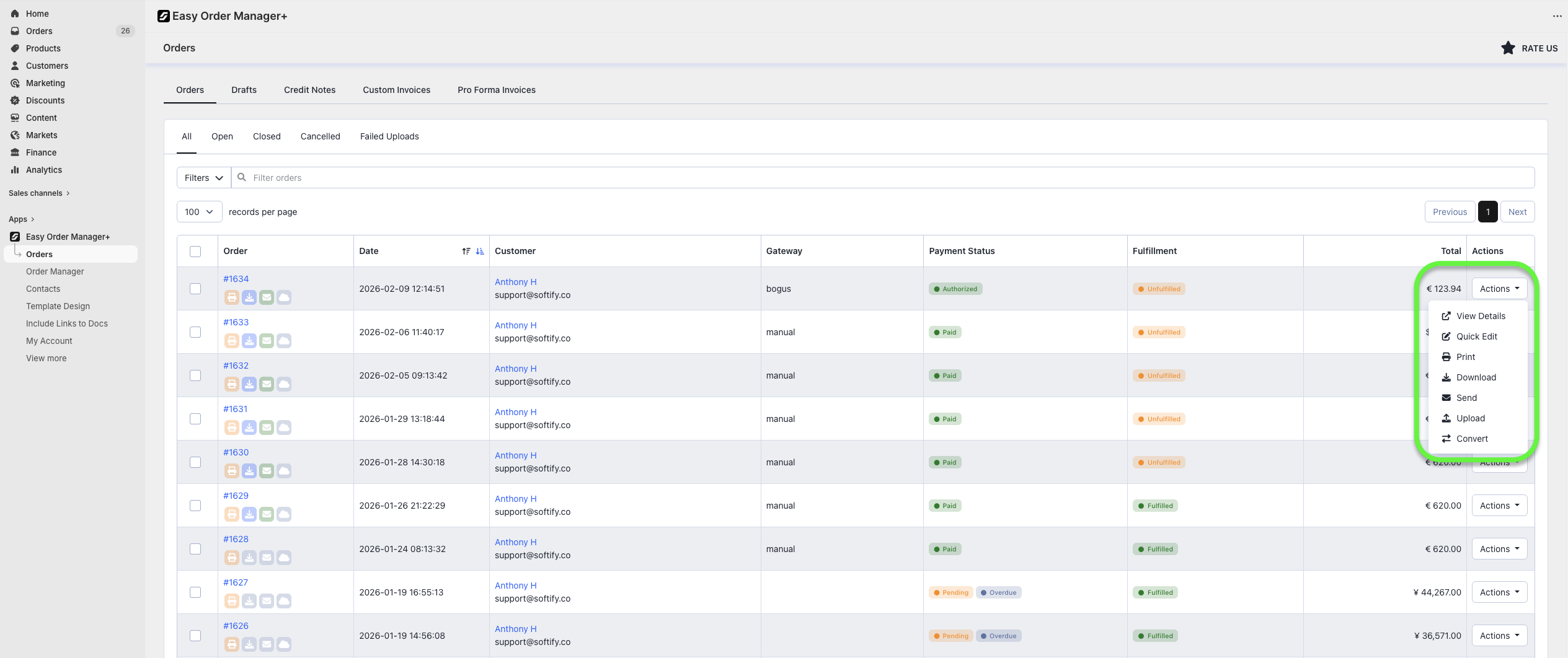
Step 4: Find the order you wish to download, click the Actions button next to it, and select Download.
Alternatively, you can download directly from Easy Order Manager+’s Order Details page. Simply select the desired order and click the Download button.

Need Additional Help?
If you’re still experiencing issues, feel free to reach out to our support team:
- Visit the Help Center section within your Easy Order Manager+ dashboard to create a ticket
- Or click here to email us directly.
We’re always happy to help!