This guide provides all the essential information for adding a download link to your store’s “Thank You” page using Easy Order Manager+.
With Shopify’s Customer Accounts, adding a Download Invoice button to your store’s Thank You page is quick and easy with Easy Order Manager+.
Step 1: Log in to your Shopify account.
Step 2: Navigate to the Apps section of your Shopify store and select Easy Order Manager+. You will be automatically redirected to the app dashboard.

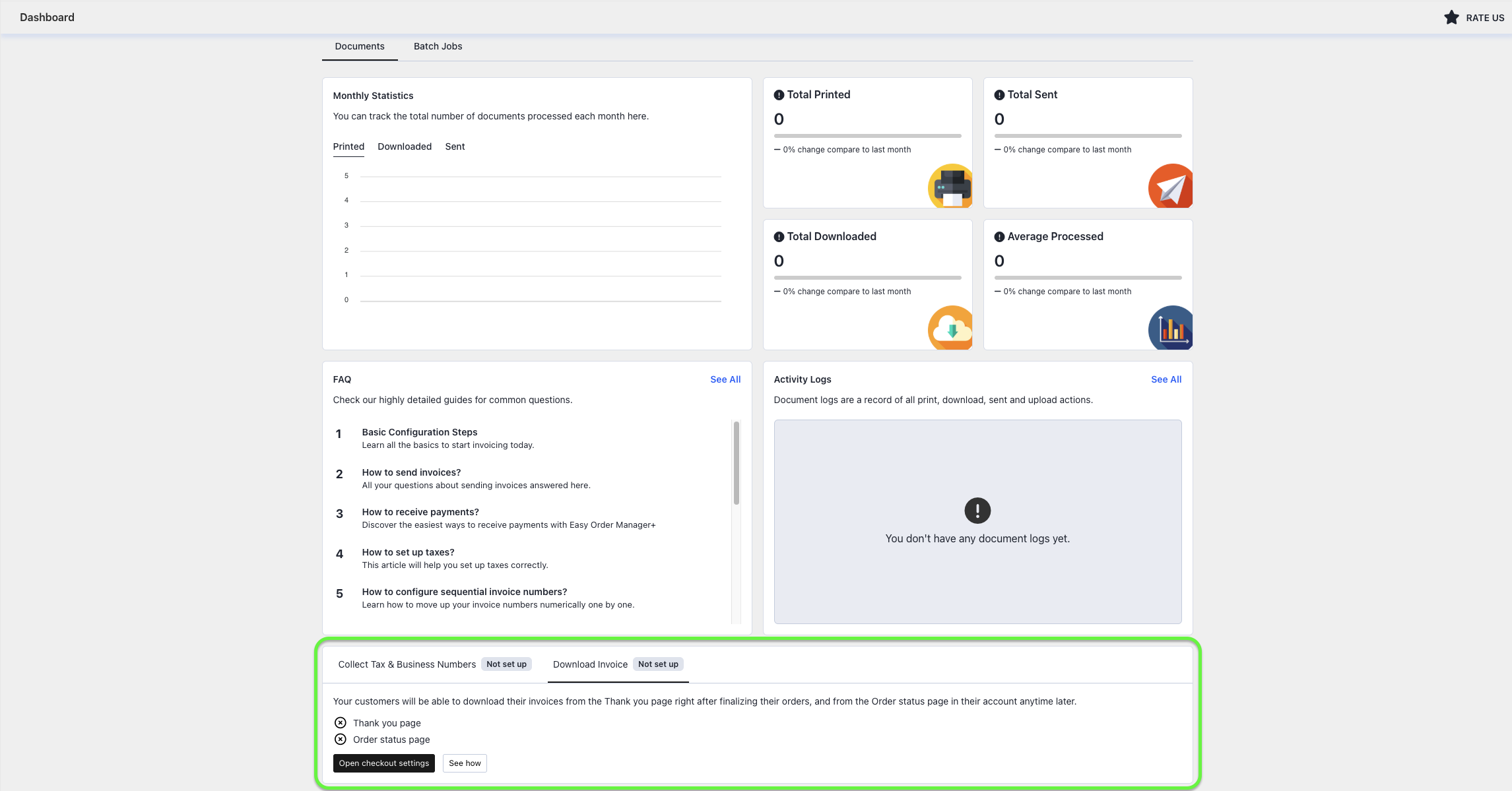
Step 3: From the app dashboard, click the Open Checkout Settings button under the Download Invoice tab.
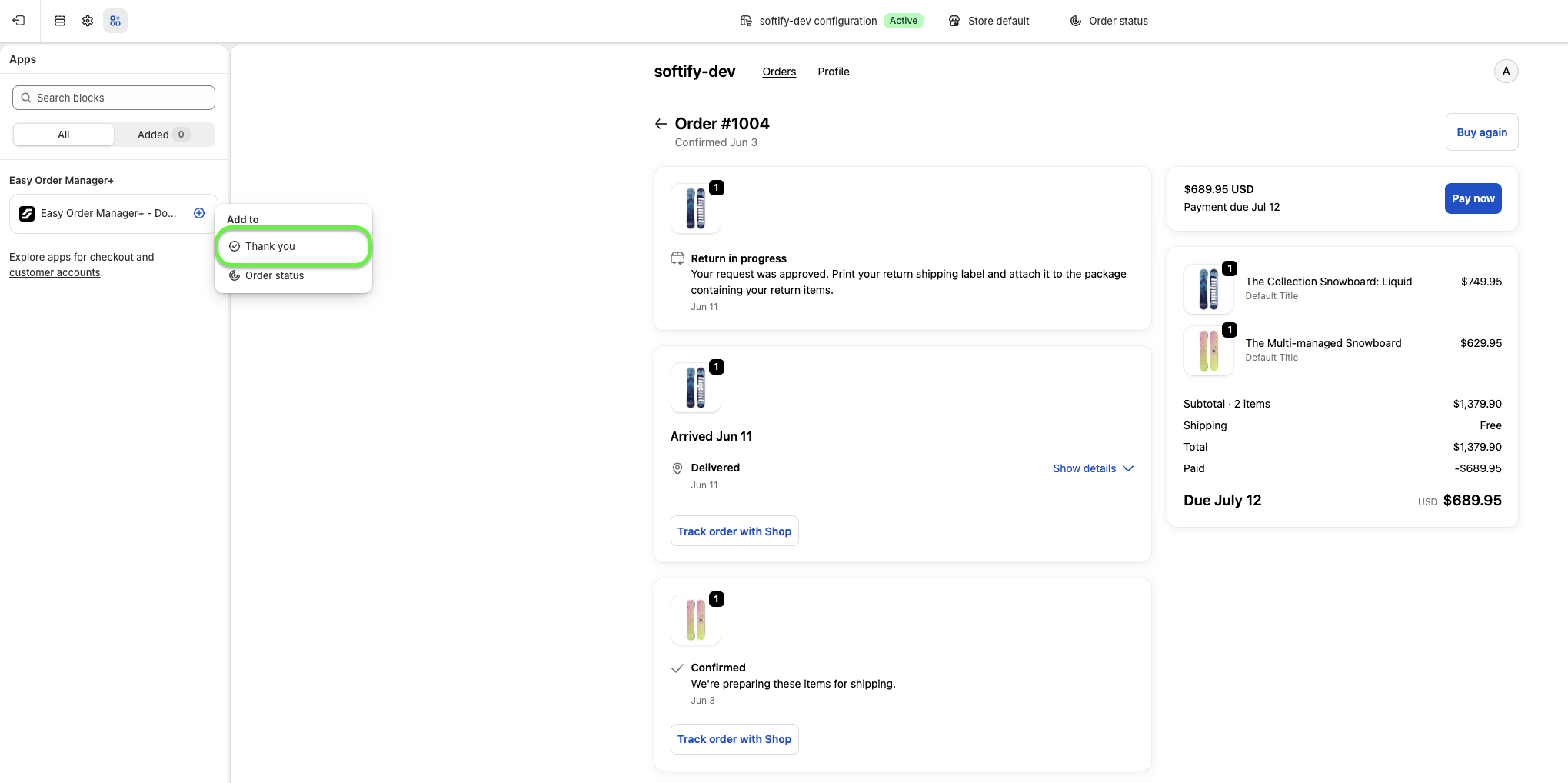
Step 4: In the theme editor, select the Thank You page option by clicking the Add (+) button within the Easy Order Manager+ app block.
Step 5: Once the button has been added, you can customize the Download Button Title from the App Block settings. By default, the button text is “Download Your Invoice”.
The default button text is automatically translated based on your storefront language. However, if you replace the default text, the custom text will not be translated automatically.
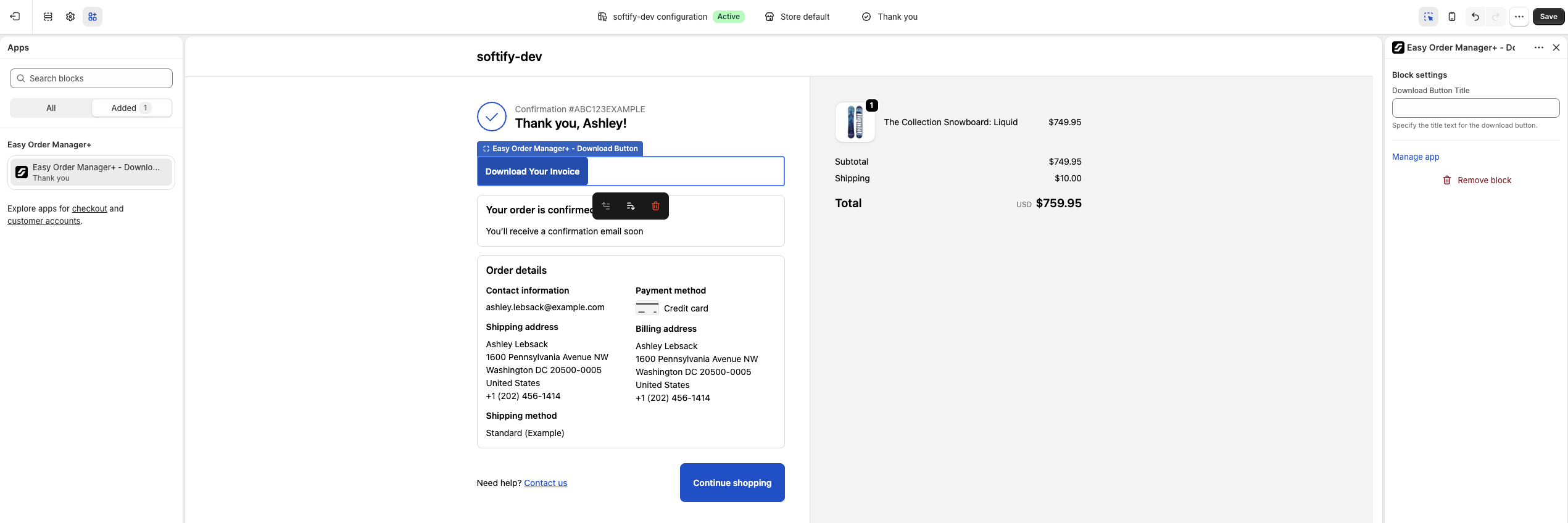
Step 6: Once you have finished making your changes, click the Save button in the top-right corner to apply them.
Need Additional Help?
- Visit the Help Center section within your Easy Order Manager+ dashboard to create a support ticket.
- Or click here to email us directly.
We’re always happy to help!