To collect business or tax numbers from your customers, you can enable the “Collect Tax & Business Numbers” feature in Easy Order Manager+.
If you are already collecting business or tax numbers through a different method, please contact our support team via the Help Center in your Easy Order Manager+ dashboard. We will be happy to assist you with integrating the data correctly.
Step 1: Log in to your Shopify account.
Step 2: Navigate to the Apps section of your Shopify store and select Easy Order Manager+. You will be automatically redirected to the app dashboard.

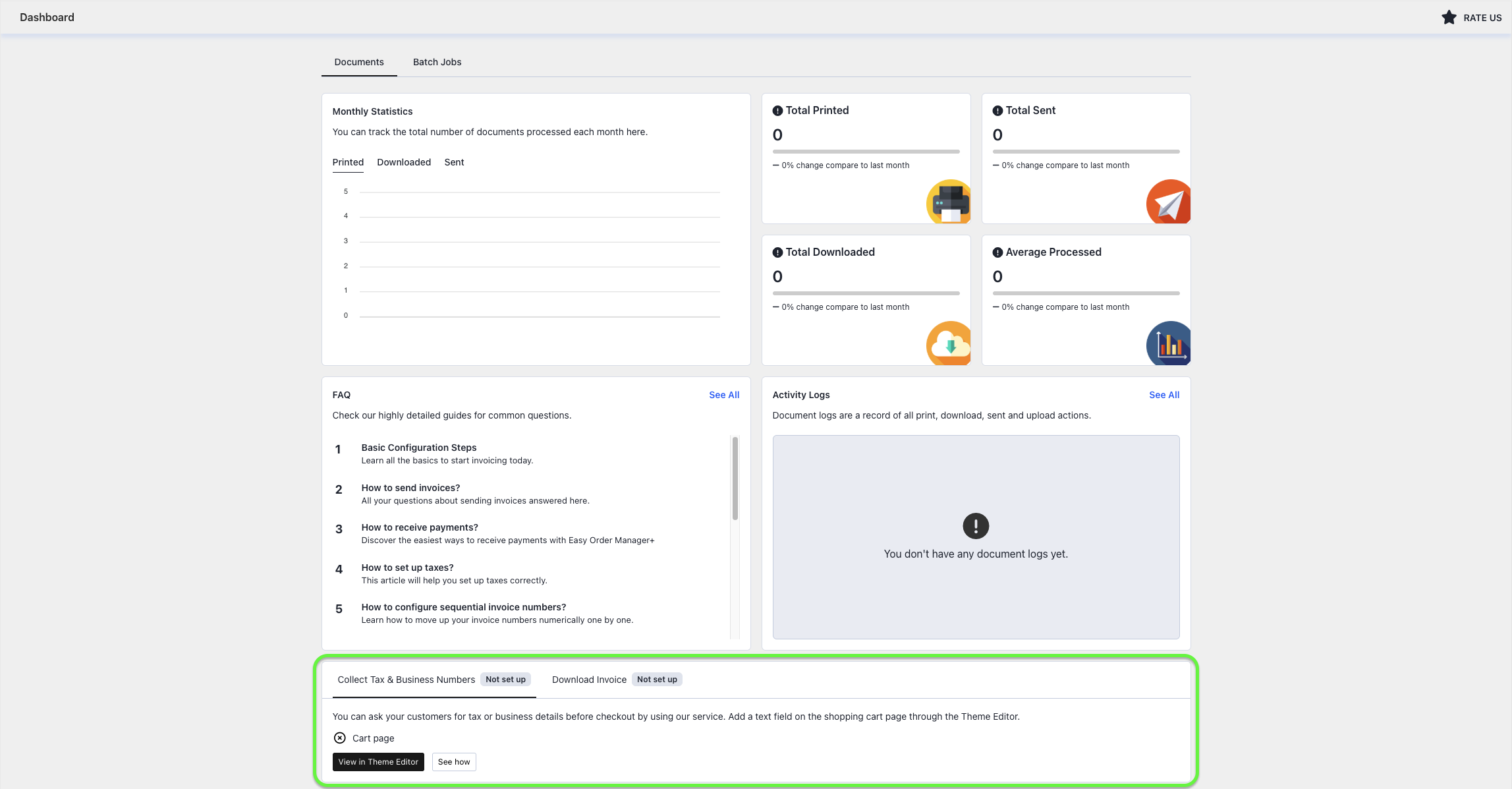
Step 3: From the app dashboard, click the View in Theme Editor button under the Collect Tax & Business Numbers tab.
Step 4: In the theme editor, the app automatically adds the Collect Tax & Business Numbers block under the Apps section.
You can customize the field label by selecting the block in the Apps section and updating it from the Extension Settings panel. By default, the field label is set to “TAX ID”, but you can change it to better match your business requirements.
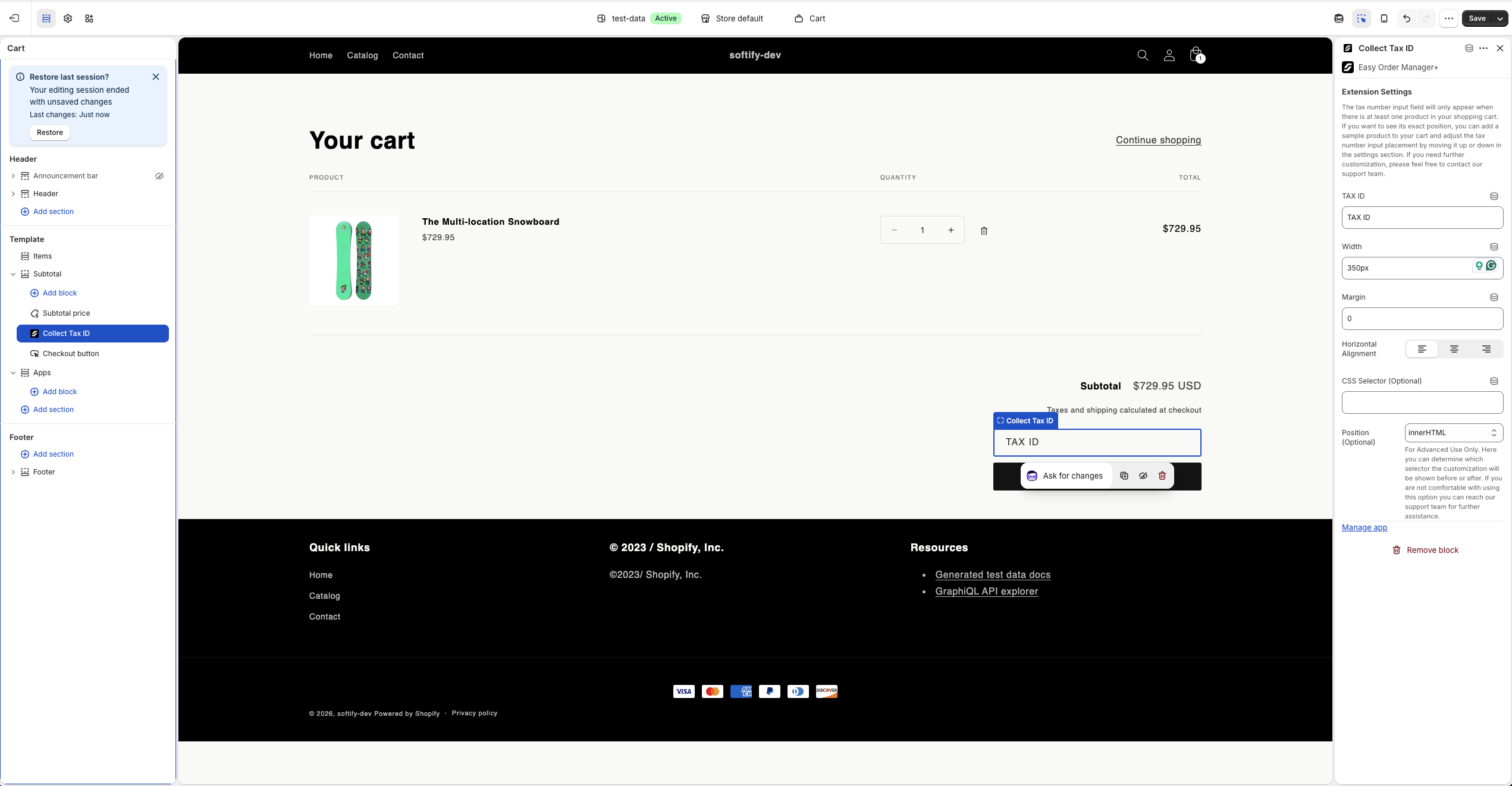
Step 5: Once you have finished making your changes, click the Save button in the top-right corner to apply them.
Need Additional Help?
- Visit the Help Center section within your Easy Order Manager+ dashboard to create a support ticket.
- Or click here to email us directly.
We’re always happy to help!