Scheduling edits allows you to automate product changes at specific dates and times, eliminating the need to perform manual updates for time-sensitive events like sales or product launches.
What Can You Schedule?
You can schedule any type of product modification, including price adjustments, tag updates, description changes, and status updates. This feature is particularly useful for:
- Time-specific price changes: Automatically starting or ending a sale at midnight.
- Recurring maintenance: Monthly tag cleanups or weekly inventory adjustments.
- Product launches: Automatically changing product status from “Draft” to “Active” at a specific launch time.
- Time zone management: Handling updates for customers in different time zones without needing to be online.
Schedule Types
There are four ways to schedule an automation:
- Once: Runs a single time at a designated date and time.
- Daily: Repeats every day at the same specified time.
- Weekly: Runs once per week on a chosen day.
- Monthly: Executes once per month on a specific date.
Note: Recurring schedules (Daily, Weekly, Monthly) allow you to set specific start and end dates for the automation period.
Step-by-Step: Setting a Schedule
- Configure the Edit: Go to Edit Products and set up your filters, fields, and actions exactly as you would for a manual edit.
- Enable Schedule Edit: Instead of running the edit immediately, enable the Run on a schedule option.
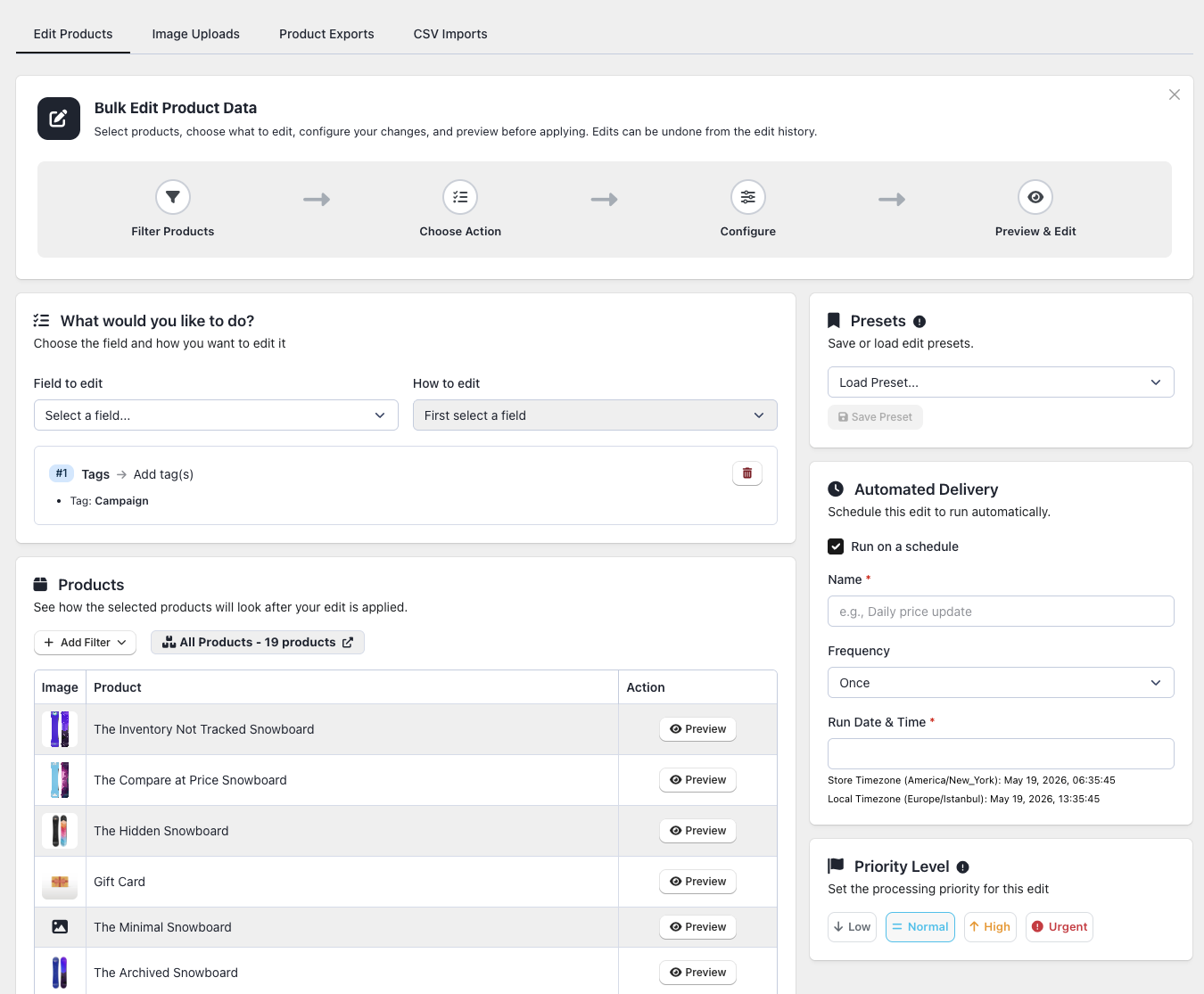
- Choose Frequency: Select the schedule type (Once, Daily, Weekly, or Monthly).
- Set Timing: Choose the specific date and time for the execution.
- Save: Click Save to activate the automation.
Managing Automations
You can monitor and manage your tasks by navigating to Automations > Scheduled Tasks.
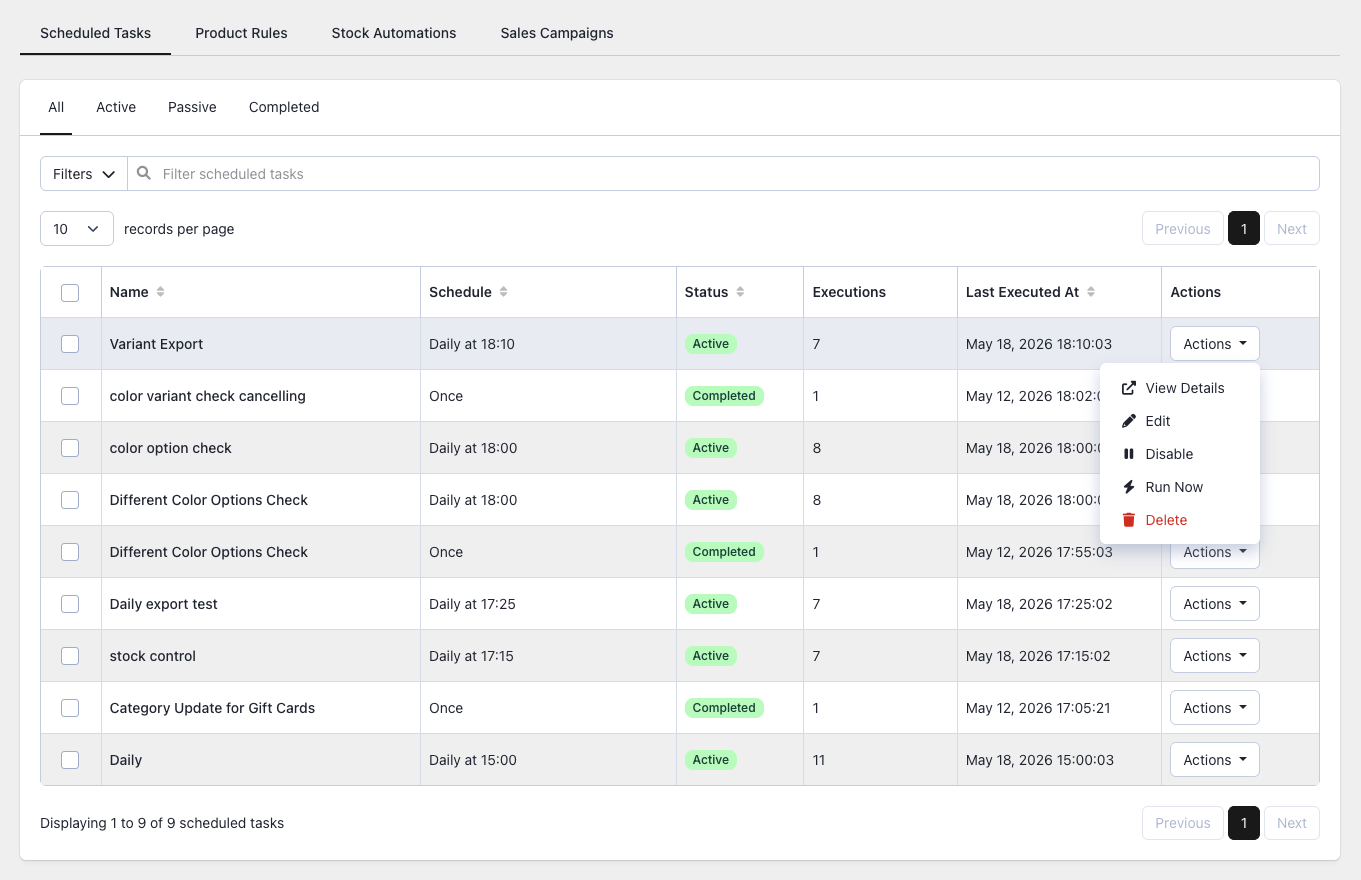
- Pause/Resume: Use the on/off toggle to temporarily stop a schedule without deleting it.
- Modify: Edit filters or actions at any time before the next run.
- Track History: View past results to see how many products were successfully updated or if any failed.
- Email Notifications: The app automatically sends a summary email after each run, which can be toggled in your notification settings.
Important Considerations
- Time Zones: All schedules run based on your store’s time zone as configured in your Shopify admin settings.
- Edit Limits: Each run counts toward your plan’s monthly product edit allowance.
- Dynamic Filters: For recurring edits, filters are re-evaluated every time the task runs, ensuring it always targets the most current set of matching products.
- Plan Requirements: This feature requires a Basic plan or higher.
Plan Details
| Feature | Free | Basic | Advanced | Enterprise |
|---|---|---|---|---|
| Scheduled Edits | No | Yes | Yes | Yes |
| Active Schedules | – | 5 | 25 | Unlimited |
| Schedule Types | – | All | All | All |