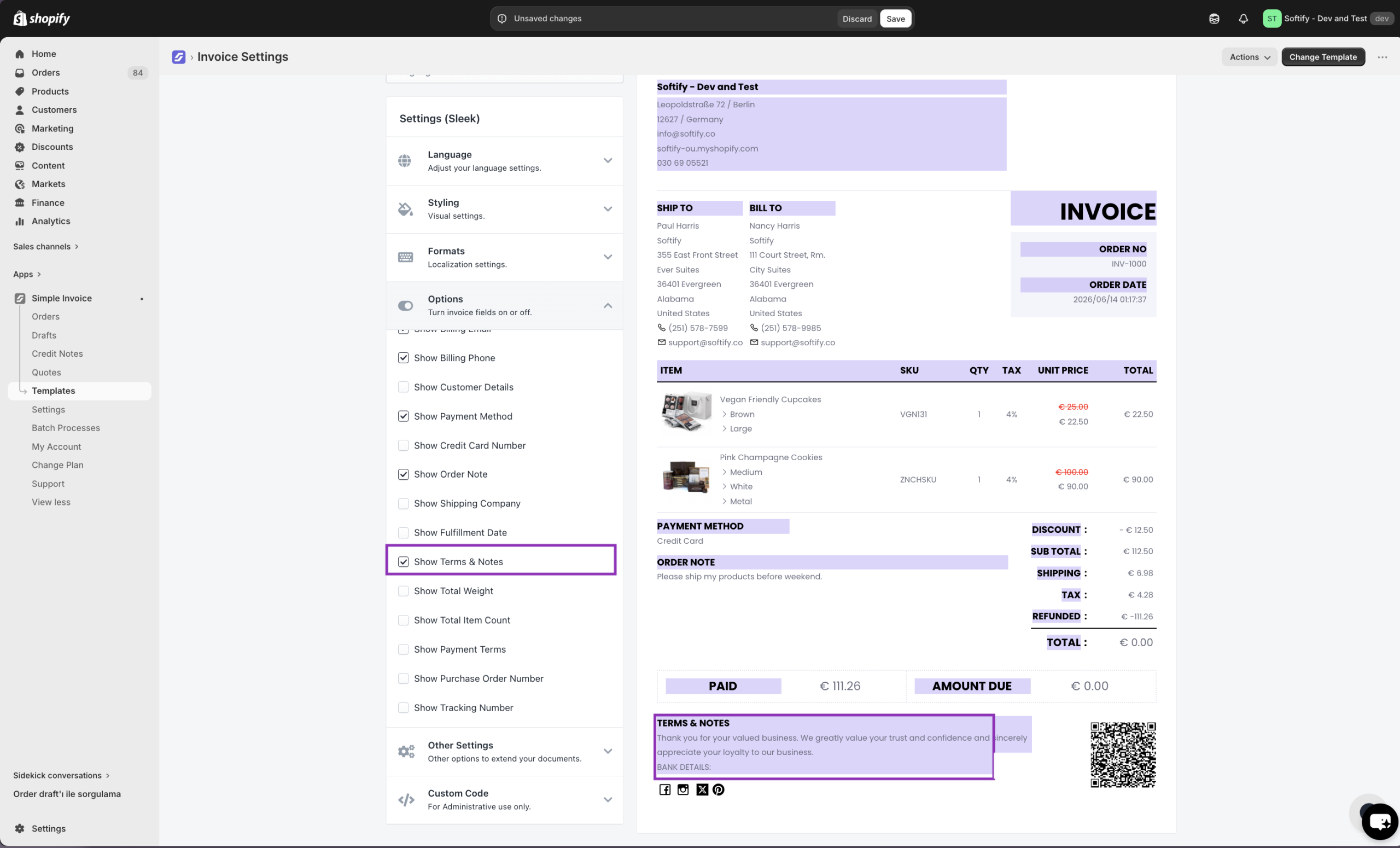
You can watch the video tutorial, which provides a step-by-step guide through the process.
You can also add your bank details to your invoices by following the simple steps below:
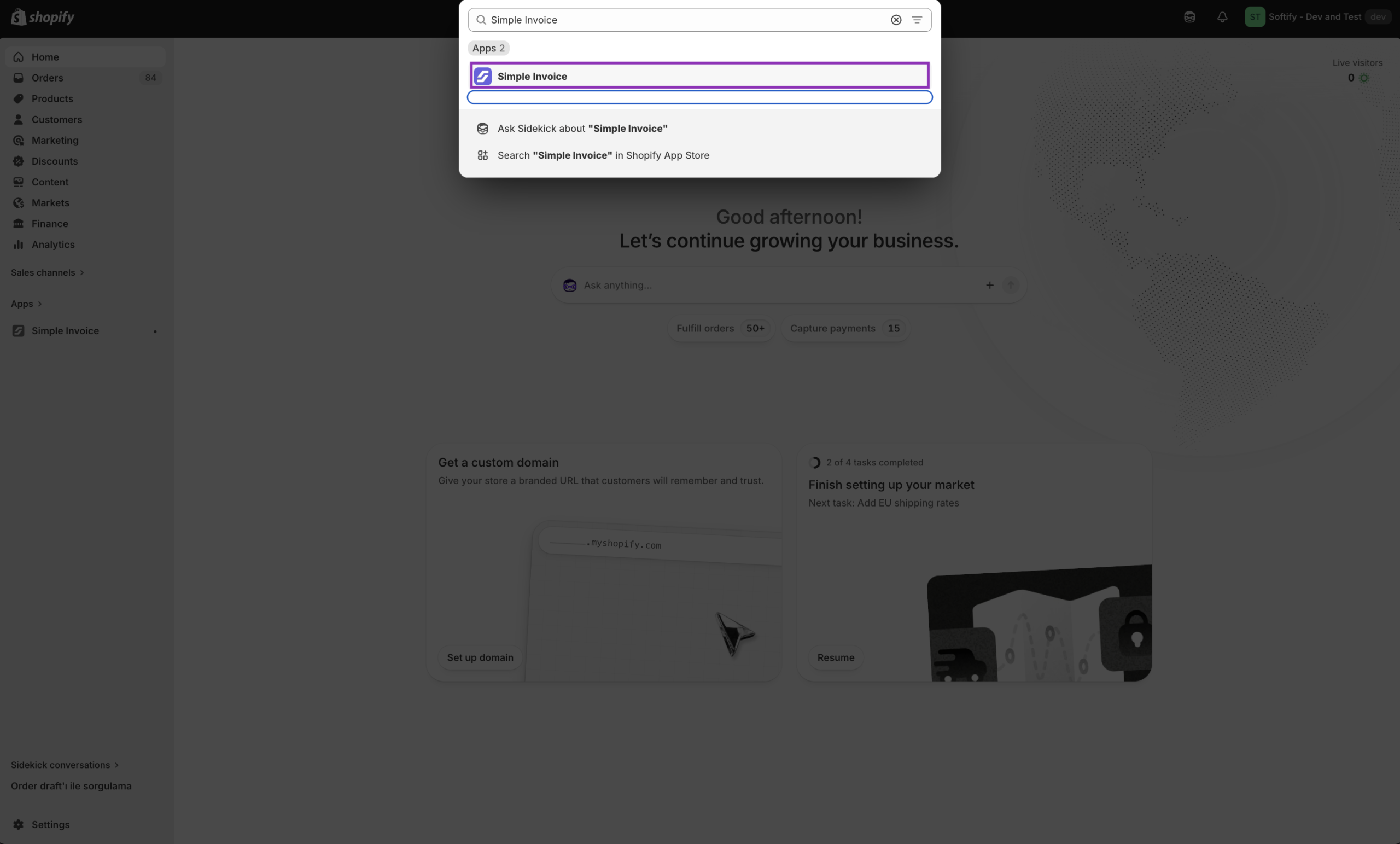
Step 1: Open Simple Invoice from your Shopify store’s “Apps” section.
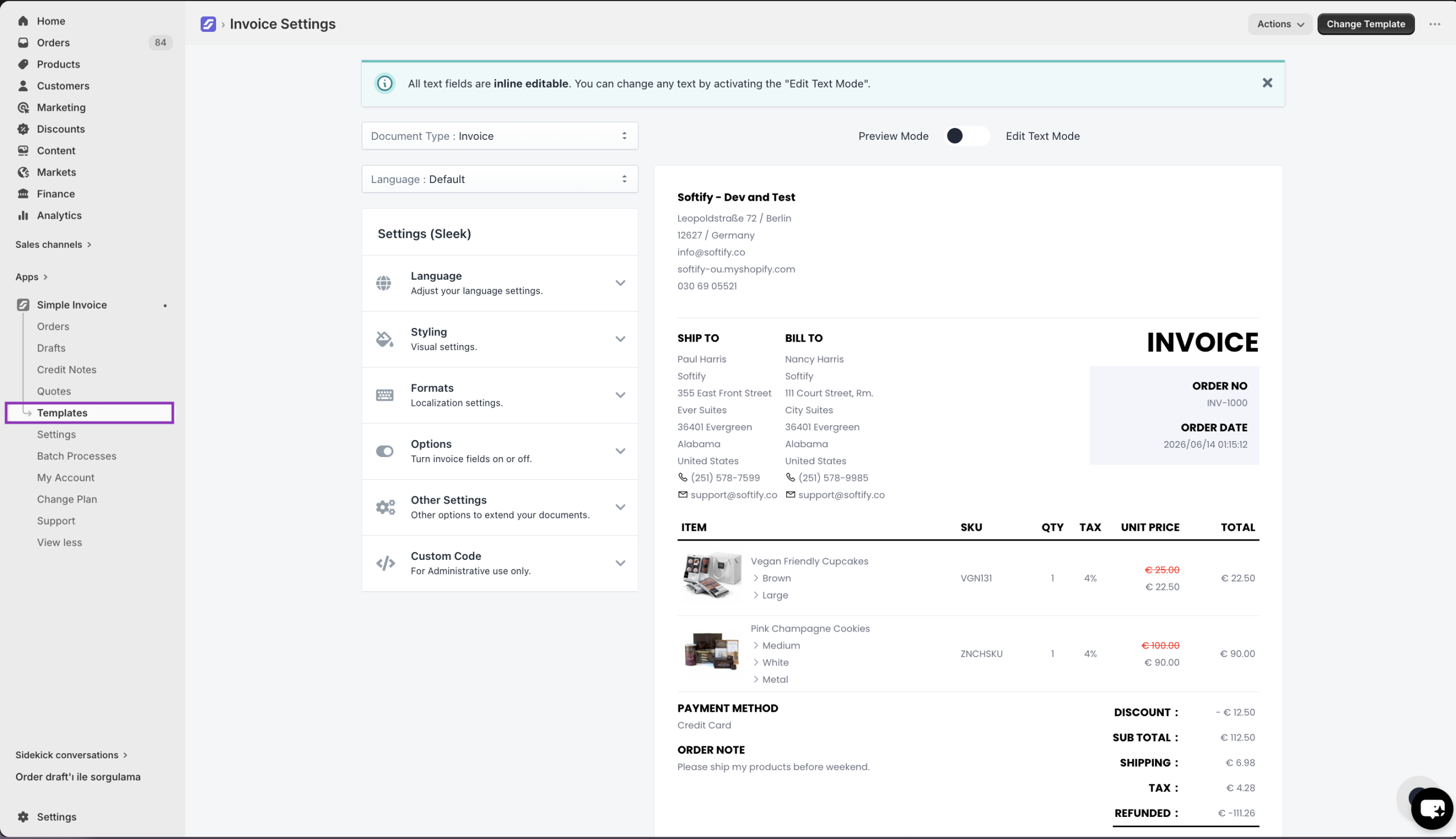
Step 2: Click on “Templates” in the Simple Invoice dashboard.
You can also add your additional terms as a secondary page from the ‘Other Settings’ section. You can get more information from our guide here.