You can watch the video tutorial, which provides a step-by-step guide through the process.
You can change the date format of your invoices by following the simple steps below:
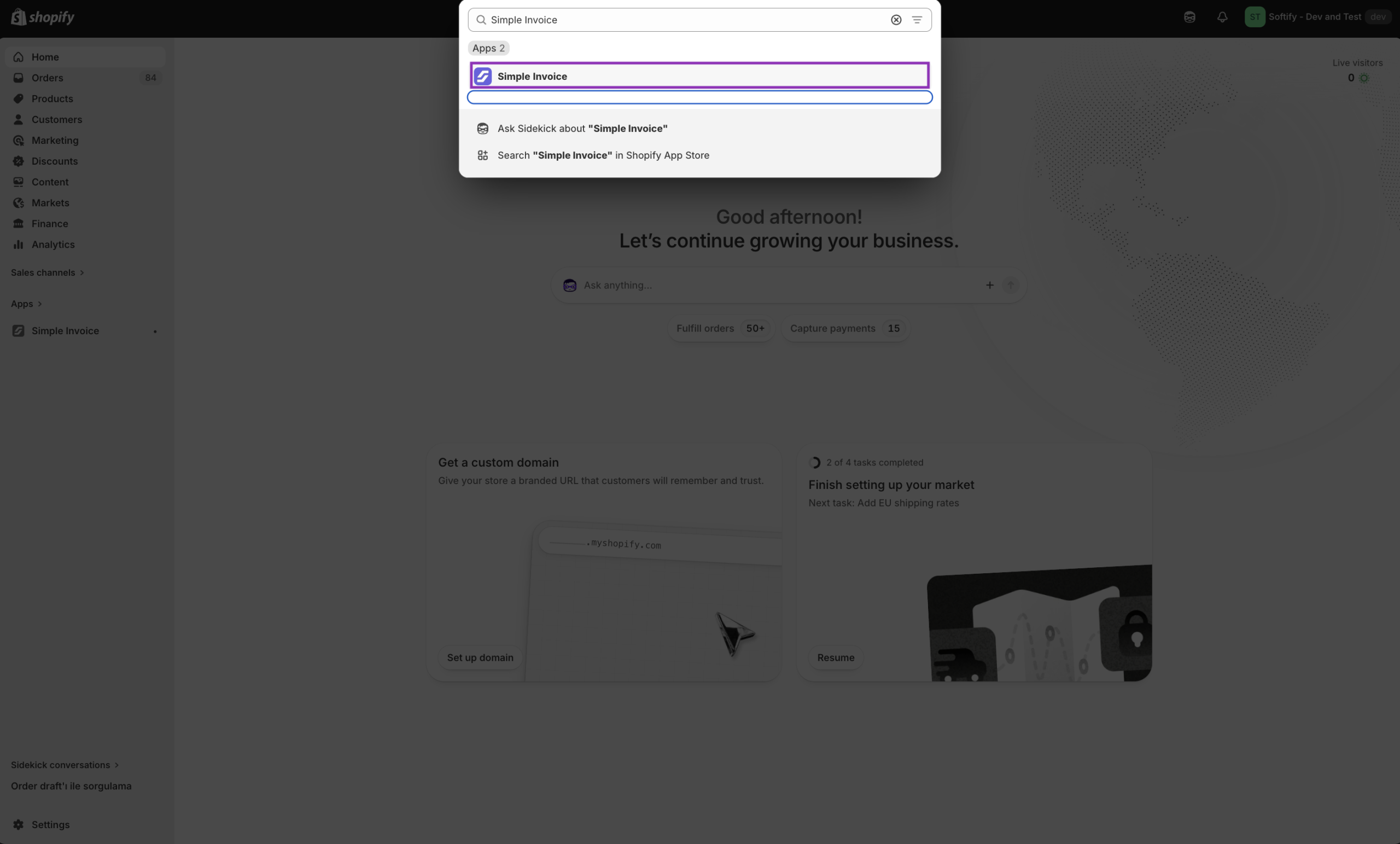
Step 1: Open Simple Invoice from your Shopify store’s “Apps” section.
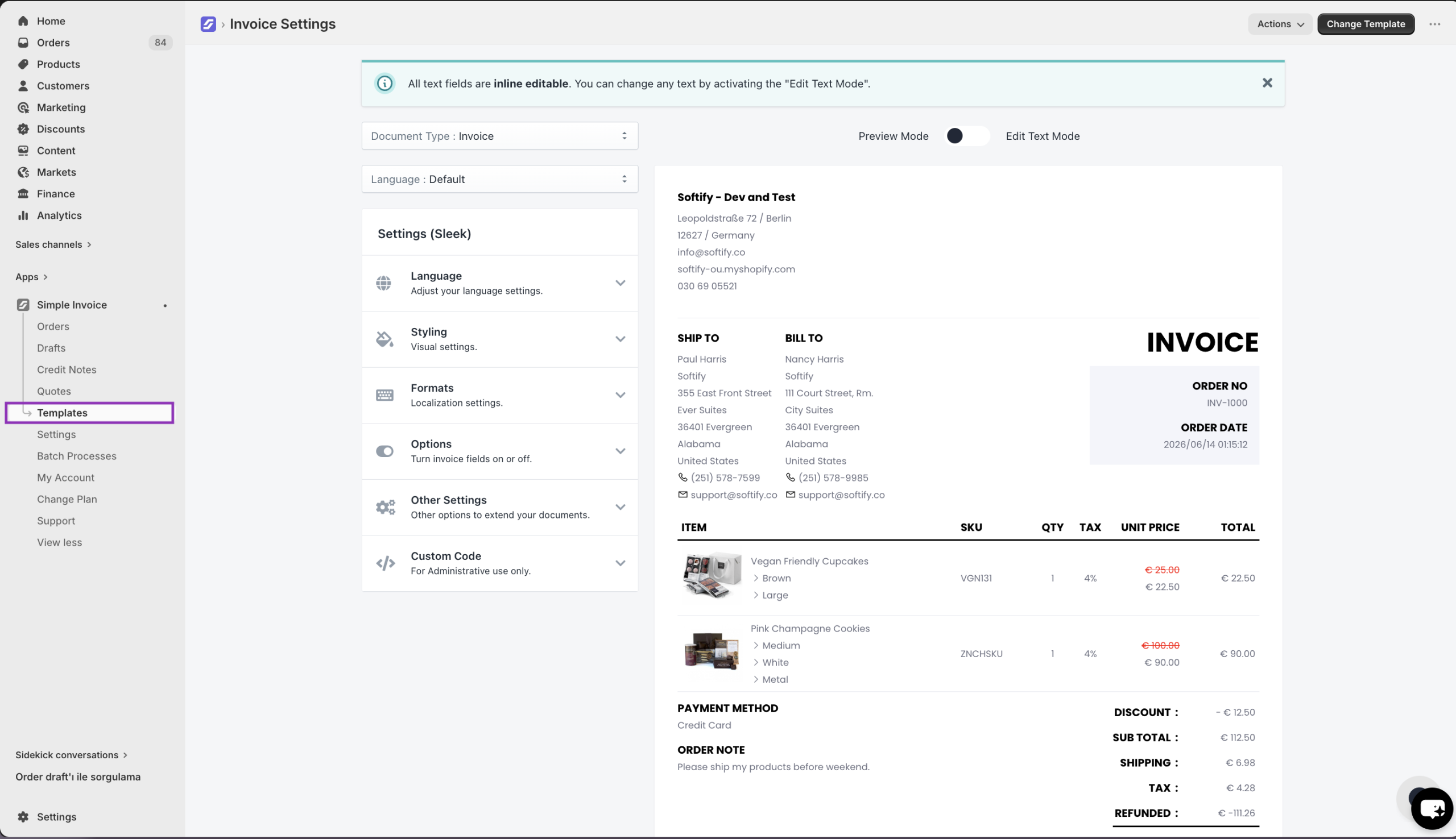
Step 2: Click the “Templates” in the Simple Invoice dashboard.
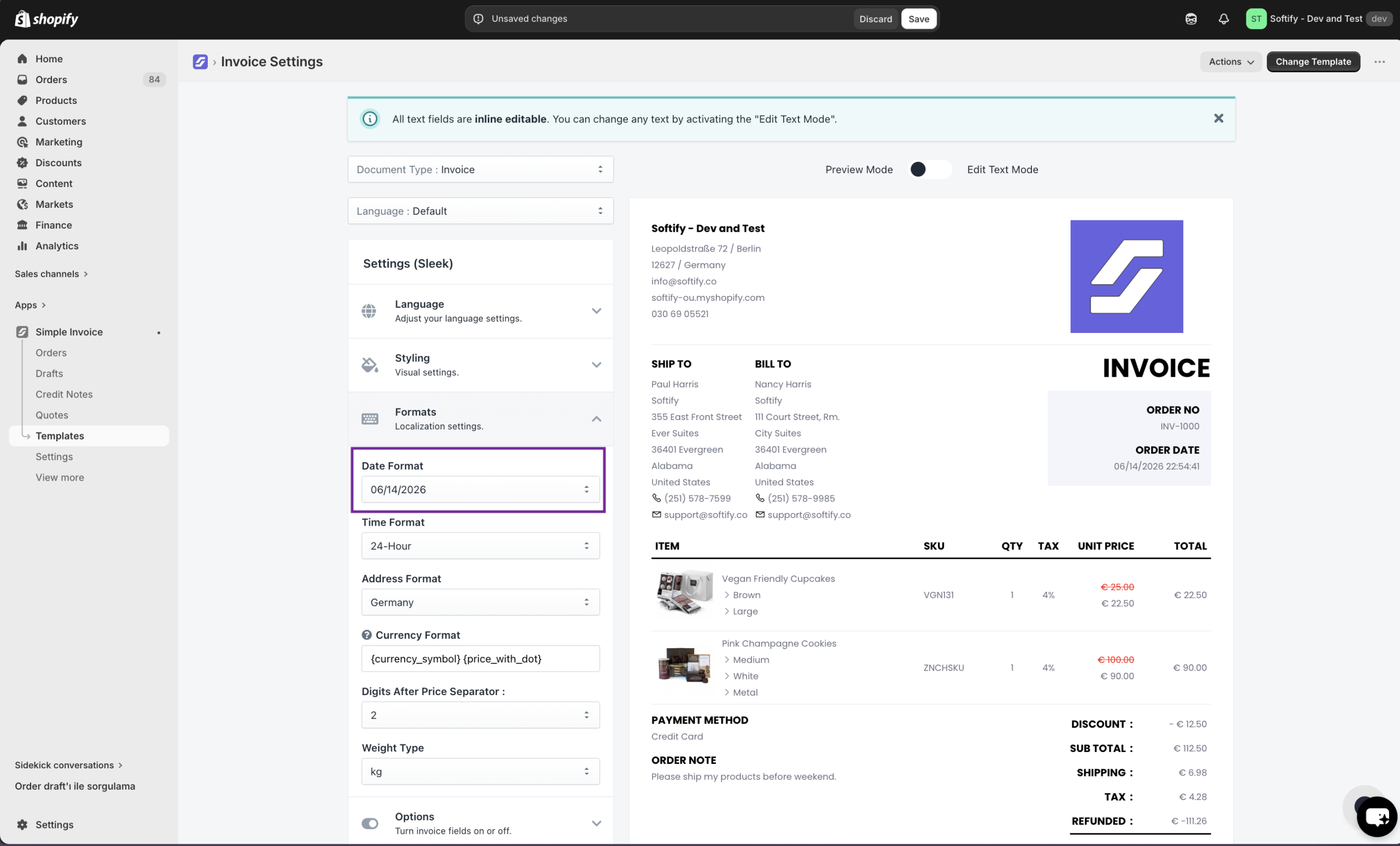
Step 3: Click on the “Formats” section, then select your preferred date format from the “Date Format” dropdown menu to use on your invoices. Then, click on the “Save” button to confirm your changes.