home/Help Articles/Simple Invoice ‑ Order Printer/How can I send invoices or quotes and accept payments from my customers?
Top Searches:Quick Setup, Tax Settings, Receive Payments

How can I send invoices or quotes and accept payments from my customers?

898 views 2

You can watch the video tutorial, which provides a step-by-step guide through the process.


You can increase your revenue and improve productivity with the Simple Invoice Quote functionality.

What is a Simple Invoice Quote?

A quote is an agreement between you and your customer to provide a service or product at an agreed-upon price and within a specific time frame. The quote shows a breakdown of the individual charges that are added together to create the total cost. You can create quotes and get paid by your customers instantly.

How to Setup – Customize the Quote Template?

Step 1: Open Simple Invoice from your Shopify store’s “Apps” section.
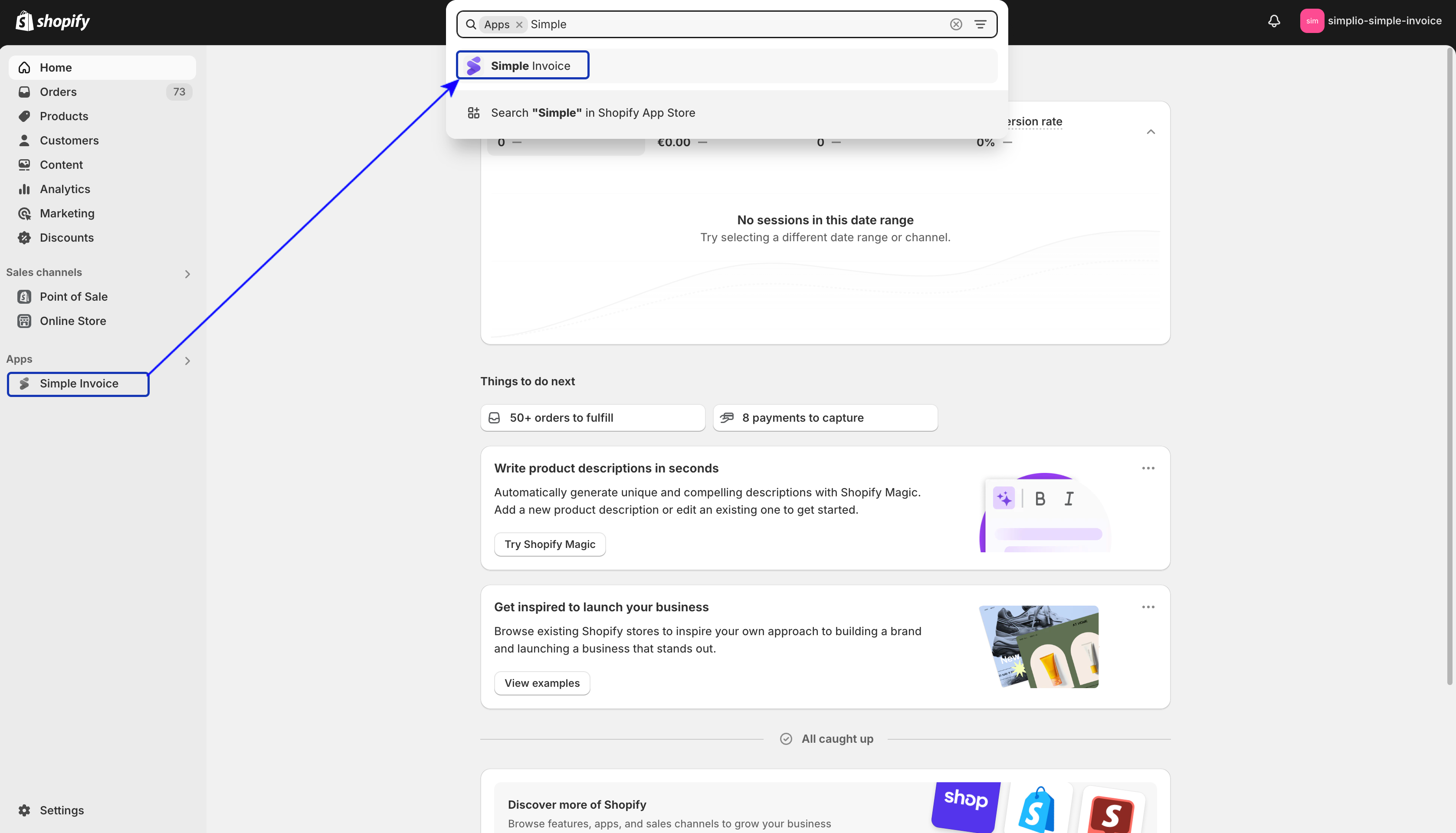
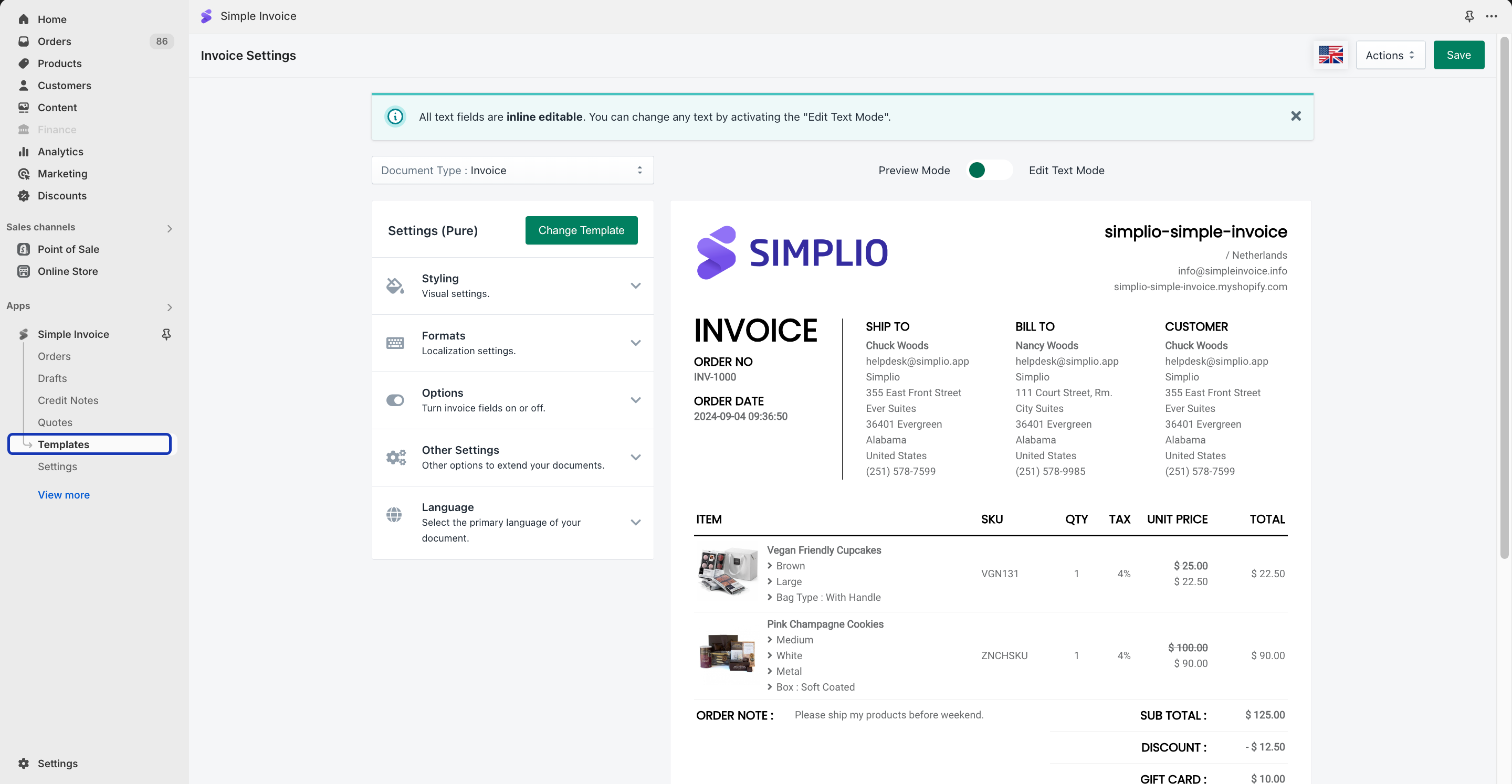
Step 2: Click on “Templates” in the Simple Invoice dashboard.
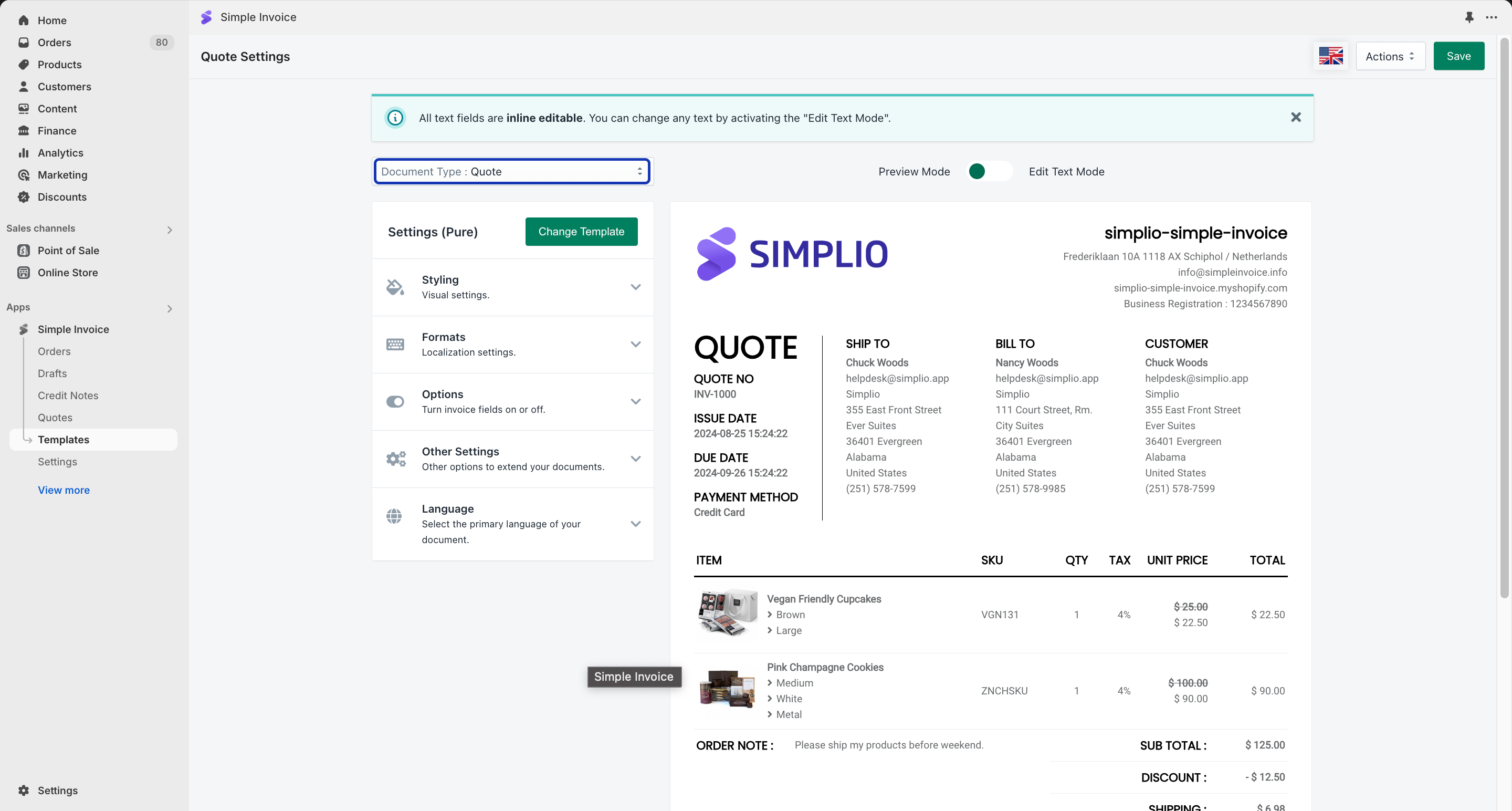
Step 3: Select “Quote” from the Template Type dropdown menu and make the necessary changes to your template. Then, click the ‘Save’ button in the upper right menu.
How to Setup – Customize the Quote Emails?

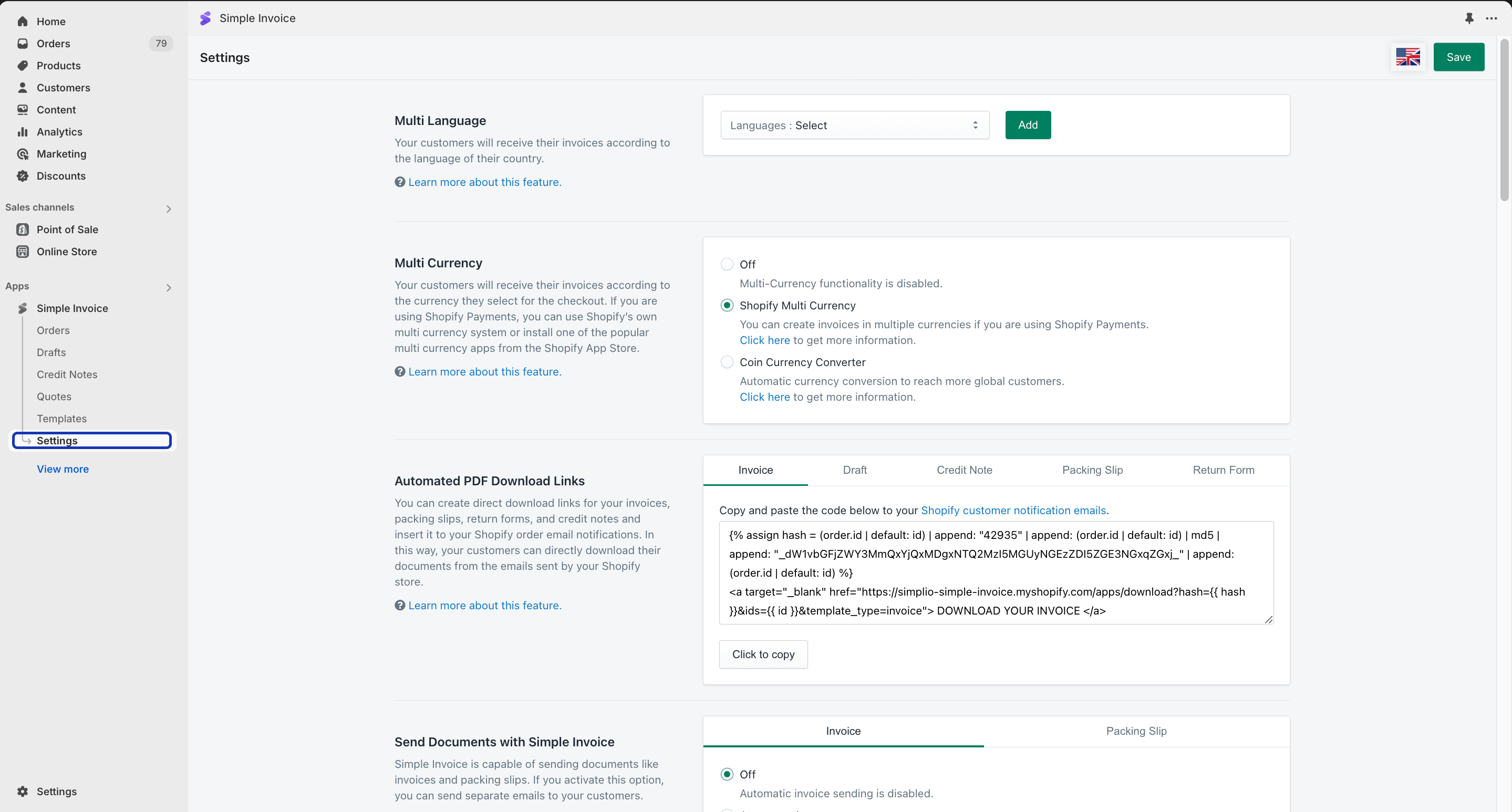
Step 4: After making the necessary changes to the Quote Template, click “Settings” on the left menu.
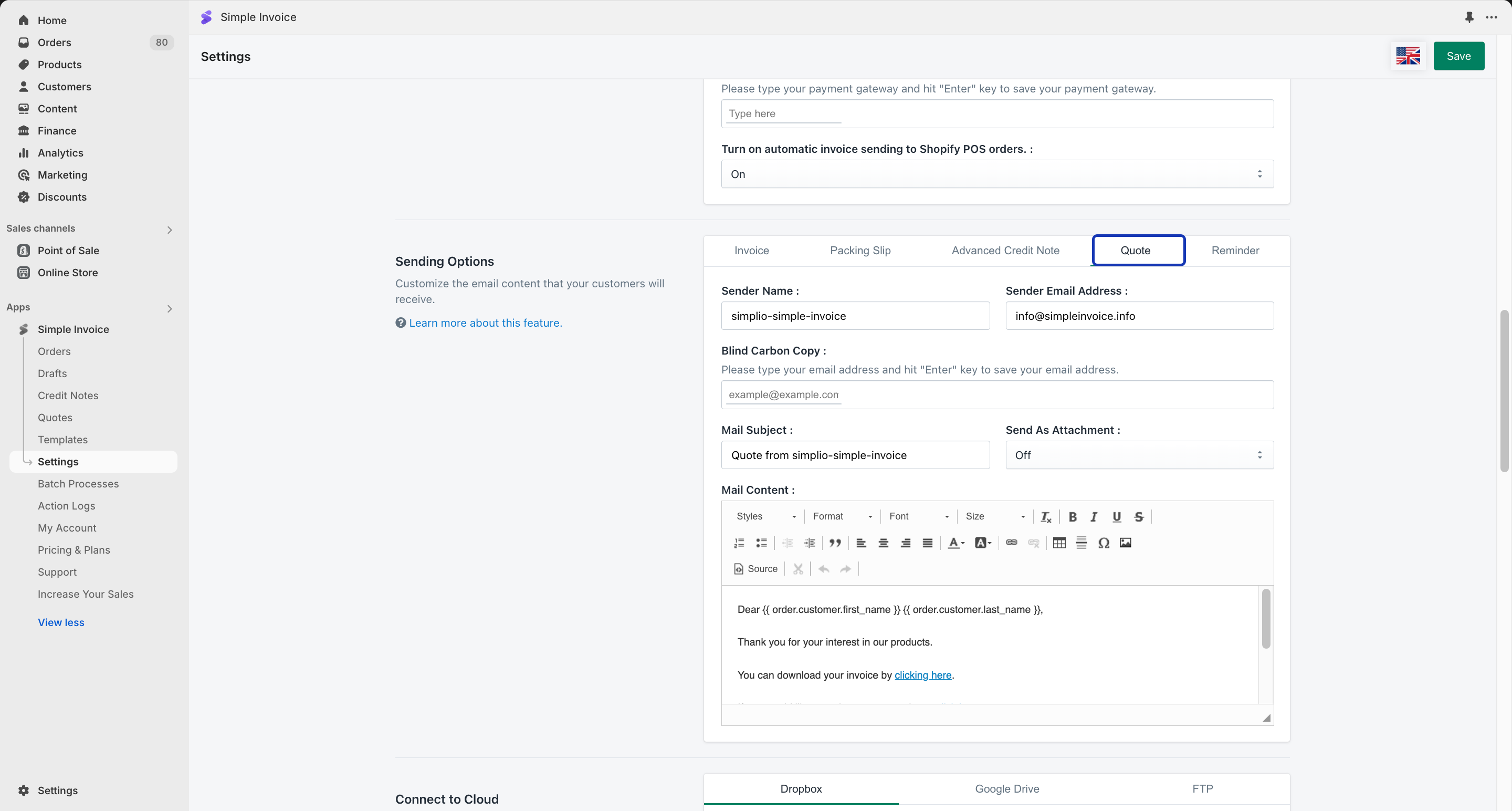
Step 5: Scroll down to “Sending Options”, click ‘Quote’, and make the changes according to your requirements.
How to Setup – Customize the Quote Payment Gateways?

Step 6: After making the necessary changes to your quote emails, in “Settings”, scroll down to “Accept Payments” to turn on and configure the payment gateway of your choice.
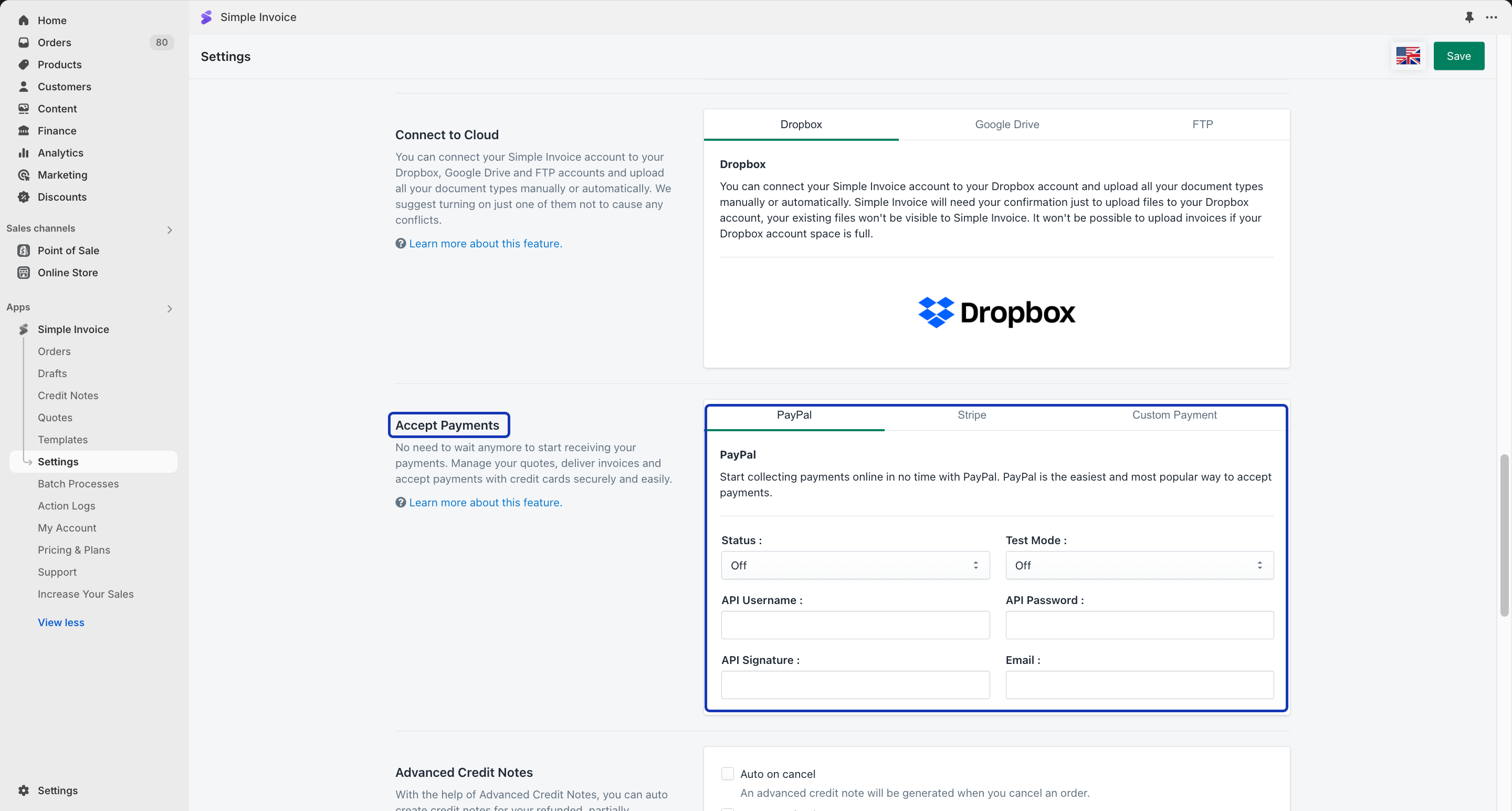
You can use PayPal, Stripe, and Custom Payment simultaneously or choose any one of them.

PayPal: This is how you should get API Signature and Certificate credentials for your PayPal account:

  1. Log in to your PayPal Sandbox account, and use your business profile data.
  2. Click the “Settings” icon.
  3. Click Account access under “Account & Security” on the left of the page.
  4. In the “API access” section, click “Update”.
  5. Click “Manage API credentials” under “NVP/SOAP API integration”.
  6. Select one of the following options. Request API Signature – Select for API Signature authentication. Request API Certificate – Select for API Certificate authentication.
  7. Click “Agree” and “Submit”.

Stripe: Users with Administrator permissions can access a Stripe account’s API key by navigating to the Developers section of the Stripe dashboard and clicking on API Keys. You can find the detailed guide and get more information by clicking here.

Custom Payment: You can add any offline payment method such as Cash, Bank transfer, etc. to your Simple Invoice account.

How to Create a Quote?

After setting up your email and payment gateway settings, now you can create and send quotes from the ‘Quotes’ section of your Simple Invoice.

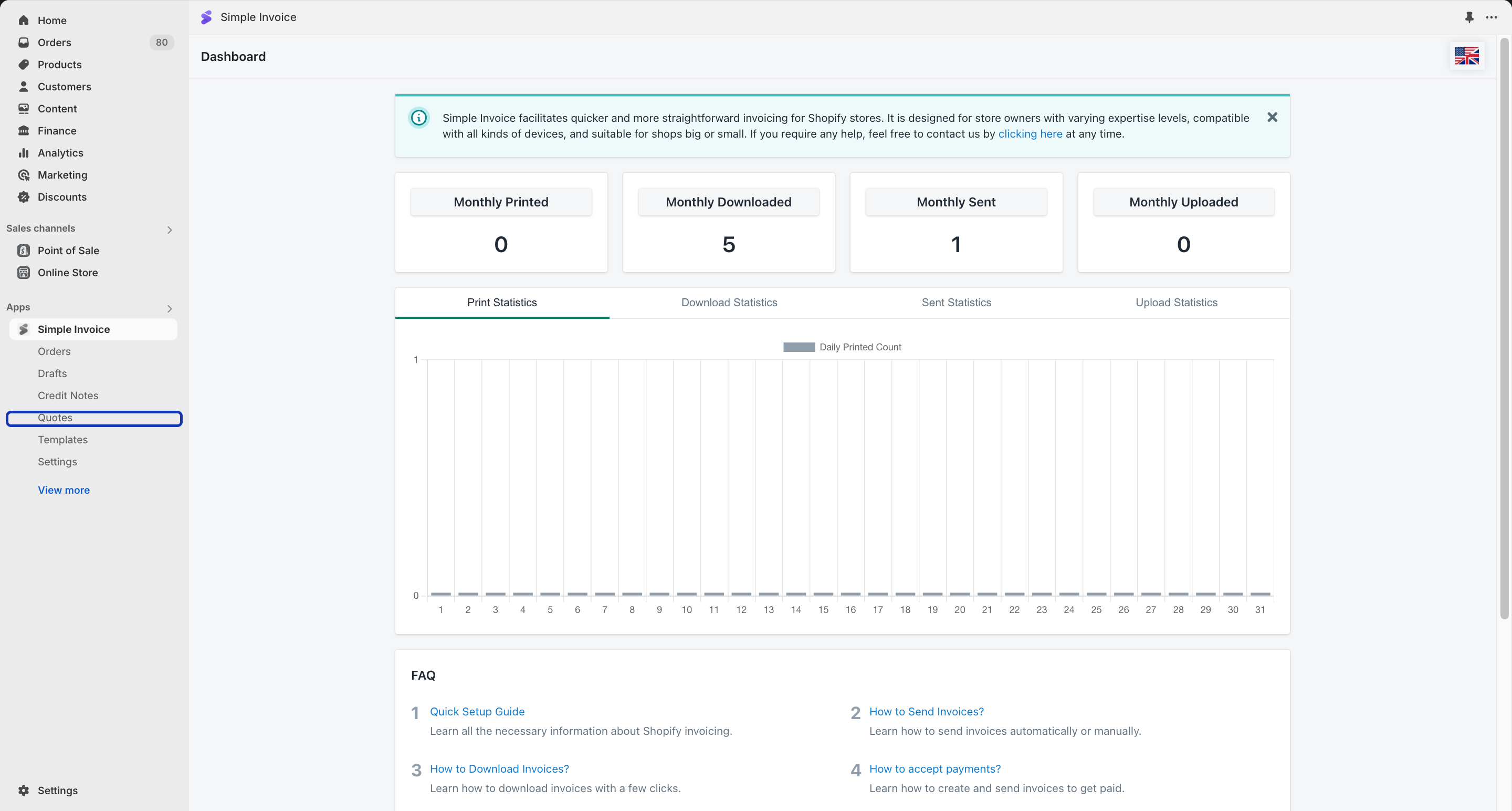
Step 1: Click on “Quotes” in the Simple Invoice dashboard.
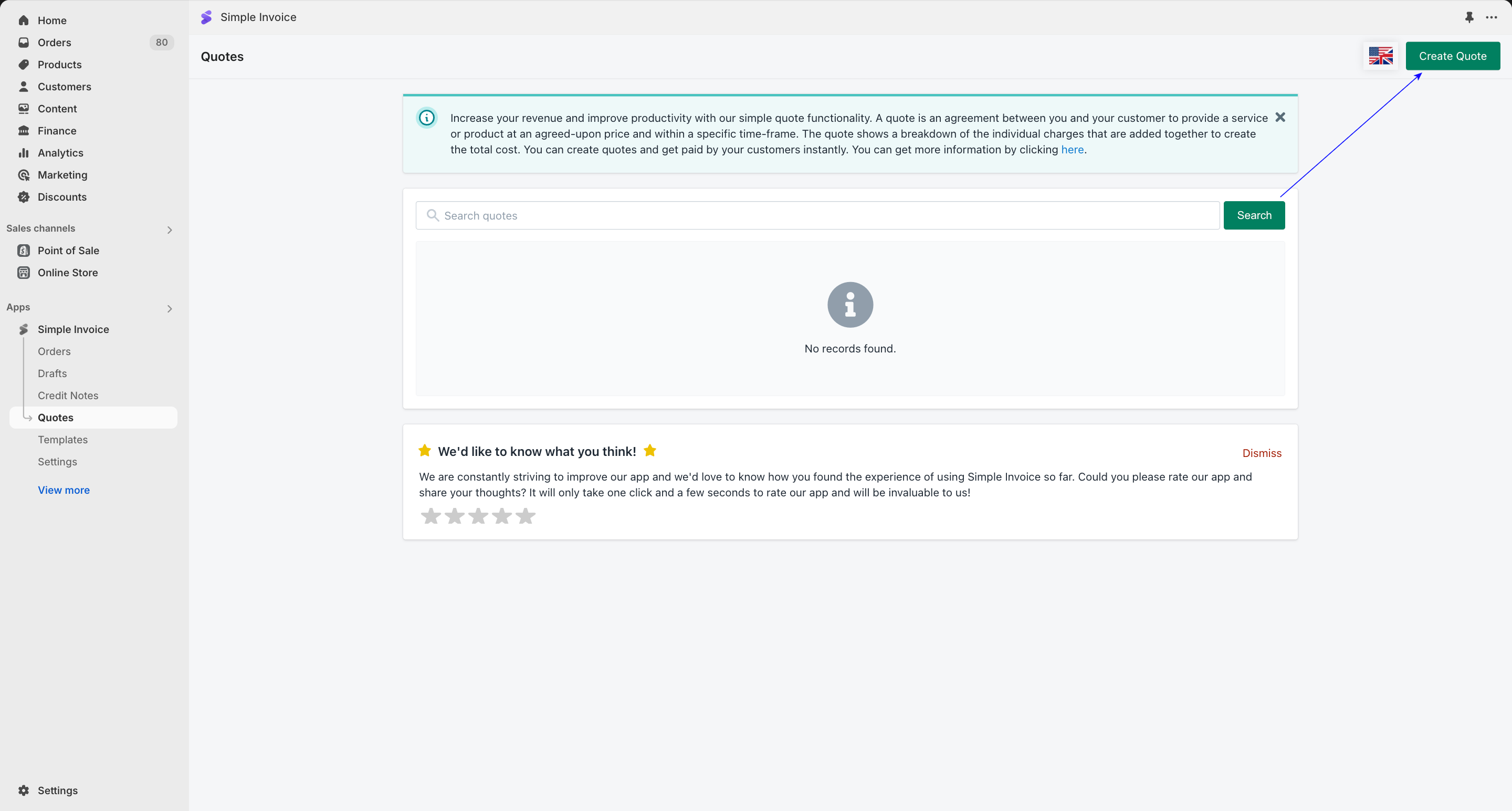
Step 2: Click the “Create Quote” button to create your first quote.
Step 3: You can set the main details of your quote in the “Quote Details” section.
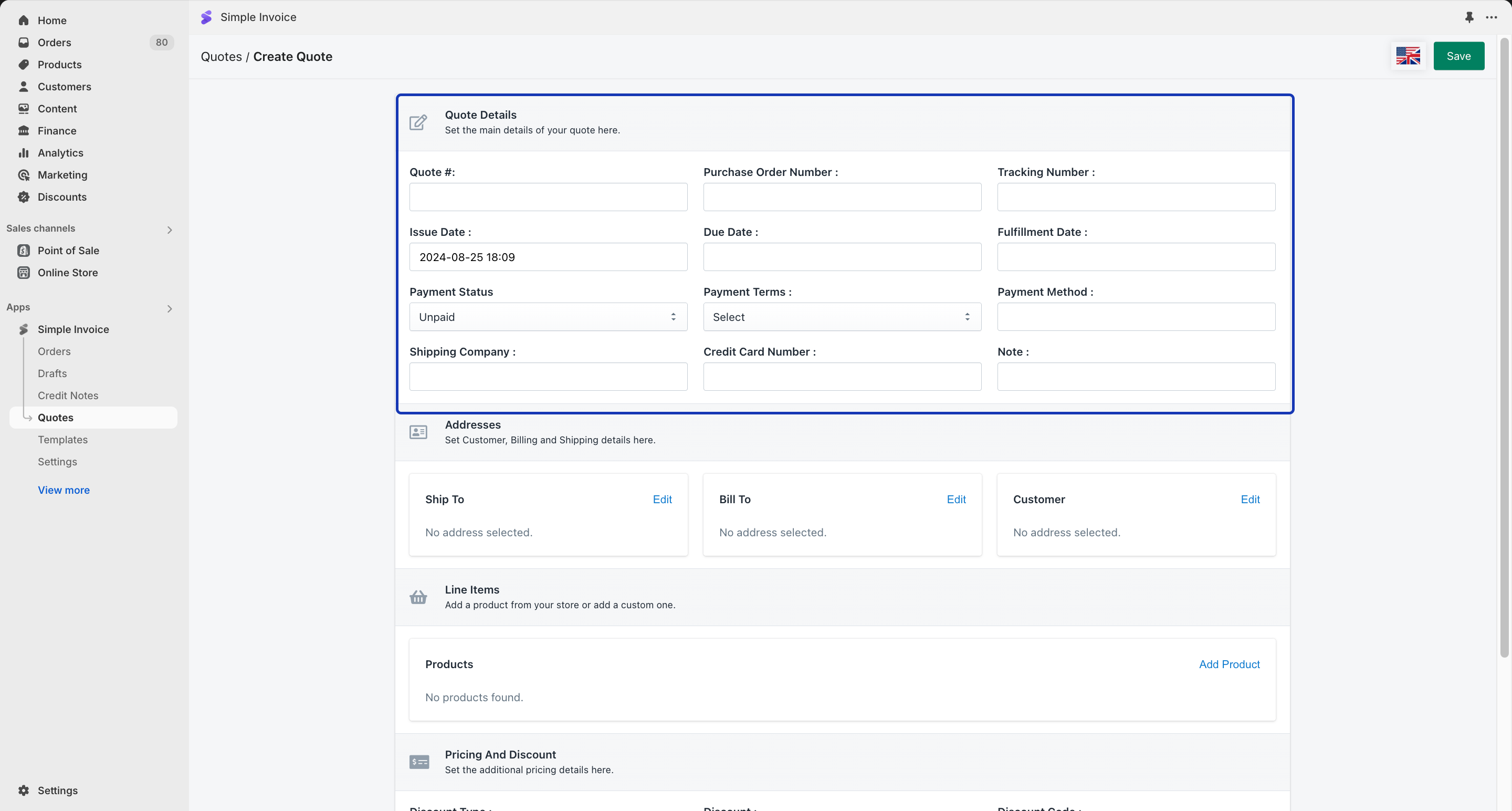
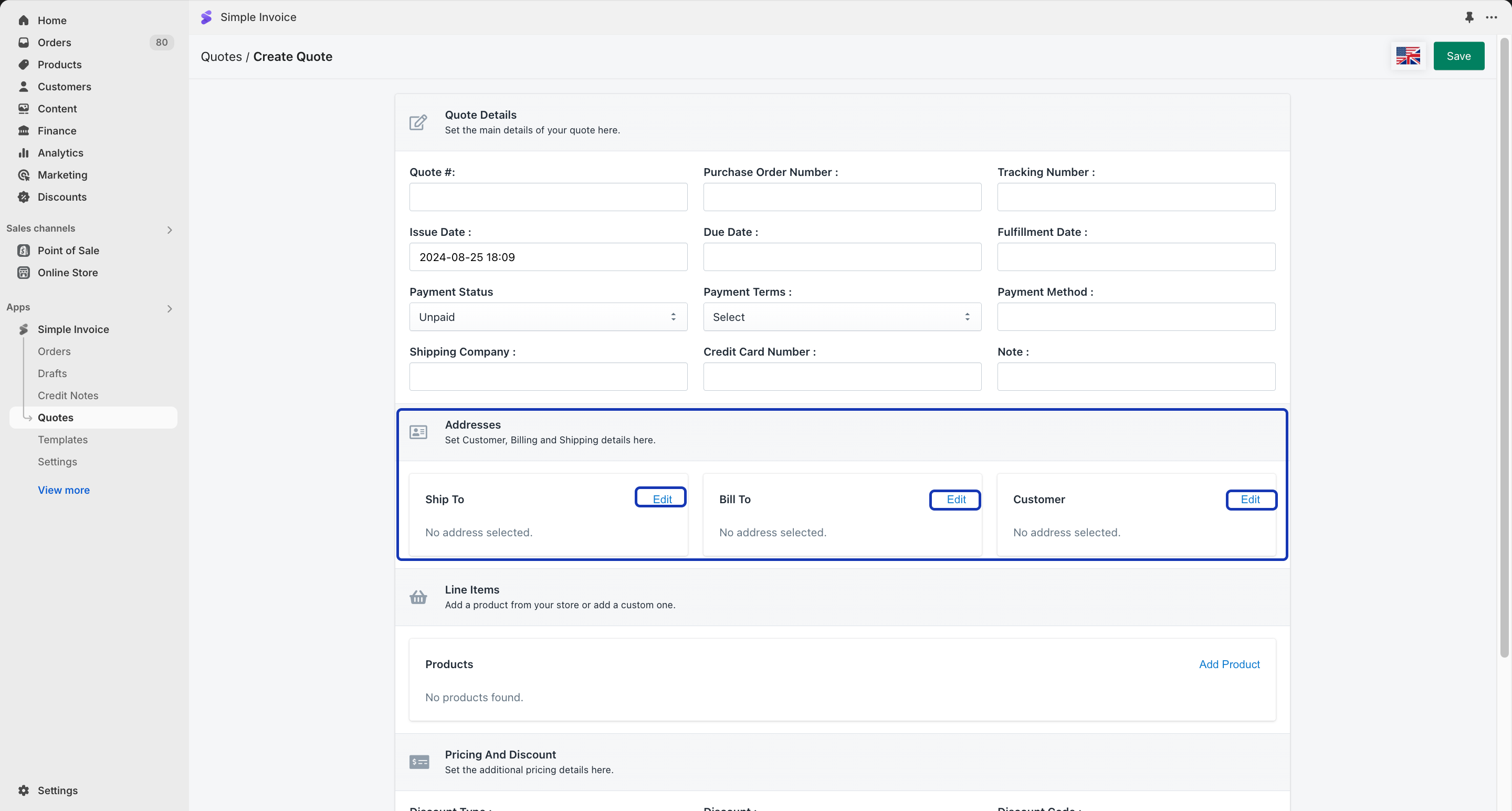
Step 4: After setting up the Quote Details, click the “Addresses” section.

You can set the Customer, Billing, and Shipping address details. This is an important step since your quotes will be sent to this customer. Click “Edit” to select a customer.
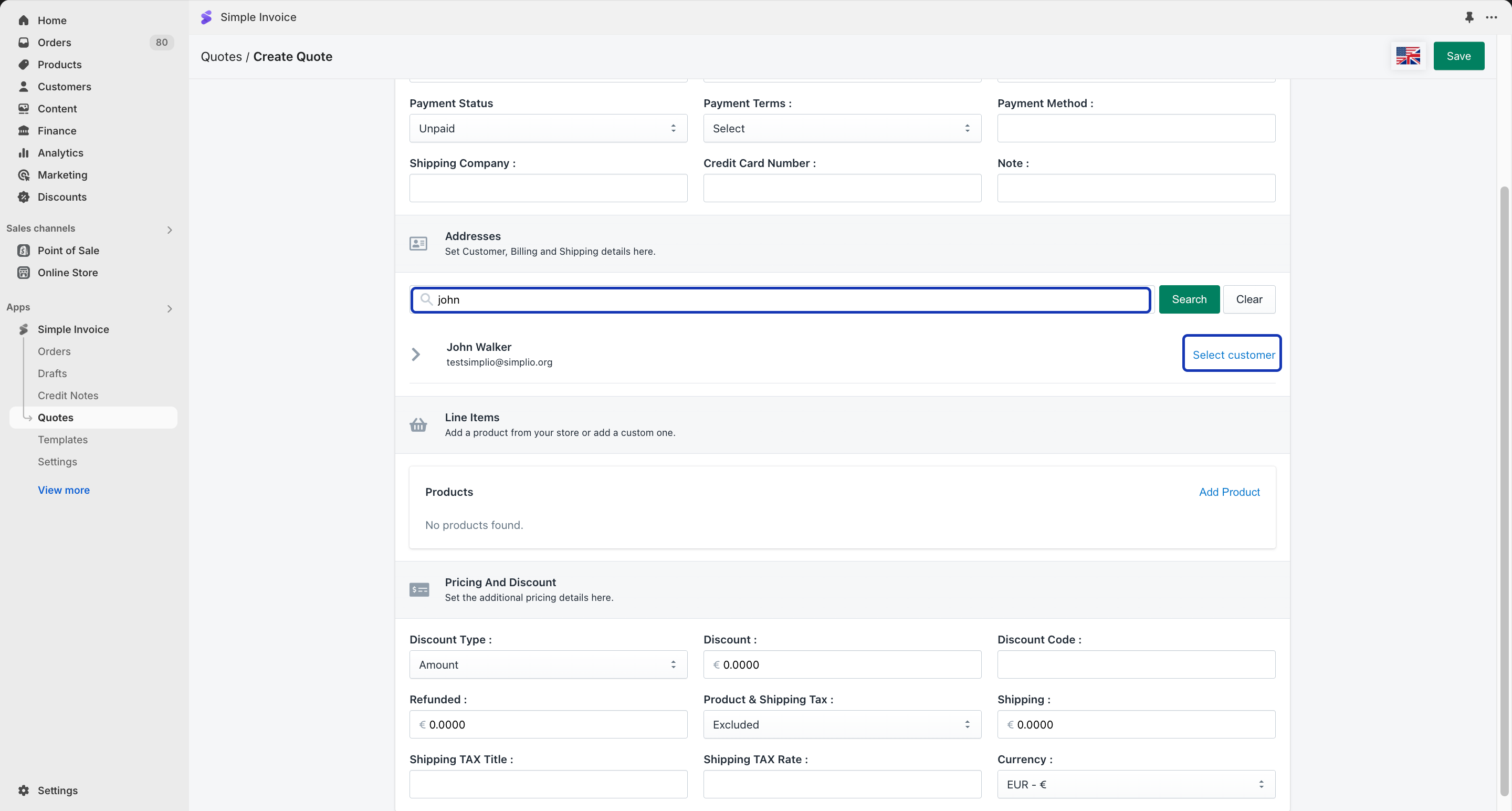
Step 5: You can search for a customer or you can fill in the necessary information to add a customer to your Quote.

If you would like to add an existing customer, enter the customer’s first or last name in the search field, click the ‘Search’ button, and then click ‘Select Customer’ to add them.
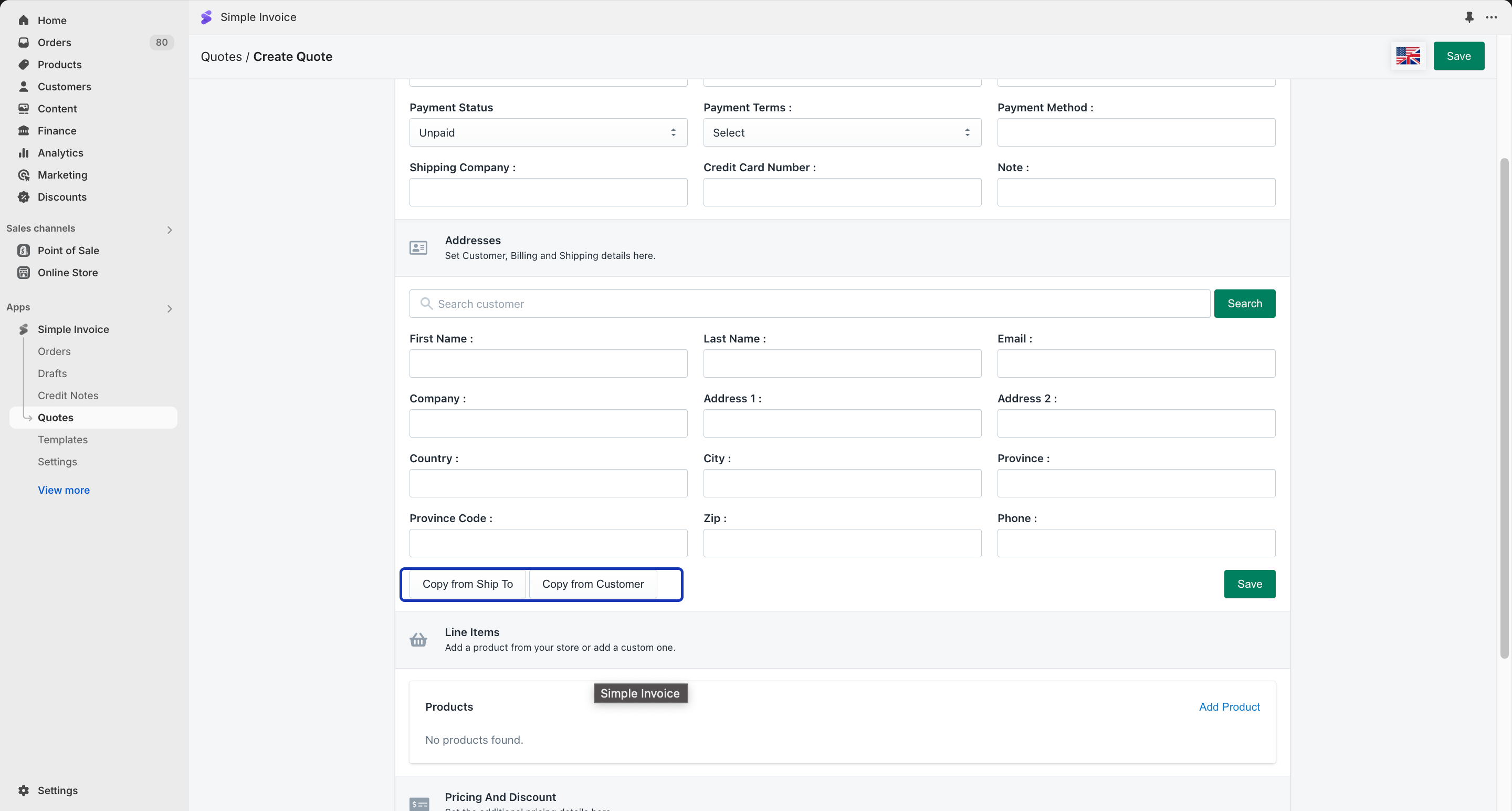
After you select your customer, you can also edit the customer information before adding it to the Quote.

You have the option of copying the information from the previously added details.
Step 6: After setting up the Addresses Details, click on the “Line Items” section.
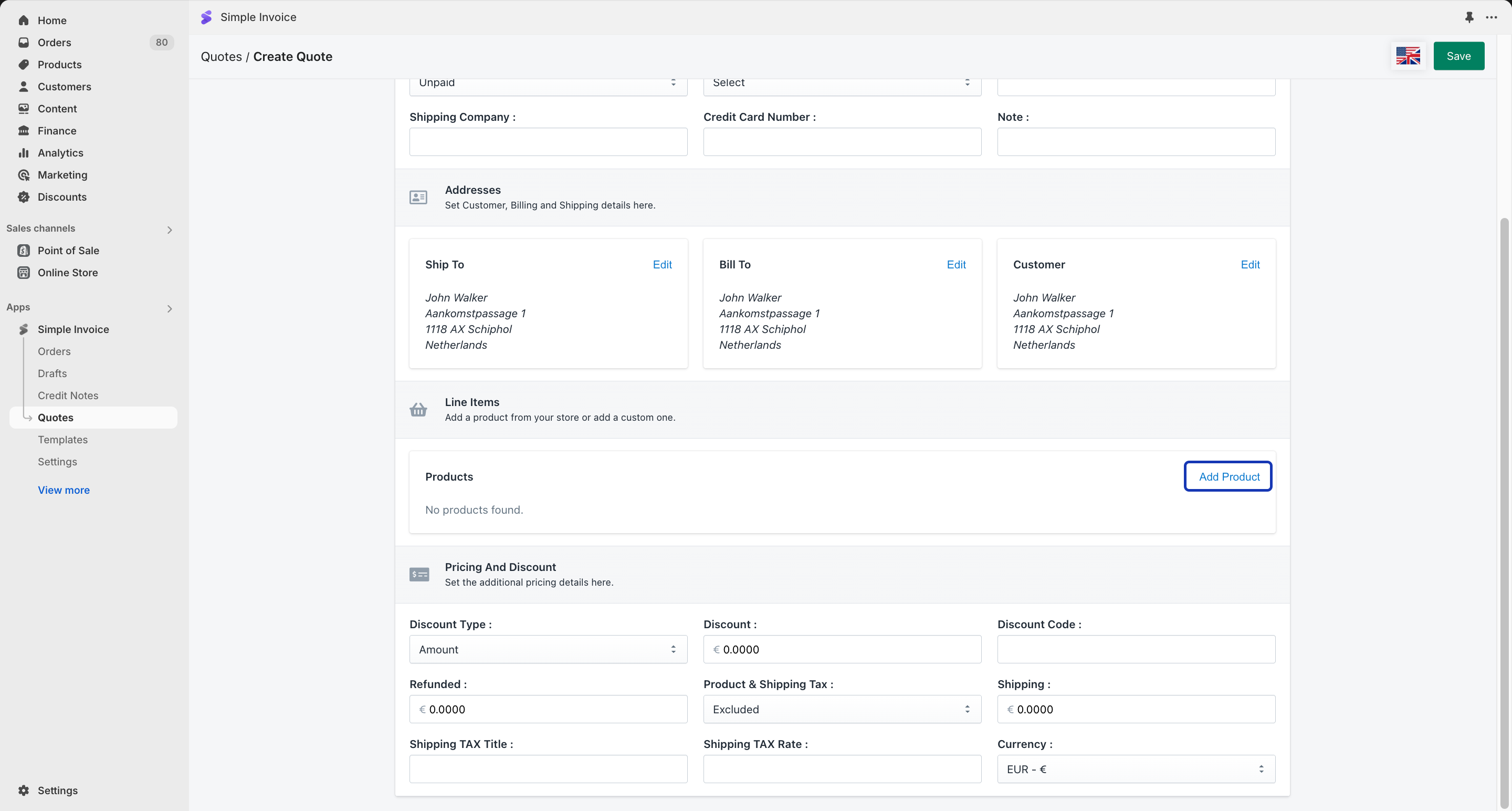
You can search for a product or you can fill in the necessary information to add a product to your Quote.
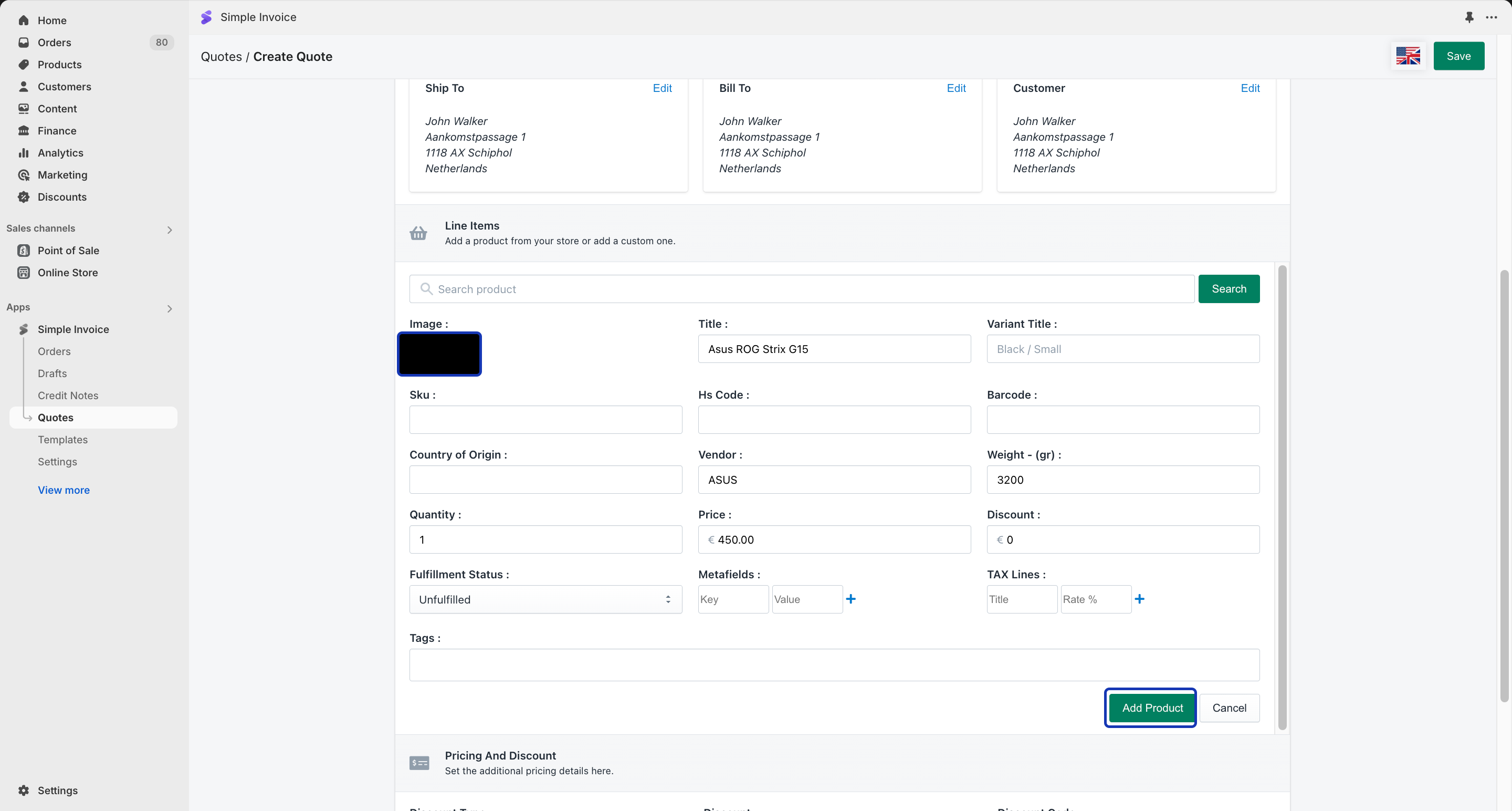
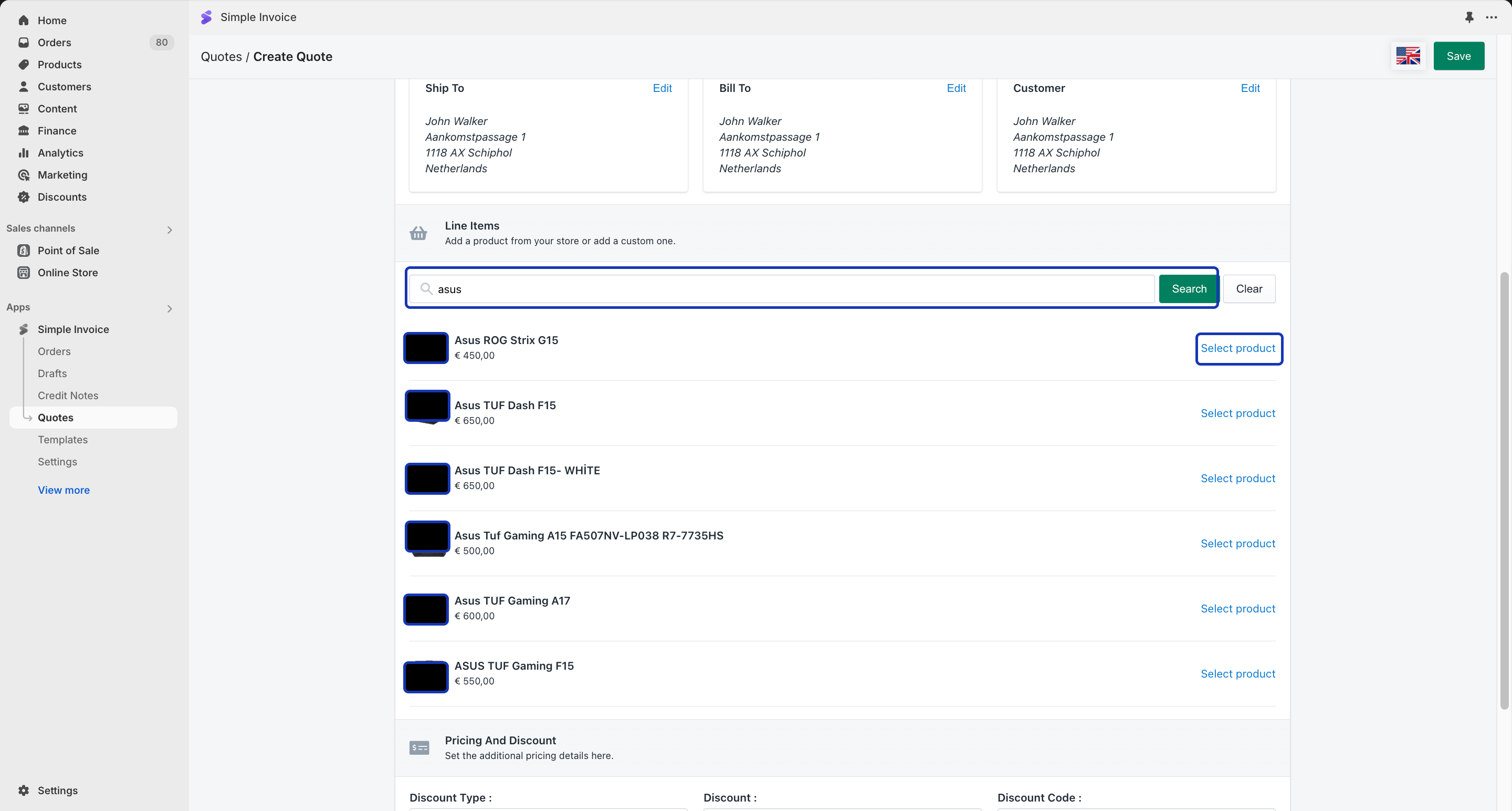
If you wish to add an existing product, write the product name to the Search field, click ‘Search’, and click “Add Product”.
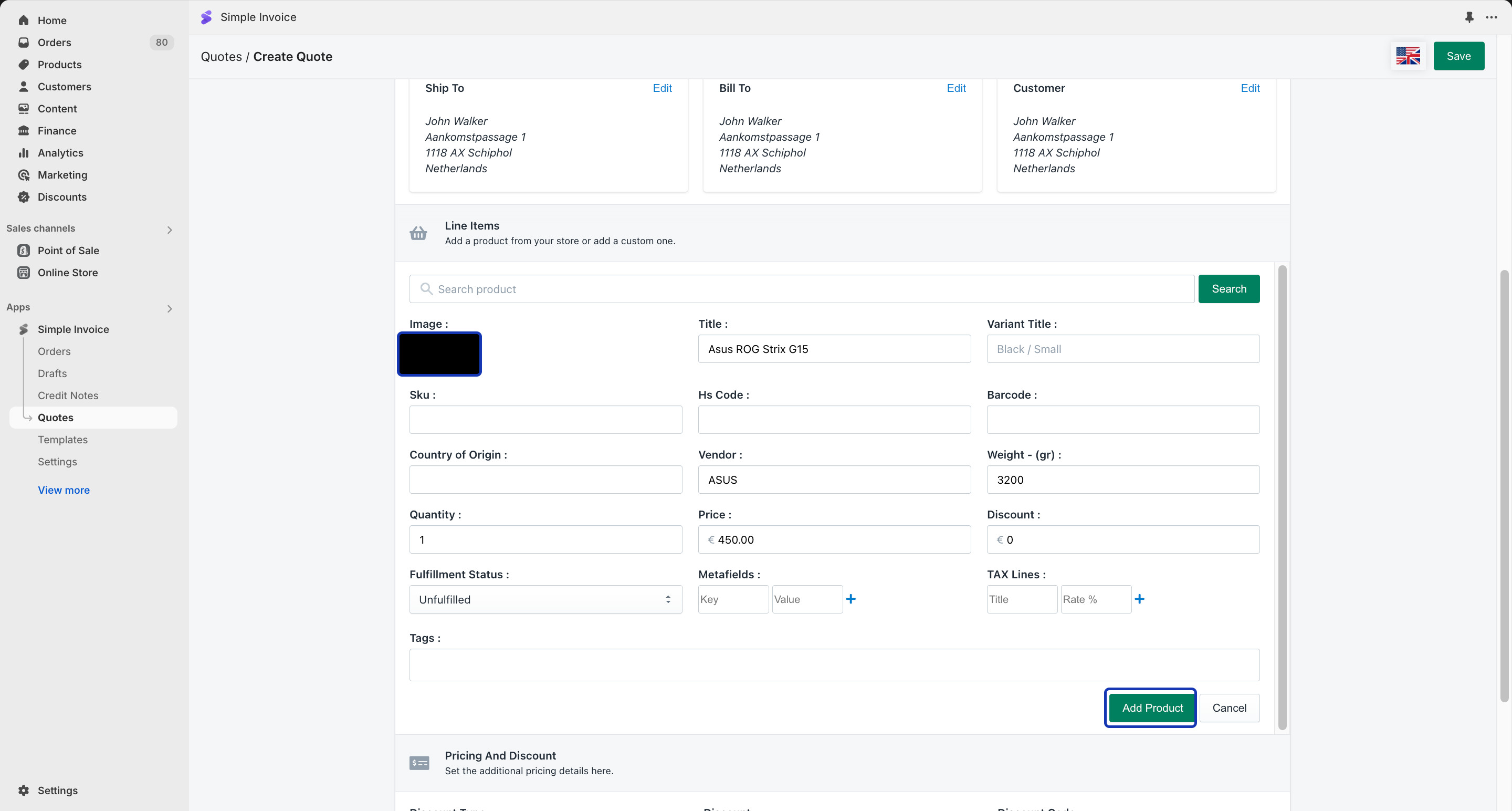
After you select a product, you can edit the product information before adding it to your Quote.
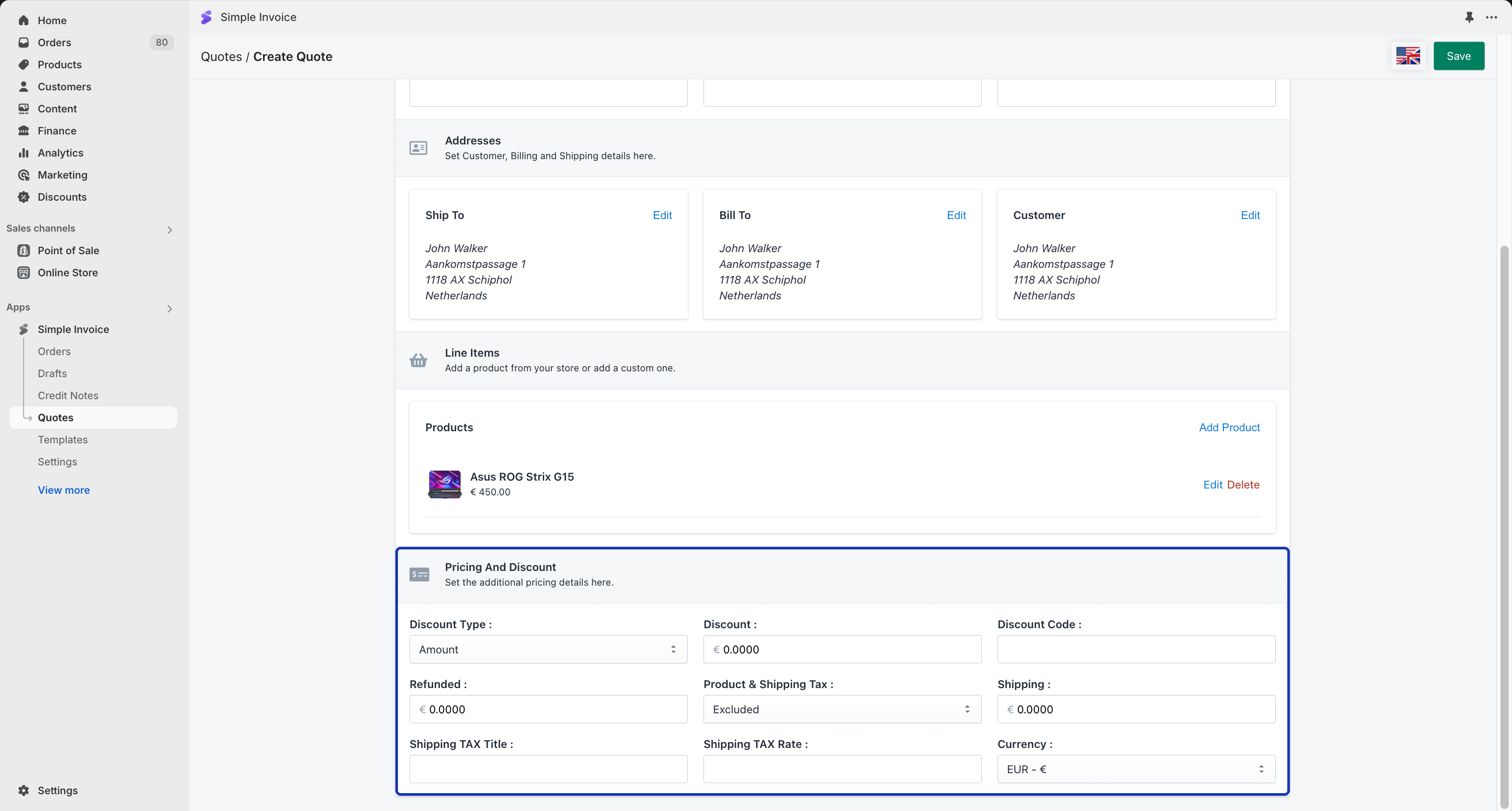
Step 7: After adding the products in the ‘Line Items’ section, click on “Pricing And Discount”.

At this step, you can add the discount and shipping amounts. The refunded amount is not mandatory and you don’t need to use it unless you wish to intentionally create a quote with a refunded amount. After you enter the desired amounts, click the “Save” button to save your quote.

You can also change the currency of your quote in this section.
How to Process a Quote?

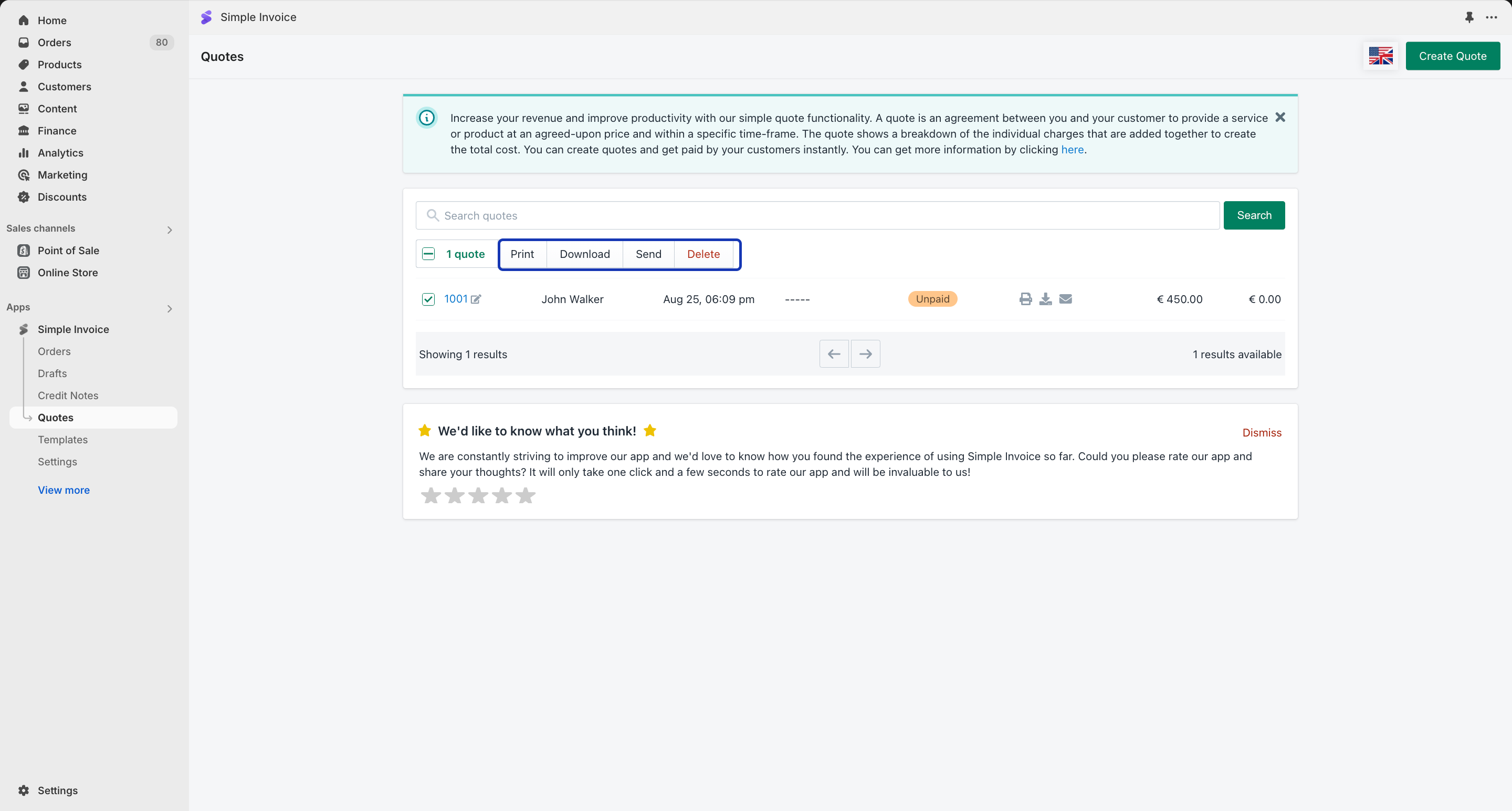
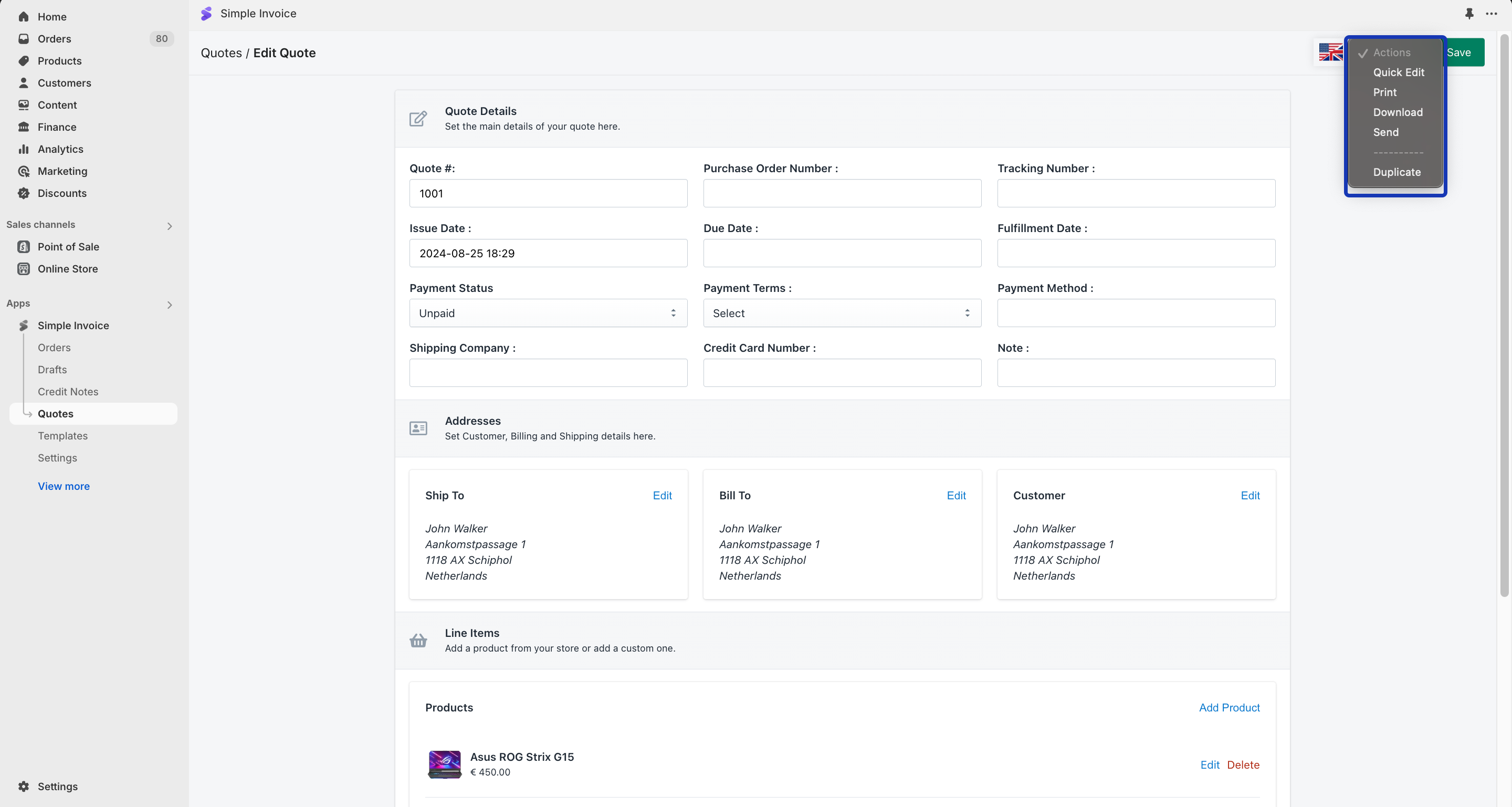
After creating your quote, you can print, download, or send it from the ‘Quotes’ section of Simple Invoice or the ‘Edit Quote’ section.
You can also click the ‘Actions’ button to process your quotes.
How to Track Quote Transactions?

When your customers receive their quote, they will be able to click on a link and make a payment.

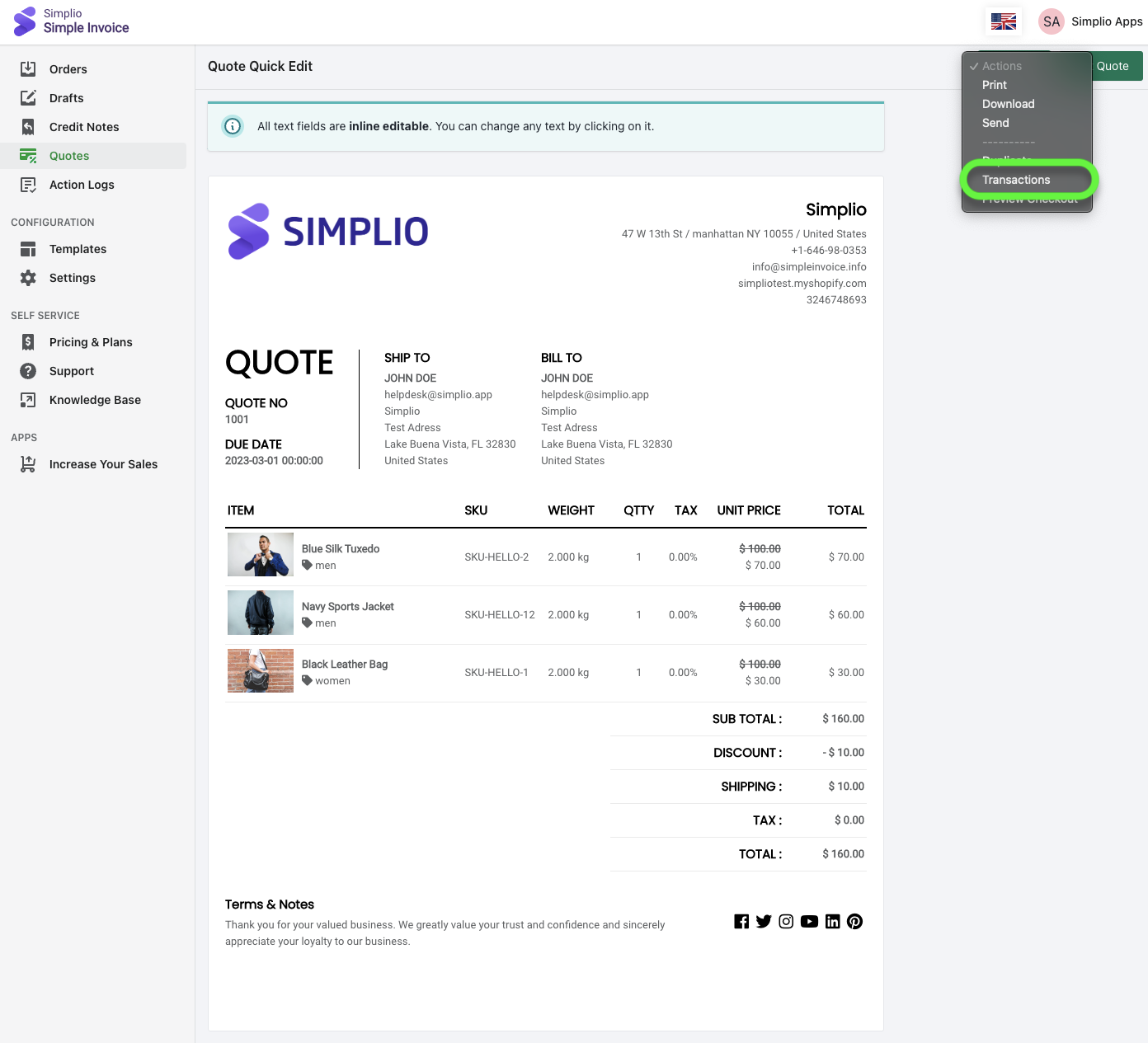
Step 1: You can track your transactions by clicking the quote number.
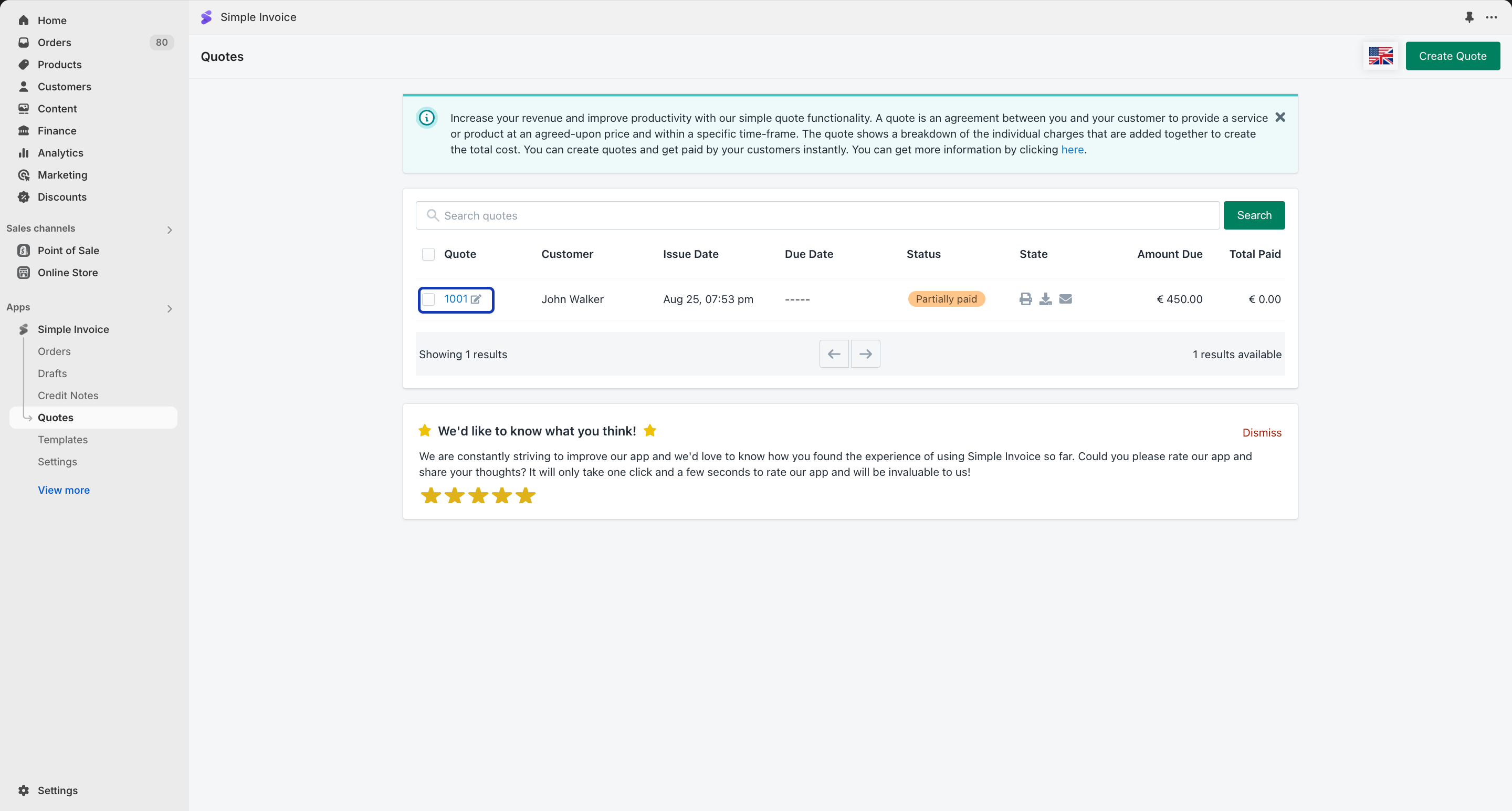
Step 2: Click on the ‘Actions’ button and select “Transactions”. In this way, you’ll reach the transactions for your quote.
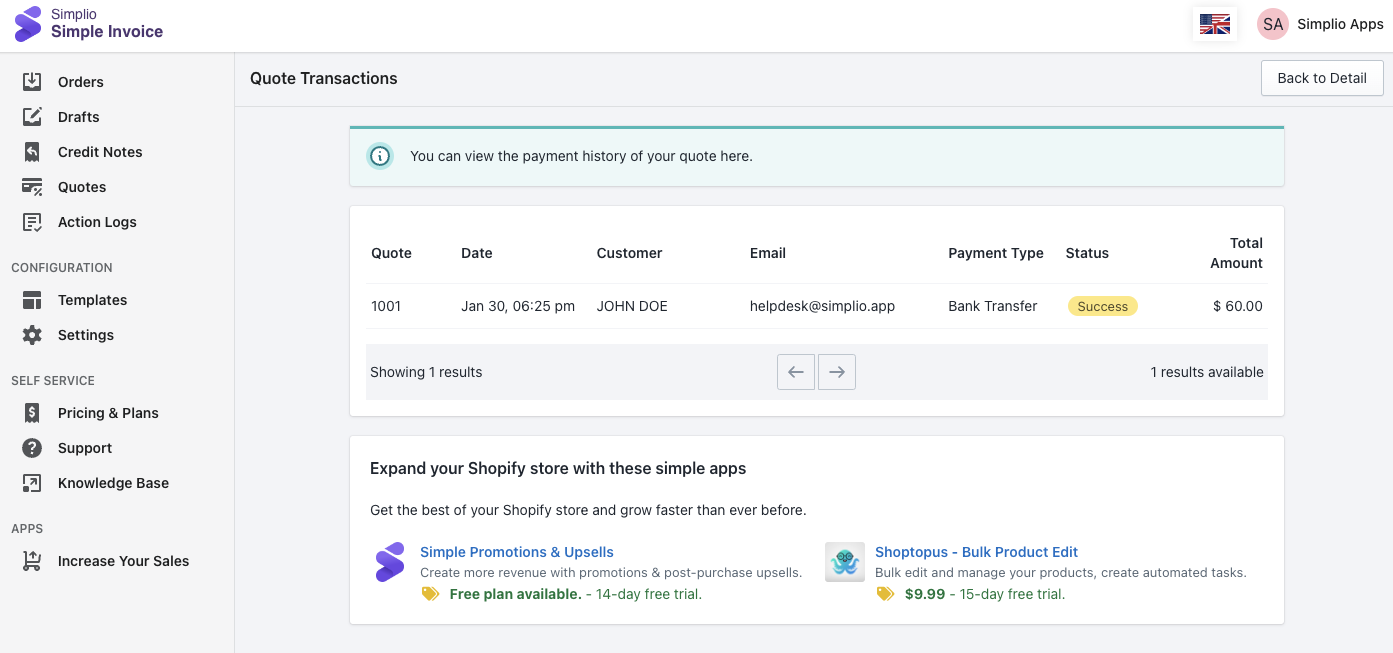
Your customers can make partial payments for your quote and you can track all your paid transactions on this page.
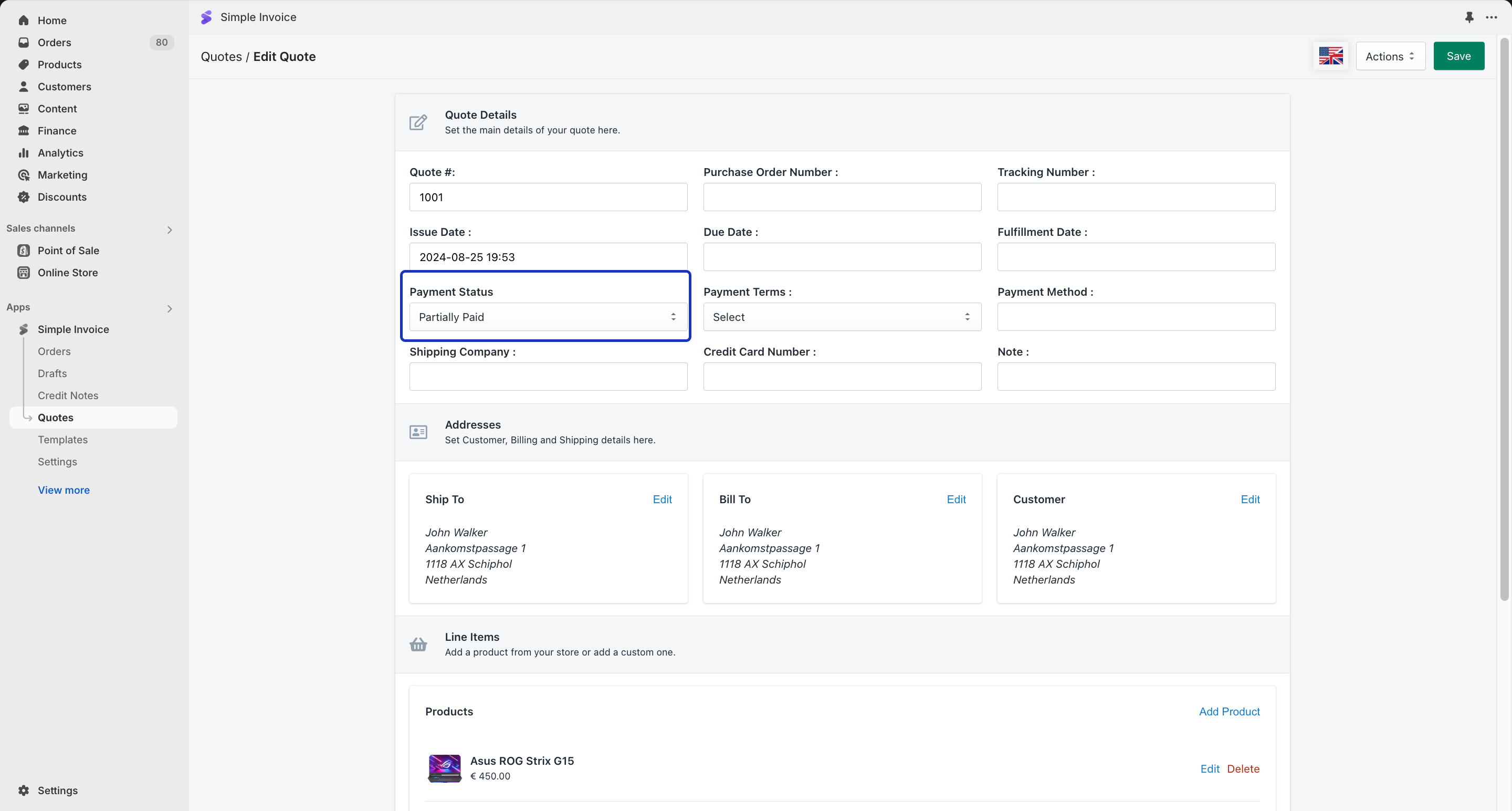
For a custom payment, once you receive payment from your customer, you can update the payment status of the quote in the Quote Edit section.
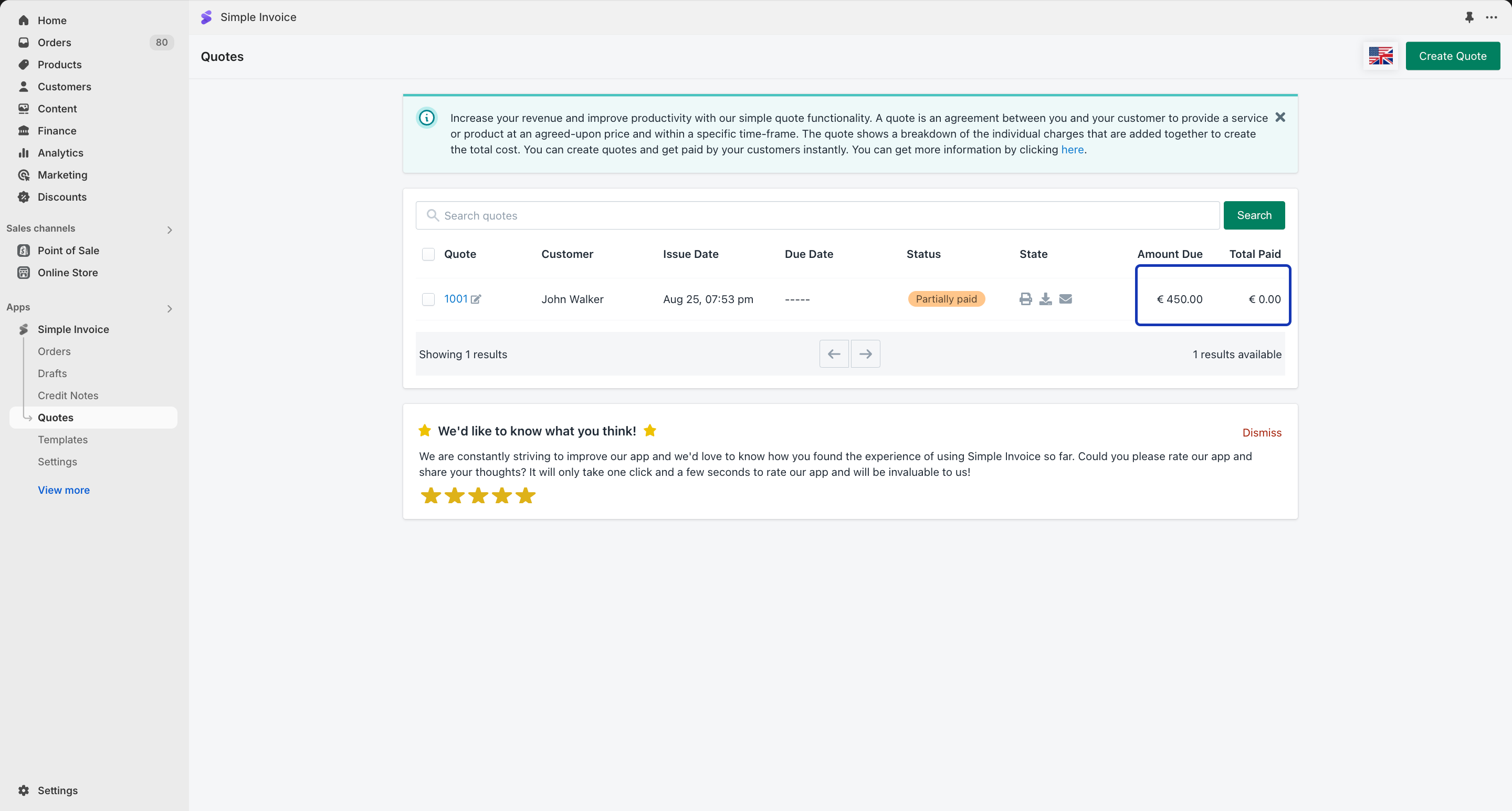
It is also possible to see the “Paid” and “Due” amounts on the details page of your quote.

If you wish to see the Paid and Due amounts in the Quotes, please click the “Show Paid and Due Line” under ‘Options’ in “Templates”.
How to Convert Orders to Quote?

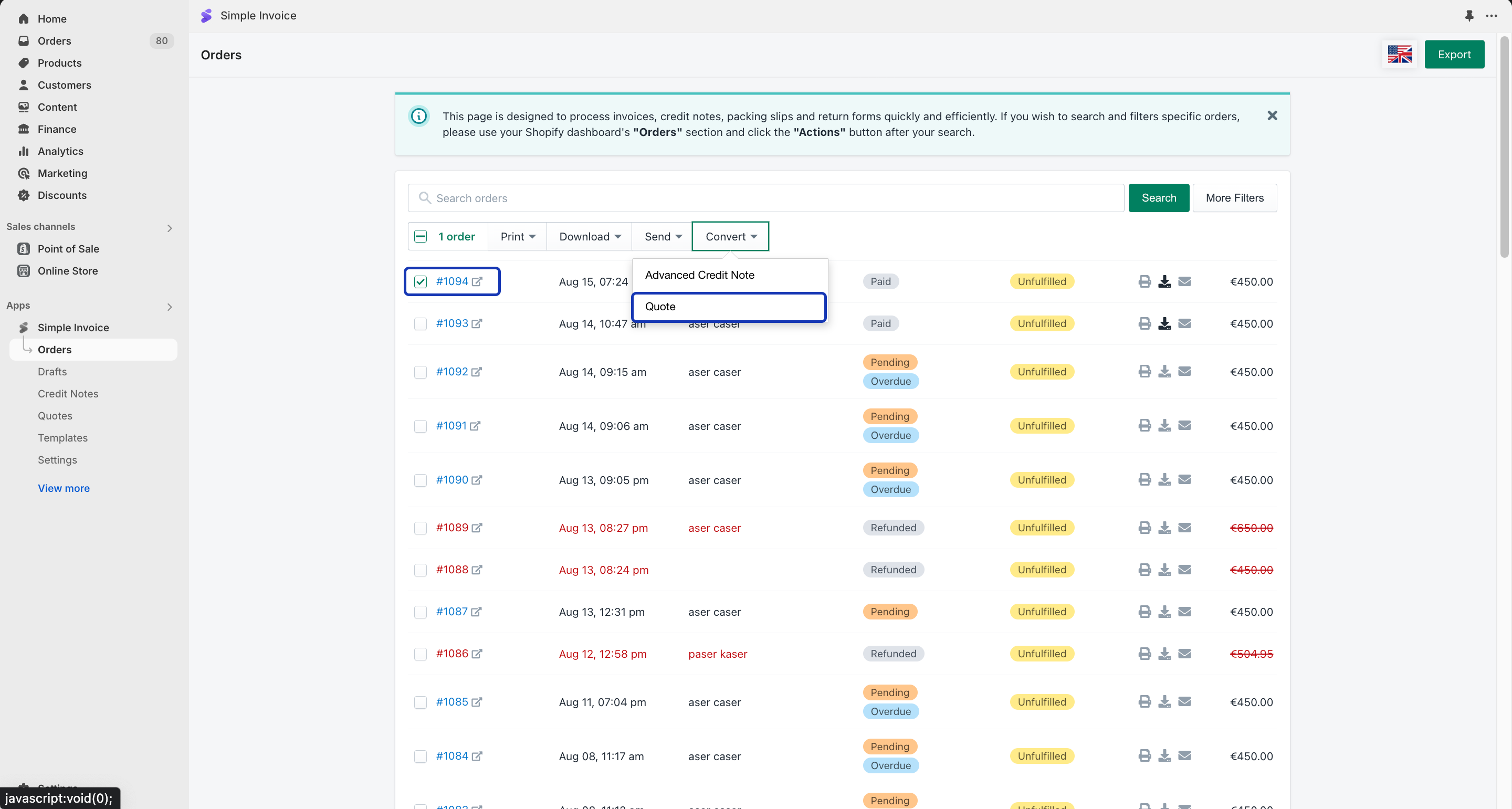
If you want to quickly create quotes from your existing Shopify orders, go to the “Orders” page from the left-side menu and select one of your orders. After that, you can easily convert your selected order into a quote by clicking the “Convert” button and selecting “Quote”.
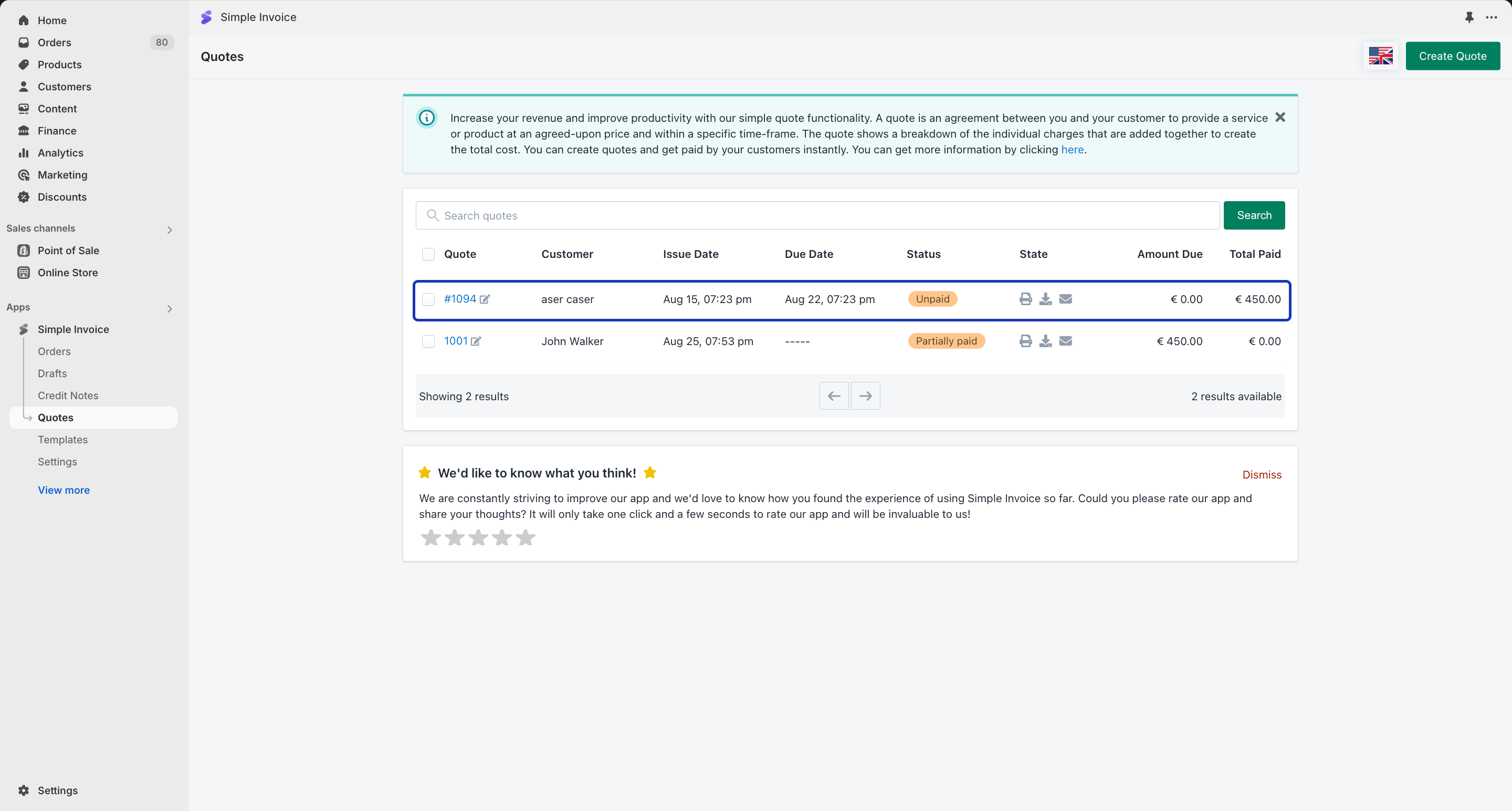
You’ll see the converted order in the “Quotes” section of your Simple Invoice account.
Tags:Accept payments after sending invoicesHow to send quotes and receive paymentsInvoice and payment process for customersInvoice and quote payment optionsquoteSend invoices and accept paymentsSending quotes and receiving payments

Was this helpful?

2 Yes  No
Related Articles
  • How does the Free plan work?
  • How can I show the payment method on my invoices?
  • How can I uninstall Simple Invoice from my store?
  • How can I upload my invoices to Google Drive?
  • How can I upload my invoices to Dropbox?
  • How can I upload my invoices to an FTP server?
  • How can I send reminders for unpaid invoices?
  • How can my customers download their invoices after a successful purchase?
Simple Invoice ‑ Order Printer
  • How can I send invoices or quotes and accept payments from my customers?
  • How does the Free plan work?
  • How can I show the payment method on my invoices?
  • How can I uninstall Simple Invoice from my store?
  • How can I upload my invoices to Google Drive?
  • How can I upload my invoices to Dropbox?
  • How can I upload my invoices to an FTP server?
  • How can I send reminders for unpaid invoices?
  • How can my customers download their invoices after a successful purchase?
  • How can my customers download their invoices from the My Account section of my store? (Online Store 1.0 Themes)
  • How can my customers make a payment for unpaid or partially paid orders? (Online Store 1.0 Themes)
  • How can I use an image on the invoice email content?
  • How can I sort my orders from oldest to newest?
  • How can my customers pay the remaining balance of their orders from the My Account section of my store?
  • How can my customers download their invoices from the My Account section of my store?
  • How can I set additional sending conditions?
  • How can my customers download their invoices from the My Account section of my store? (Online Store 2.0 Themes)
  • How can I upgrade my plan?
  • How to process invoices in the POS app?
  • How Can I Translate Product Names in the App?
  • How to Enable e-Invoicing for Spain
  • How can I send invoices automatically as soon as I fulfill an order?
  • How can I send invoices automatically as soon as I accept payment?
  • How can I remove the phone numbers of my customers from invoices?
  • How can I remove the email address of my customers from invoices?
  • How can I print invoices?
  • How can I send invoices as attachments?
  • How can I insert a secondary page to my invoices?
  • How can I send invoices for Shopify POS orders?
  • How can I send invoices for Shopify draft orders?
  • How can I prevent sending invoices automatically for orders with a specific tag?
  • How can I make tax settings for my invoices?
  • How can I receive payments?
  • How can I send invoices in multiple languages?
  • How can I send invoices?
  • How can I issue credit notes?
  • How can I insert a download link to the Shopify order notification email?
  • How can I send invoices as a separate email?
  • How can I send a payment link to my customers?
  • How can I print additional product details on my invoices?
  • How can I hide product pictures?
  • How can I display the weight information of my products?
  • How can I display the total weight amount on my invoices?
  • How can I display the total item count on my invoices?
  • How can I display the refunded amount on my invoices?
  • How can I display the invoice total without tax?
  • How can I display the shipping amount?
  • How can I hide customer details on my invoices?
  • How can I display the last four digits of a credit card on my invoices?
  • How can I download invoices?
  • How can I display the tip amount on my invoices?
  • How can I generate invoice numbers for my orders?
  • How can I filter orders from a specific date range?
  • How can I hide refunded products on my invoices?
  • How can I display the shipping cost on my invoices?
  • How can I display the shipping tax as a separate line?
  • How can I download or upload all my invoices at once?
  • How can I display the shipping company of an order on my invoices?
  • How can I edit my Shopify orders?
  • How can I display the tracking numbers on my invoices?
  • How can I display multiple tax rates on my invoices?
  • How can I display the country of origin information for my products?
  • How can I display product meta fields on my invoices?
  • How can I display product tags on my invoices?
  • How can I display the fulfillment date on my invoices?
  • How can I display non-discounted prices for my invoices?
  • How can I display my social media icons on my invoices?
  • How can I display my product prices without tax?
  • How can I display paid and due amounts on my invoices?
  • How can I display barcodes on my invoices?
  • How can I customize the text displayed in the billing information section?
  • How can I customize the text displayed in the shipping information section?
  • How can I customize customer details on my invoices?
  • How can I display discounted product prices for my invoices?
  • How can I display the fulfillment method of an order on my invoices?
  • How can I customize the design of my invoices?
  • How can I display order tags on my invoices?
  • How can I display gift card payments on my invoices?
  • How can I create return forms?
  • How can I display QR Codes on my invoices?
  • How can I change the font of my documents?
  • How can I change the size of product pictures?
  • How can I change the weight type for my products?
  • How can I change the time format of my invoices?
  • How can I change the language of my documents?
  • How can I change the title of the invoice email content?
  • How can I change the sender address of my invoice emails?
  • How can I change the date format of my invoices?
  • How can I change the content of invoice emails?
  • How can I convert an order into a quote?
  • How can I convert a draft order into a quote?
  • How can I change the filename of my invoices?
  • How can I collect tax numbers from my customers? (Online Store 1.0 Themes)
  • How can I collect a business number from my customers?(Online Store 1.0 Themes)
  • How can I create invoices in different currencies?
  • How can I create packing slips?
  • How can I collect tax numbers from my customers?
  • How can I collect tax numbers from my customers? (Online Store 2.0 Themes)
  • How can I connect my account to cloud?
  • How can I collect a business number from my customers?(Online Store 2.0 Themes)
  • Why don’t my customers receive their invoices in the right language?
  • Quick Setup Guide
  • What are the variables I can use for the invoice email content?
  • Why am I not able to see any tax on my invoices?
  • Where can I change the page margin for my invoices?
  • What should I do if I can’t upgrade my plan?
  • What should I do if I get stuck during the setup?
  • How to Use the ‘Send Only to BCC Email Field’ Feature?
  • How can I change my Simple Invoice plan?
  • How can I add my logo to my documents?
  • How can I add a secondary language for my invoices?
  • Can I use both invoice numbers and order numbers simultaneously?
  • How can I automatically create credit notes?
  • How can I add an email address to the BCC field of my invoice emails?
  • Can I send invoices automatically just for specific payment gateways?
  • Can I disable automatic invoice sending for specific customer groups?
  • Can I send invoices automatically just for specific customer groups?
  • Can I disable automatic invoice sending for specific payment gateways?
  • How can I bulk process invoices?
  • How can I add my bank details to my invoices?
  • How can I add my company tax number to my invoices?
  • How can I add my business registration number to my invoices?
  • Does Simple Invoice support Shopify’s multi-currency conversion functionality?
  • How can I add additional terms to my invoices?
  • How can I add my company information to my documents?
  • How can I add the due date and issue date to my invoices?
  • How can I accept payments?
  • Can I Generate a Receipt for My Orders?
KB Categories
  • Easy Order Manager+
  • Simple Invoice ‑ Order Printer
  • One Tree Planted at Checkout
  • Easy Upsell & Cross Sell+

  How can I display the tracking numbers on my invoices?

How can I send invoices automatically as soon as I fulfill an order?  

  • Privacy
  • Terms of Service
  • Refund
  • Security
  • Data Process
  • Data Loss
  • Cookies
  • © 2016 - 2024 Softify Apps

Top Searches:Quick Setup, Tax Settings, Receive Payments